

My80211 Videos

DHCP Option 43 Nugget

Loading..

Cisco AP Group Nugget


Phwn a Cisco WLC w/ a Rogue WCS Server

Wireless NIC 4201-4202

The OTAP Packet Vulnerability- What isn't being reported and you need to know!

Loading..

Hack WEP / WPA Keys from your Windows Zero Config


My80211 White Papers (Coming Soon!)

Cisco Wireless Compatibility Matrix (Nov. 2011)

Social Links
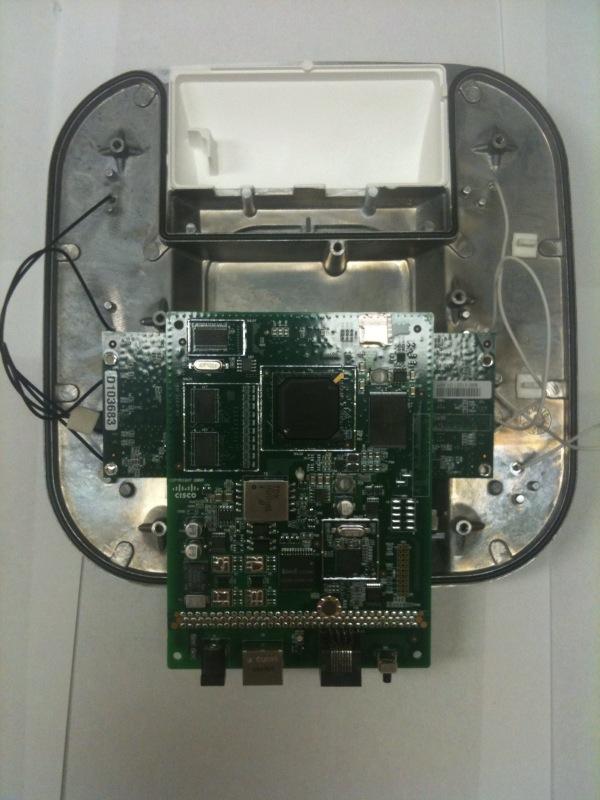
Peek Inside Cisco's Gear

See inside Cisco's latest wireless gear!

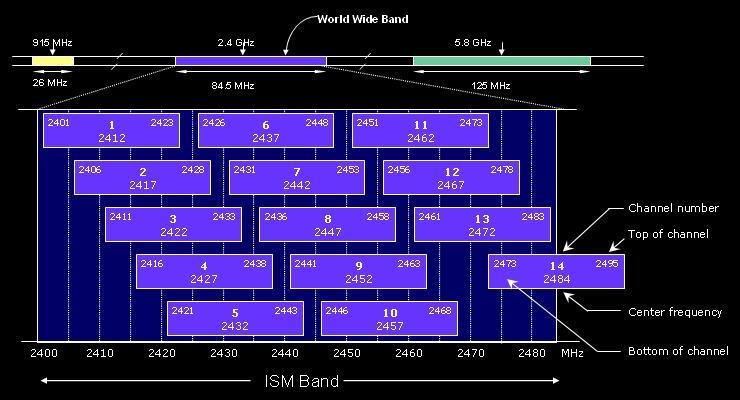
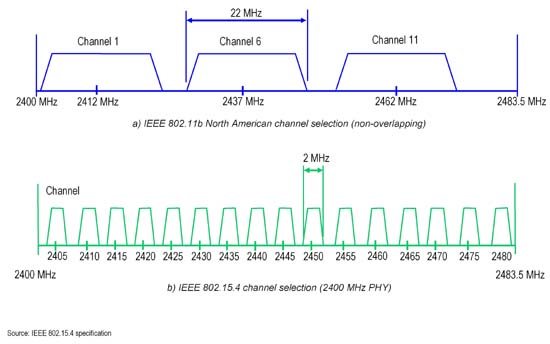
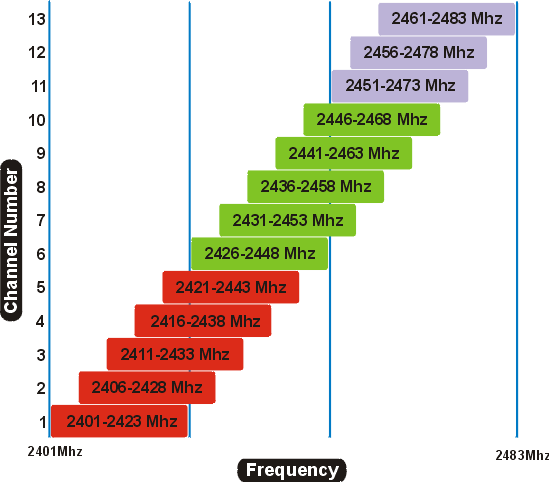
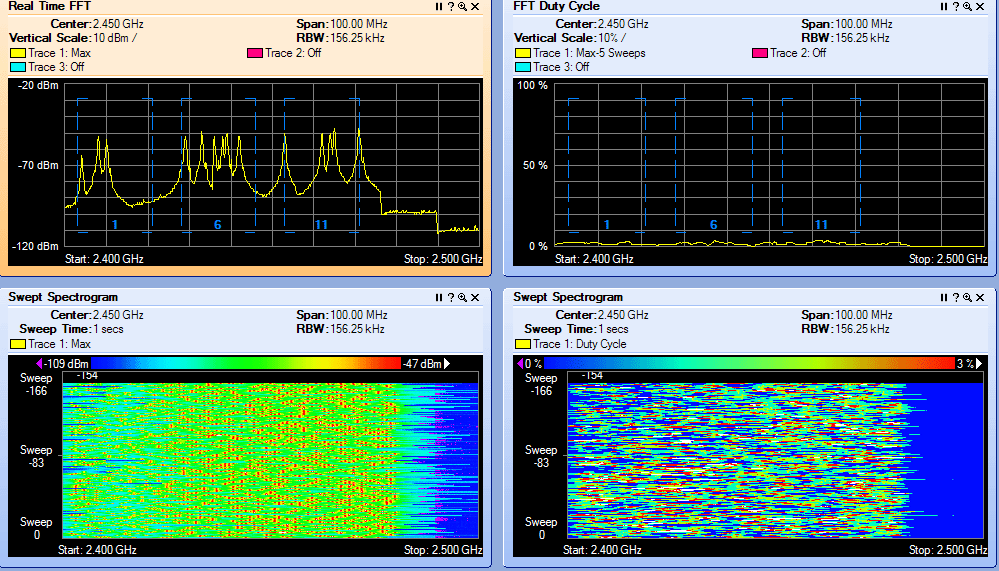
2.4 GHz Channel Overlap

EXAMPLE 1  

EXAMPLE 2

EXAMPLE 3  

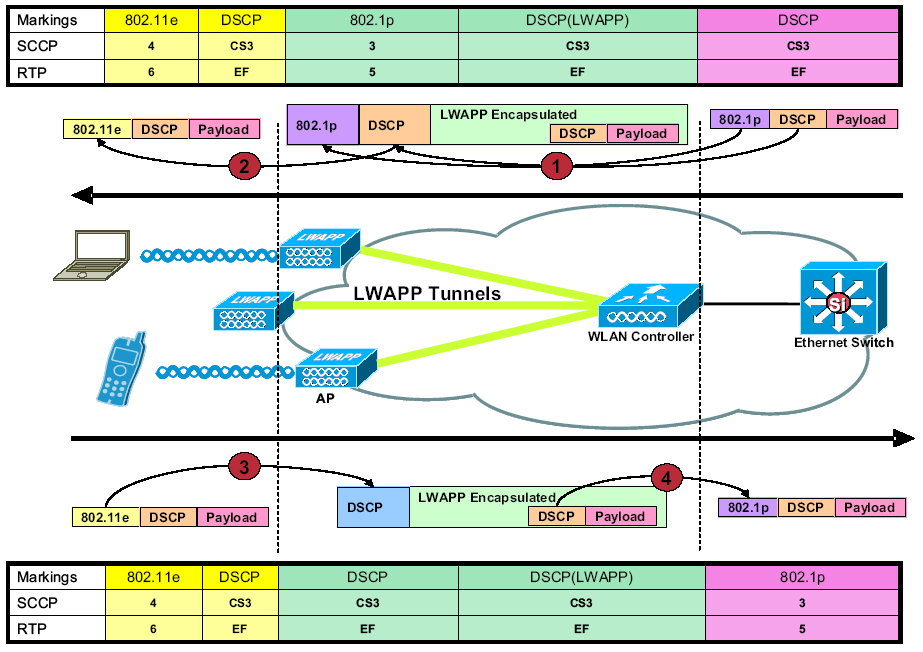
LWAPP QoS Packet Tagging


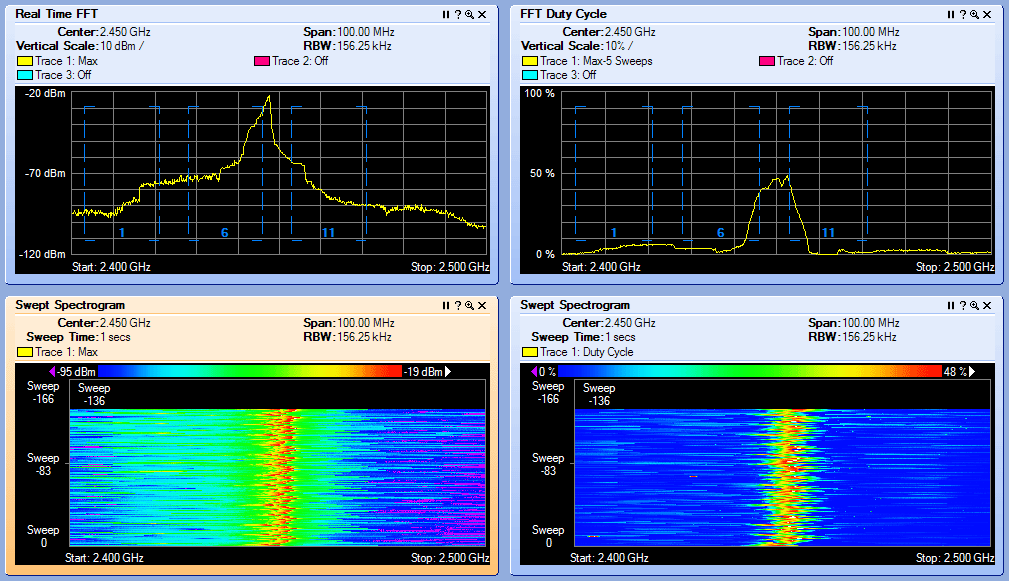
Interference Types

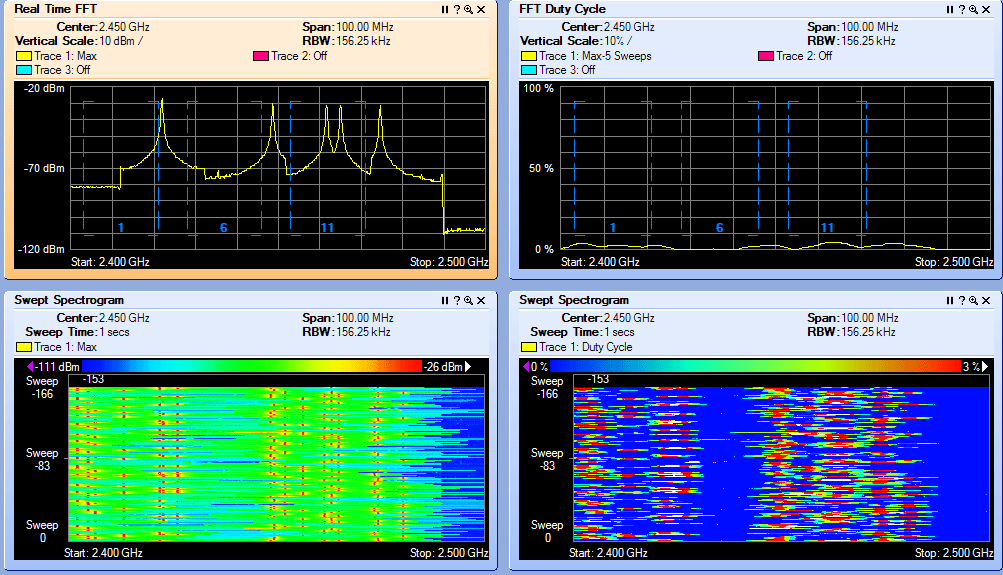
BLUETOOTH
 

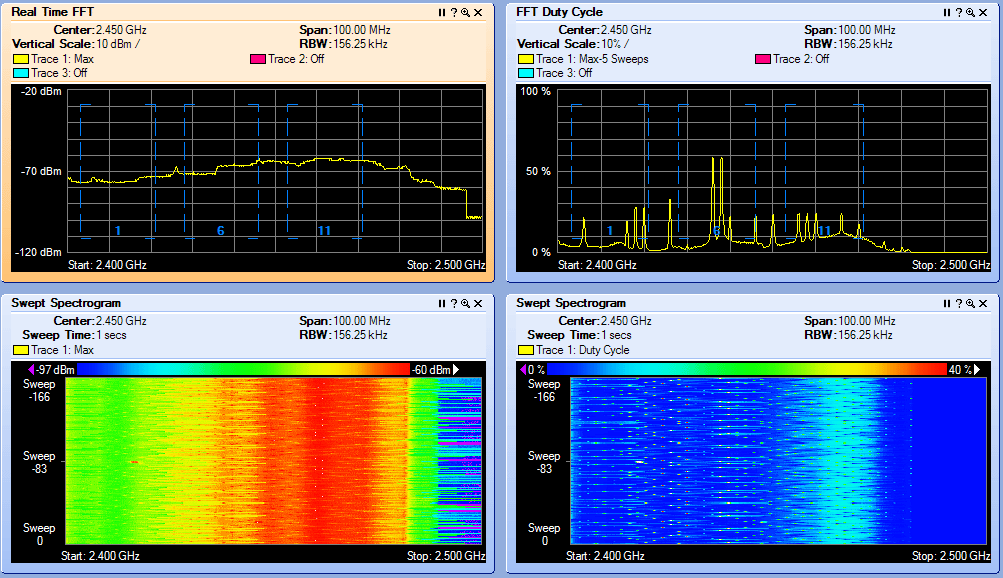
Microwave Oven
 

Cordless Phone

JAMMER!
 

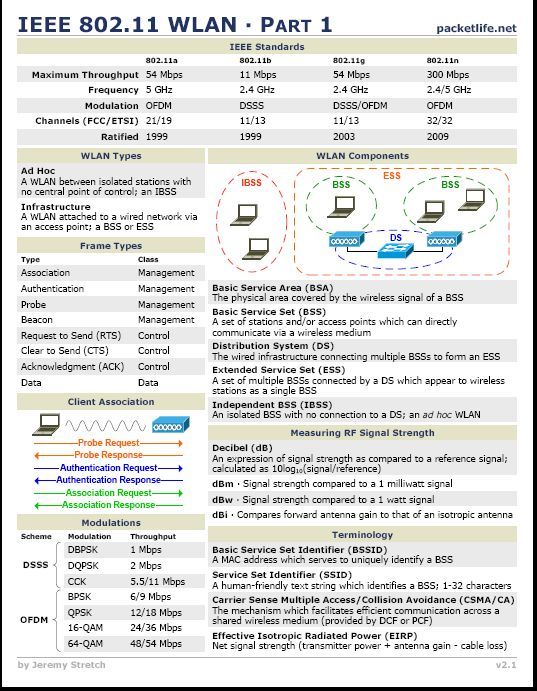
IEEE 802.11a/g/n Reference Sheet


CWSP RELEASE DATE 2/08/2010
  • CWSP Certified Wireless Security Professional Official Study Guide: Exam PW0-204
    CWSP Certified Wireless Security Professional Official Study Guide: Exam PW0-204
    by David D. Coleman, David A. Westcott, Bryan E. Harkins, Shawn M. Jackman

    Shawn Jackman (Jack) CWNE#54 is a personal friend and has been a mentor to me for many years.  I've had the pleasure and opportunity to work with Jack for 4 years. Jack is a great teacher who takes complex 802.11 standards and breaks them down so almost anyone can understand the concept at hand. I'm excited for you brother. Great job and job well done! Put another notch in the belt!

« Bugs: CSCtf34858 - Severity 1 - catastrophic (WLC Code Levels: 6.0.182.0, 6.0.188.0, 6.0.196.0) | Main | Autonomous: Carrier Busy Test »
Wednesday
Jun232010

Cisco ACS Appliance / Solution Engine Not Responding to Pings??


I've always played with the Cisco ACS on Windows boxes, but I purchased a Cisco ACS Appliance / Solution Engine sometime ago. I didn't know at the time PING was disabled by default. Here is how enable ping response from the appliance / solution engine

The Cisco Secure ACS Solution Engine does not respond to pings like a normal, Windows−based Cisco
Secure ACS server.
 
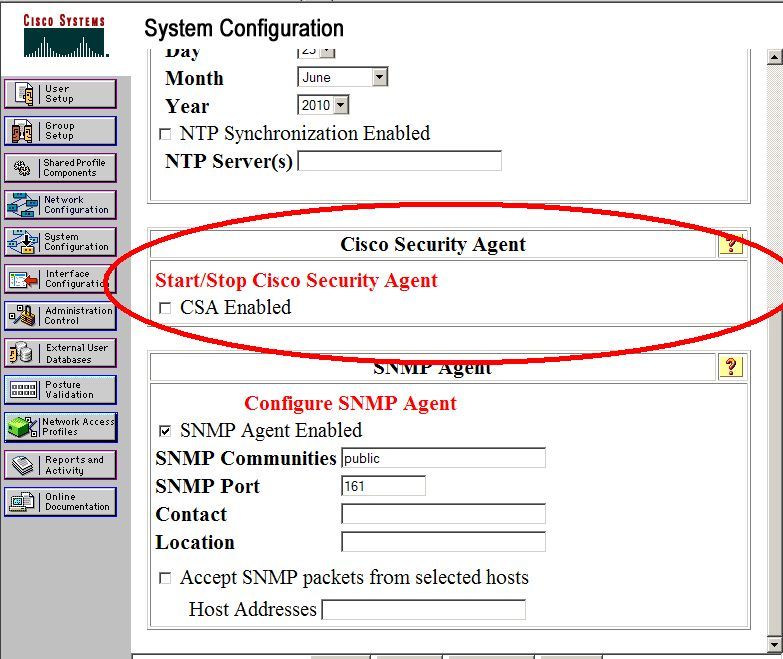
The failure of the Cisco Secure ACS Solution Engine to respond to pings is the result of the rule set applied to the CSA installed on the appliance. In order to allow ping on your ACS Solution Engine, you need to disable the CSA.


This can be done via the System Configuration > Appliance Configuration menu.
 
 
There is an option to disable or enable the CSA. If you disable this agent, you can then ping the appliance 


PrintView Printer Friendly Version

EmailEmail Article to Friend

Reader Comments (1)

Years ago I kept running into this problem too. The new ACS 5.x code does not seem to use CSA anymore, at least, not in the documentation. I tested ACS 5.1 under VMWare ESXi, but not in an appliance. BTW, Cisco recently announced end-of-life status for CSA. (http://tinyurl.com/25fa7yc)

/steve

June 24, 2010 | Unregistered CommenterSteve Williams

PostPost a New Comment

Enter your information below to add a new comment.

My response is on my own website »
Author Email (optional):
Author URL (optional):
Post:
 
Some HTML allowed: <a href="" title=""> <abbr title=""> <acronym title=""> <b> <blockquote cite=""> <code> <em> <i> <strike> <strong>