<?xml version="1.0" encoding="UTF-8"?>
<!--Generated by Squarespace V5 Site Server v5.13.158 (http://www.squarespace.com) on Wed, 22 May 2013 00:35:08 GMT--><feed xmlns="http://www.w3.org/2005/Atom" xmlns:dc="http://purl.org/dc/elements/1.1/"><title>My80211.com</title><subtitle>HOME</subtitle><id>http://www.my80211.com/home/</id><link rel="alternate" type="application/xhtml+xml" href="http://www.my80211.com/home/"/><link rel="self" type="application/atom+xml" href="http://www.my80211.com/home/atom.xml"/><updated>2013-05-20T20:56:40Z</updated><generator uri="http://five.squarespace.com/" version="Squarespace V5 Site Server v5.13.158 (http://www.squarespace.com)">Squarespace</generator><entry><title>Cisco client debug - 802.11 Association Status Code</title><id>http://www.my80211.com/home/2013/5/20/cisco-client-debug-80211-association-status-code.html</id><link rel="alternate" type="text/html" href="http://www.my80211.com/home/2013/5/20/cisco-client-debug-80211-association-status-code.html"/><author><name>George</name></author><published>2013-05-20T20:34:35Z</published><updated>2013-05-20T20:34:35Z</updated><content type="html" xml:lang="en-US"><![CDATA[<div>When you enable client debug you can be hit with a ton of information. One of the things I look at is the 802.11 association status code. The status code is very telling. It can provide information about your client and if there is a connection issue. Another tool to add to your bag of tricks.&nbsp;</div>
<div></div>
<div></div>
<h3>Lets take a peek at a debug log</h3>
<div></div>
<div>
<p>*apfMsConnTask_0: May 11 23:31:21.186: b4:f0:ab:e3:19:6a 0.0.0.0 8021X_REQD (3) DHCP Not required on AP 08:1f:f3:e1:8f:c0 vapId 4 apVapId 4for this client</p>
<p>*apfMsConnTask_0: May 11 23:31:21.186: b4:f0:ab:e3:19:6a Not Using WMM Compliance code qosCap 00</p>
<p>*apfMsConnTask_0: May 11 23:31:21.186: b4:f0:ab:e3:19:6a 0.0.0.0 8021X_REQD (3) Plumbed mobile LWAPP rule on AP 08:1f:f3:e1:8f:c0 vapId 4 apVapId 4</p>
<p>*apfMsConnTask_0: May 11 23:31:21.186: b4:f0:ab:e3:19:6a apfMsAssoStateInc</p>
<p>*apfMsConnTask_0: May 11 23:31:21.186: b4:f0:ab:e3:19:6a apfPemAddUser2 (apf_policy.c:223) Changing state for mobile b4:f0:ab:e3:19:6a on AP 08:1f:f3:e1:8f:c0 from Idle to Associated</p>
<p>*apfMsConnTask_0: May 11 23:31:21.186: b4:f0:ab:e3:19:6a Stopping deletion of Mobile Station: (callerId: 48)</p>
<p><strong>*apfMsConnTask_0: May 11 23:31:21.186: b4:f0:ab:e3:19:6a Sending Assoc Response to station on BSSID 08:1f:f3:e1:8f:c0 </strong><strong><span style="font-size: 200%;">(status 0)</span></strong><strong> ApVapId 4 Slot 0</strong></p>
<p>*apfMsConnTask_0: May 11 23:31:21.186: b4:f0:ab:e3:19:6a apfProcessAssocReq (apf_80211.c:5272) Changing state for mobile b4:f0:ab:e3:19:6a on AP 08:1f:f3:e1:8f:c0 from Associated to Associated</p>
<p>&nbsp;</p>
</div>
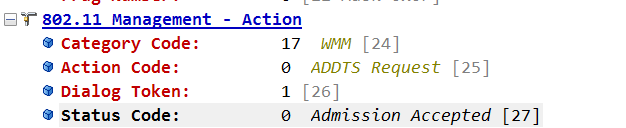
<div>Our debug shows a status code of 0. Referencing our chart below we will find our association was a success.&nbsp;</div>
<div><br />
<div>
<h3>802.11 Association Status Codes</h3>
<p><a href="https://supportforums.cisco.com/docs/DOC-33185">https://supportforums.cisco.com/docs/DOC-33185</a></p>
<p>&nbsp;</p>
</div>
<div></div>
<div>
<table>
<tbody>
<tr>
<td>Code</td>
<td><strong>802.11 definition</strong></td>
<td><strong>Explanation</strong></td>
</tr>
<tr>
<td>0</td>
<td>Successful</td>
<td><br /></td>
</tr>
<tr>
<td>1</td>
<td>Unspecified failure</td>
<td>For example : when there is no ssid specified in an association request</td>
</tr>
<tr>
<td>10</td>
<td>Cannot support all requested capabilities in the Capability Information field</td>
<td>Example Test: Reject when privacy bit is set for WLAN not requiring security</td>
</tr>
<tr>
<td>11</td>
<td>Reassociation denied due to inability to confirm that association exists</td>
<td>NOT SUPPORTED</td>
</tr>
<tr>
<td>12</td>
<td>Association denied due to reason outside the scope of this standard</td>
<td>Example : When controller receives assoc from an unknown or disabled SSID</td>
</tr>
<tr>
<td>13</td>
<td>Responding station does not support the specified authentication algorithm</td>
<td>For example, MFP is disabled but was requested by the client.</td>
</tr>
<tr>
<td>14</td>
<td>Received an Authentication frame with authentication transaction sequence number<br />out of expected sequence</td>
<td>If the authentication sequence number is not correct.</td>
</tr>
<tr>
<td>
<p>&nbsp;</p>
15</td>
<td>Authentication rejected because of challenge failure</td>
<td><br /></td>
</tr>
<tr>
<td>16</td>
<td>Authentication rejected due to timeout waiting for next frame in sequence</td>
<td><br /></td>
</tr>
<tr>
<td>17</td>
<td>Association denied because AP is unable to handle additional associated stations</td>
<td>Will happen if you run out of AIDs on the AP; so try associating a large number of stations.</td>
</tr>
<tr>
<td>18</td>
<td>Association denied due to requesting station not supporting all of the data rates in the<br />BSSBasicRateSet parameter</td>
<td>Will happen if the rates in the assoc request are not in the BasicRateSet in the beacon.</td>
</tr>
<tr>
<td>19</td>
<td>Association denied due to requesting station not supporting the short preamble<br />option</td>
<td>NOT SUPPORTED</td>
</tr>
<tr>
<td>20</td>
<td>Association denied due to requesting station not supporting the PBCC modulation<br />option</td>
<td>NOT SUPPORTED</td>
</tr>
<tr>
<td>21</td>
<td>Association denied due to requesting station not supporting the Channel Agility<br />option</td>
<td>NOT SUPPORTED</td>
</tr>
<tr>
<td>22</td>
<td>Association request rejected because Spectrum Management capability is required</td>
<td>NOT SUPPORTED</td>
</tr>
<tr>
<td>23</td>
<td>Association request rejected because the information in the Power Capability<br />element is unacceptable</td>
<td>NOT SUPPORTED</td>
</tr>
<tr>
<td>24</td>
<td>Association request rejected because the information in the Supported Channels<br />element is unacceptable</td>
<td>NOT SUPPORTED</td>
</tr>
<tr>
<td>25</td>
<td>Association denied due to requesting station not supporting the Short Slot Time<br />option</td>
<td>NOT SUPPORTED</td>
</tr>
<tr>
<td>26</td>
<td>Association denied due to requesting station not supporting the DSSS-OFDM option</td>
<td>NOT SUPPORTED</td>
</tr>
<tr>
<td>27-31</td>
<td>Reserved</td>
<td>NOT SUPPORTED</td>
</tr>
<tr>
<td>32</td>
<td>Unspecified, QoS-related failure</td>
<td>NOT SUPPORTED</td>
</tr>
<tr>
<td>33</td>
<td>Association denied because QAP has insufficient bandwidth to handle another<br />QSTA</td>
<td>NOT SUPPORTED</td>
</tr>
<tr>
<td>34</td>
<td>Association denied due to excessive frame loss rates and/or poor conditions on current<br />operating channel</td>
<td>NOT SUPPORTED</td>
</tr>
<tr>
<td>35</td>
<td>Association (with QBSS) denied because the requesting STA does not support the<br />QoS facility</td>
<td>If the WMM is required by the WLAN and the client is not capable of it, the association will get rejected.</td>
</tr>
<tr>
<td>36</td>
<td>Reserved in 802.11</td>
<td>This is used in our code ! There is no blackbox test for this status code.</td>
</tr>
<tr>
<td>37</td>
<td>The request has been declined</td>
<td>This is not used in assoc response; ignore</td>
</tr>
<tr>
<td>38</td>
<td>The request has not been successful as one or more parameters have invalid values</td>
<td>NOT SUPPORTED</td>
</tr>
<tr>
<td>39</td>
<td>The TS has not been created because the request cannot be honored; however, a suggested<br />TSPEC is provided so that the initiating QSTA may attempt to set another TS<br />with the suggested changes to the TSPEC</td>
<td>NOT SUPPORTED</td>
</tr>
<tr>
<td>40</td>
<td>Invalid information element, i.e., an information element defined in this standard for<br />which the content does not meet the specifications in Clause 7</td>
<td>Sent when Aironet IE is not present for a CKIP WLAN</td>
</tr>
<tr>
<td>41</td>
<td>Invalid group cipher</td>
<td>Used when received unsupported Multicast 802.11i OUI Code</td>
</tr>
<tr>
<td>42</td>
<td>Invalid pairwise cipher</td>
<td><br /></td>
</tr>
<tr>
<td>43</td>
<td>Invalid AKMP</td>
<td><br /></td>
</tr>
<tr>
<td>44</td>
<td>Unsupported RSN information element version</td>
<td>If you put anything but version value of 1, you will see this code.</td>
</tr>
<tr>
<td>45</td>
<td>Invalid RSN information element capabilities</td>
<td>If WPA/RSN IE is malformed, such as incorrect length etc, you will see this code.</td>
</tr>
<tr>
<td>46</td>
<td>Cipher suite rejected because of security policy</td>
<td>NOT SUPPORTED</td>
</tr>
<tr>
<td>47</td>
<td>The TS has not been created; however, the HC may be capable of creating a TS, in<br />response to a request, after the time indicated in the TS Delay element</td>
<td>NOT SUPPORTED</td>
</tr>
<tr>
<td>48</td>
<td>Direct link is not allowed in the BSS by policy</td>
<td>NOT SUPPORTED</td>
</tr>
<tr>
<td>49</td>
<td>Destination STA is not present within this QBSS</td>
<td>NOT SUPPORTED</td>
</tr>
<tr>
<td>50</td>
<td>The Destination STA is not a QSTA</td>
<td>NOT SUPPORTED</td>
</tr>
<tr>
<td>51</td>
<td>Association denied because the ListenInterval is too large</td>
<td>NOT SUPPORTED</td>
</tr>
<tr>
<td>200<br />(0xC8)</td>
<td>
<p>&nbsp;</p>
Unspecified, QoS-related failure.<br />Not defined in IEEE, defined in CCXv4</td>
<td>Unspecified QoS Failure. This will happen if the Assoc request contains more than one TSPEC for the same AC.</td>
</tr>
<tr>
<td>201<br />(0xC9)</td>
<td>TSPEC request refused due to AP&rsquo;s policy configuration (e.g., AP is configured to deny all TSPEC requests on this SSID). A TSPEC will not be suggested by the AP for this reason code.<br />Not defined in IEEE, defined in CCXv4</td>
<td>This will happen if a TSPEC comes to a WLAN which has lower priority than the WLAN priority settings. For example a Voice TSPEC coming to a Silver WLAN. Only applies to CCXv4 clients.</td>
</tr>
<tr>
<td>202<br />(0xCA)</td>
<td>Association Denied due to AP having insufficient bandwidth to handle a new TS. This cause code will be useful while roaming only.<br />Not defined in IEEE, defined in CCXv4</td>
<td><br /></td>
</tr>
<tr>
<td>203<br />(0xCB)</td>
<td>Invalid Parameters. The request has not been successful as one or more TSPEC parameters in the request have invalid values. A TSPEC SHALL be present in the response as a suggestion.
<p>&nbsp;</p>
<p>Not defined in IEEE, defined in CCXv4</p>
<p>&nbsp;</p>
<p>&nbsp;</p>
</td>
<td>This happens in cases such as PHY rate mismatch. If the TSRS IE contains a phy rate not supported by the controller, for example. Other examples include sending a TSPEC with bad parameters, such as sending a date rate of 85K for a narrowband TSPEC.</td>
</tr>
</tbody>
</table>
</div>
<div></div>
</div>]]></content></entry><entry><title>Aruba 802.11ac coverage tomorrow @ 10:00 PDT! Follow on Twitter #11ac</title><id>http://www.my80211.com/home/2013/5/20/aruba-80211ac-coverage-tomorrow-1000-pdt-follow-on-twitter-1.html</id><link rel="alternate" type="text/html" href="http://www.my80211.com/home/2013/5/20/aruba-80211ac-coverage-tomorrow-1000-pdt-follow-on-twitter-1.html"/><author><name>George</name></author><published>2013-05-20T15:03:32Z</published><updated>2013-05-20T15:03:32Z</updated><content type="html" xml:lang="en-US"><![CDATA[<!--?xml version="1.0" encoding="UTF-8" standalone="no"?-->
<h3><span style="font-family: Georgia;">Aruba Networks will be announcing their 802.11ac (wave 1) offering next week 5.21.2013 @ 10:00 PDT.</span></h3>
<div><span style="font-family: Georgia;">This is an exciting time for Aruba Networks. Aruba's been pretty tight lipped about their 802.11ac access point up to this point.<span class="full-image-float-right ssNonEditable"><span><img style="width: 300px;" src="http://www.my80211.com/storage/802.11ac-prelaunch-homepage-hero-400.jpg?__SQUARESPACE_CACHEVERSION=1369062505832" alt="" /></span></span>&nbsp;At the last Tech Field Day the delegates, myself included, received a sneak peek of Aruba's new flag ship offering. &nbsp;I am looking forward to this live event to hear exactly Aruba's deployment strategy, marketing approach and more importantly how Aruba's 802.11ac will operate in the enterprise.&nbsp;</span></div>
<div></div>
<div></div>
<div>
<h3><strong><span style="font-family: Georgia;">LIVE COVERAGE&nbsp;</span></strong></h3>
<div><span style="font-family: Georgia;">Live coverage&nbsp;<a href="http://www.arubanetworks.com/11ac/">http://www.arubanetworks.com/11ac</a></span></div>
<span style="font-family: Georgia;"><br /></span></div>
<div>
<div></div>
<h3><strong><span style="font-family: Georgia;">TWITTER&nbsp;</span></strong></h3>
<div><span style="font-family: Georgia;"><br /></span></div>
<div><span style="font-family: Georgia;">Join us for an in-depth 802.11ac discussion live on Twitter hash tag&nbsp;<strong>#11ac</strong></span></div>
<span style="font-family: Georgia;"><br /></span></div>
<div>
<p><span style="font-family: Georgia;"><strong><br />Questions that will be covered #11ac&nbsp;</strong><br />1.&nbsp;&nbsp;&nbsp;&nbsp;&nbsp;&nbsp;&nbsp;&nbsp;&nbsp;&nbsp;&nbsp; Higher data rates, better access point reliability: How important are these and other 802.11ac Features to your organization?</span></p>
<p><span style="font-family: Georgia;">2.&nbsp;&nbsp;&nbsp;&nbsp;&nbsp;&nbsp;&nbsp;&nbsp;&nbsp;&nbsp;&nbsp; What are the use cases for 802.11ac in your organization - eg. video over Wi-Fi?</span></p>
<p><span style="font-family: Georgia;">3.&nbsp;&nbsp;&nbsp;&nbsp;&nbsp;&nbsp;&nbsp;&nbsp;&nbsp;&nbsp;&nbsp; In your organization, what issues will be solved, or addressed by the 802.11ac standard?</span></p>
<p><span style="font-family: Georgia;">4.&nbsp;&nbsp;&nbsp;&nbsp;&nbsp;&nbsp;&nbsp;&nbsp;&nbsp;&nbsp;&nbsp; When are you planning to invest in the 802.11ac technology?</span></p>
<p><span style="font-family: Georgia;">5.&nbsp;&nbsp;&nbsp;&nbsp;&nbsp;&nbsp;&nbsp;&nbsp;&nbsp;&nbsp;&nbsp; What's your WLAN deployment strategy with 802.11ac - eg. only deploy in high density areas?</span></p>
</div>
<div>
<h3><span><span style="font-family: Georgia;">Tech Field Day event schedule</span></span></h3>
<div><strong><span><span style="font-family: Georgia;">Agenda</span></span></strong></div>
<div><strong><span><span style="font-family: Georgia;"><br /></span></span></strong></div>
<div><span style="font-family: Georgia;"><br /></span></div>
<div><span style="font-family: Georgia;"><strong><span>10:00 am PDT</span></strong><span>&nbsp;Aruba 802.11ac Announcement with Keerti Melkote, Aruba CTO and Founder<br /><br /><strong>10:45 am</strong>&nbsp;Microsoft Lync over 802.11ac Wi-Fi with Pascal Menezes, Sr. Program Manager at Microsoft<br /><br /><strong>11:45 am</strong>&nbsp;Tech Field Day 802.11ac Roundtable<br /><br /><strong>2:00 pm</strong>&nbsp;Designing Wi-Fi for Voice &amp; Video with Mike Kail, Netflix VP of IT<br /><br /><strong>3:00 pm</strong>&nbsp;Next-gen Access Network Design with Arun Kanchi, Exafort CEO</span></span></div>
<div><span><span style="font-family: Georgia;"><br /></span></span></div>
<div><span style="font-family: Georgia;"><a href="http://techfieldday.com/event/ra11ac/">http://techfieldday.com/event/ra11ac/</a><span><br /></span></span></div>
<div></div>
</div>
<div>
<table width="100%">
<tbody>
<tr>
<td><span style="font-family: Georgia;"><br /></span></td>
</tr>
</tbody>
</table>
<h3><span style="font-family: Georgia;"><strong>ARUBA AIRHEADS FOURM</strong>&nbsp;</span></h3>
<div><span style="font-family: Georgia;"><br /></span></div>
<div><span style="font-family: Georgia; color: #000000;"><a href="http://community.arubanetworks.com/">http://community.arubanetworks.com</a><br /></span></div>
<div><span style="font-family: Georgia; color: #000000;"><br /></span></div>
<div><span style="font-family: Georgia;"><br /></span></div>
</div>]]></content></entry><entry><title>WLC: AP Managers Are Pingable - 7.x onwards</title><id>http://www.my80211.com/home/2013/4/26/wlc-ap-managers-are-pingable-7x-onwards.html</id><link rel="alternate" type="text/html" href="http://www.my80211.com/home/2013/4/26/wlc-ap-managers-are-pingable-7x-onwards.html"/><author><name>George</name></author><published>2013-04-26T16:45:00Z</published><updated>2013-04-26T16:45:00Z</updated><content type="html" xml:lang="en-US"><![CDATA[<h3>Since the very beginning the AP manager on a Cisco WLC would never respond to pings. Well that has all changed if you use LAG and an AP manager with 7.x code!</h3>
<p>I like how Cisco hides little nuggets in their documentation. It states, in LAG mode, the management and AP manager uses the same base LAG MAC address.</p>
<p><span class="content">&nbsp;</span></p>
<div class="Note1B"><img src="http://www.cisco.com/en/US/i/templates/note.gif" alt="" /></div>
<hr class="Cautn1table" />
<p><a name="wp1304690"></a></p>
<p class="pN1_Note1"><strong>Note&nbsp;</strong><img src="http://www.cisco.com/en/US/i/templates/blank.gif" border="0" alt="" width="1" height="2" />With the 7.0 release onwards, the MAC address of the management interface and the AP-manager interface is the same as the base LAG MAC address.</p>
<h3>LAB</h3>
<p>A show ARP on the distribution switch you can see the MAC is identical for both the manager and AP manager.</p>
<p><span class="ssNonEditable full-image-block"><img src="http://www.my80211.com/storage/ap.manager.ping.gif?__SQUARESPACE_CACHEVERSION=1327376904009" alt="" /></span></p>
<p>NOTE --</p>
<p>This was tested on 4402,4404 and 5508 model controllers.</p>
<p>AP manager(s) aren't needed with a 5508.</p>
<p>This only applies to a WLC in LAG mode w/ AP Manager</p>
<h3>Additional Reading Material:</h3>
<p><a href="http://www.cisco.com/en/US/docs/wireless/controller/7.0/configuration/guide/c70mint.html#wp1117168">http://www.cisco.com/en/US/docs/wireless/controller/7.0/configuration/guide/c70mint.html#wp1117168</a></p>]]></content></entry><entry><title>End-of-Sale and End-of-Life Announcement for the Cisco Aironet 1260 Series</title><id>http://www.my80211.com/home/2013/4/9/end-of-sale-and-end-of-life-announcement-for-the-cisco-airon.html</id><link rel="alternate" type="text/html" href="http://www.my80211.com/home/2013/4/9/end-of-sale-and-end-of-life-announcement-for-the-cisco-airon.html"/><author><name>George</name></author><published>2013-04-09T11:37:08Z</published><updated>2013-04-09T11:37:08Z</updated><content type="html" xml:lang="en-US"><![CDATA[<p>&nbsp;</p>
<p><a href="http://www.cisco.com/en/US/prod/collateral/wireless/ps5678/ps10980/end_of_life_notice_c51-727739.html">http://www.cisco.com/en/US/prod/collateral/wireless/ps5678/ps10980/end_of_life_notice_c51-727739.html</a></p>
<p><span>Cisco announces the end-of-sale and end-of-life dates for the Cisco Aironet 1260 Series. The last day to order the&nbsp;affected product(s) is October 7, 2013. Customers with active service contracts will continue to receive support from the Cisco Technical Assistance Center (TAC) as shown in Table 1 of the EoL bulletin. Table 1 describes the end-of-life milestones, definitions, and dates for the affected product(s). Table 2 lists the product part numbers affected by this announcement. For customers with active and paid service and support contracts, support will be available under the terms and conditions of customers' service contract.</span></p>
<p class="pTableCaptionCMT"><strong>Table 1.</strong>&nbsp;End-of-Life Milestones and Dates for the Cisco Aironet 1260 Series</p>
<p><span>&nbsp;</span><a name="wp9000267"></a></p>
<div align="left">
<table id="wp9000001table4000001" border="1" cellspacing="0" cellpadding="3">
<tbody>
<tr align="left" valign="top">
<td><a name="wp9000001"></a>
<p class="pChart_headCMT">Milestone</p>
</td>
<td><a name="wp9000002"></a>
<p class="pChart_headCMT">Definition</p>
</td>
<td><a name="wp9000003"></a>
<p class="pChart_headCMT">Date</p>
</td>
</tr>
<tr align="left" valign="top">
<td><a name="wp9000004"></a>
<p class="pChart_subheadCMT">End-of-Life Announcement Date</p>
</td>
<td><a name="wp9000005"></a>
<p class="pChart_bodyCMT">The date the document that announces the end-of-sale and end-of-life of a product is distributed to the general public.</p>
</td>
<td><a name="wp9000006"></a>
<p class="pChart_bodyCMT">April 8, 2013</p>
</td>
</tr>
<tr align="left" valign="top">
<td><a name="wp9000007"></a>
<p class="pChart_subheadCMT">End-of-Sale Date</p>
</td>
<td><a name="wp9000008"></a>
<p class="pChart_bodyCMT">The last date to order the product through Cisco point-of-sale mechanisms. The&nbsp;product is no longer for sale after this date.</p>
</td>
<td><a name="wp9000009"></a>
<p class="pChart_bodyCMT">October 7, 2013</p>
</td>
</tr>
<tr align="left" valign="top">
<td><a name="wp9000010"></a>
<p class="pChart_subheadCMT">Last Ship Date:<br />HW</p>
</td>
<td><a name="wp9000011"></a>
<p class="pChart_bodyCMT">The last-possible ship date that can be requested of Cisco and/or its contract manufacturers. Actual ship date is dependent on lead time.</p>
</td>
<td><a name="wp9000012"></a>
<p class="pChart_bodyCMT">January 5, 2014</p>
</td>
</tr>
<tr align="left" valign="top">
<td><a name="wp9000013"></a>
<p class="pChart_subheadCMT">End of SW Maintenance Releases Date:<br />HW</p>
</td>
<td><a name="wp9000014"></a>
<p class="pChart_bodyCMT">The last date that Cisco Engineering may release any final software maintenance releases or bug fixes. After this date, Cisco Engineering will no longer develop, repair, maintain, or test the product software.</p>
</td>
<td><a name="wp9000015"></a>
<p class="pChart_bodyCMT">October 7, 2014</p>
</td>
</tr>
<tr align="left" valign="top">
<td><a name="wp9000016"></a>
<p class="pChart_subheadCMT">End of Routine Failure Analysis Date:<br />HW</p>
</td>
<td><a name="wp9000017"></a>
<p class="pChart_bodyCMT">The last-possible date a routine failure analysis may be performed to determine the cause of hardware product failure or defect.</p>
</td>
<td><a name="wp9000018"></a>
<p class="pChart_bodyCMT">October 7, 2014</p>
</td>
</tr>
<tr align="left" valign="top">
<td><a name="wp9000019"></a>
<p class="pChart_subheadCMT">End of New Service Attachment Date:<br />HW</p>
</td>
<td><a name="wp9000020"></a>
<p class="pChart_bodyCMT">For equipment and software that is not covered by a service-and-support contract, this is the last date to order a new service-and-support contract or add the equipment and/or software to an existing service-and-support contract.</p>
</td>
<td><a name="wp9000021"></a>
<p class="pChart_bodyCMT">October 7, 2014</p>
</td>
</tr>
<tr align="left" valign="top">
<td><a name="wp9000022"></a>
<p class="pChart_subheadCMT">End of Service Contract Renewal Date:<br />HW</p>
</td>
<td><a name="wp9000023"></a>
<p class="pChart_bodyCMT">The last date to extend or renew a service contract for the product.</p>
</td>
<td><a name="wp9000024"></a>
<p class="pChart_bodyCMT">January 2, 2018</p>
</td>
</tr>
<tr align="left" valign="top">
<td><a name="wp9000025"></a>
<p class="pChart_subheadCMT">Last Date of Support:<br />HW</p>
</td>
<td><a name="wp9000026"></a>
<p class="pChart_bodyCMT">The last date to receive applicable service and support for the product as entitled by active service contracts or by warranty terms and conditions. After this date, all support services for the product are unavailable, and the product becomes obsolete.</p>
</td>
<td><a name="wp9000027"></a>
<p class="pChart_bodyCMT">October 31, 2018</p>
</td>
</tr>
</tbody>
</table>
</div>
<p class="pBodyRelative">&nbsp;</p>
<p><a name="wp9000268"></a></p>]]></content></entry><entry><title>End-of-Sale and End-of-Life Announcement for the Cisco Aironet 1140 Series</title><id>http://www.my80211.com/home/2013/4/3/end-of-sale-and-end-of-life-announcement-for-the-cisco-airon.html</id><link rel="alternate" type="text/html" href="http://www.my80211.com/home/2013/4/3/end-of-sale-and-end-of-life-announcement-for-the-cisco-airon.html"/><author><name>George</name></author><published>2013-04-03T15:43:20Z</published><updated>2013-04-03T15:43:20Z</updated><content type="html" xml:lang="en-US"><![CDATA[<h3>The 1140 series served me well.&nbsp;</h3>
<p class="pIntroCMT"><a href="http://www.cisco.com/en/US/prod/collateral/wireless/ps5678/ps10092/end_of_life_notice_c51-727649.html">http://www.cisco.com/en/US/prod/collateral/wireless/ps5678/ps10092/end_of_life_notice_c51-727649.html</a></p>
<p class="pIntroCMT">Cisco announces the end-of-sale and end-of-life dates for the Cisco Aironet 1140 Series. The last day to order the affected product(s) is October 1, 2013. Customers with active service contracts will continue to receive support<span class="full-image-float-right ssNonEditable"><span><img src="http://www.my80211.com/storage/1142.jpg?__SQUARESPACE_CACHEVERSION=1365004075889" alt="" /></span></span>&nbsp;from the Cisco Technical Assistance Center (TAC) as shown in Table 1 of the EoL bulletin. Table 1 describes the end-of-life milestones, definitions, and dates for the affected product(s). Table 2 lists the product part numbers affected by this announcement. For customers with active and paid service and support contracts, support will be available under the terms and conditions of customers' service contract.</p>
<p><a name="wp9000246"></a><span>&nbsp;</span></p>
<p class="pTableCaptionCMT"><strong>Table 1.</strong>&nbsp;End-of-Life Milestones and Dates for the Cisco Aironet 1140 Series</p>
<p><a name="wp9000247"></a><span>&nbsp;</span></p>
<div align="left">
<table id="wp9000001table4000001" border="1" cellspacing="0" cellpadding="3">
<tbody>
<tr align="left" valign="top">
<td><a name="wp9000001"></a>
<p class="pChart_headCMT">Milestone</p>
</td>
<td><a name="wp9000002"></a>
<p class="pChart_headCMT">Definition</p>
</td>
<td><a name="wp9000003"></a>
<p class="pChart_headCMT">Date</p>
</td>
</tr>
<tr align="left" valign="top">
<td><a name="wp9000004"></a>
<p class="pChart_subheadCMT">End-of-Life Announcement Date</p>
</td>
<td><a name="wp9000005"></a>
<p class="pChart_bodyCMT">The date the document that announces the end-of-sale and end-of-life of a product is distributed to the general public.</p>
</td>
<td><a name="wp9000006"></a>
<p class="pChart_bodyCMT">April 2, 2013</p>
</td>
</tr>
<tr align="left" valign="top">
<td><a name="wp9000007"></a>
<p class="pChart_subheadCMT">End-of-Sale Date</p>
</td>
<td><a name="wp9000008"></a>
<p class="pChart_bodyCMT">The last date to order the product through Cisco point-of-sale mechanisms. The&nbsp;product is no longer for sale after this date.</p>
</td>
<td><a name="wp9000009"></a>
<p class="pChart_bodyCMT">October 1, 2013</p>
</td>
</tr>
<tr align="left" valign="top">
<td><a name="wp9000010"></a>
<p class="pChart_subheadCMT">Last Ship Date:<br />HW</p>
</td>
<td><a name="wp9000011"></a>
<p class="pChart_bodyCMT">The last-possible ship date that can be requested of Cisco and/or its contract manufacturers. Actual ship date is dependent on lead time.</p>
</td>
<td><a name="wp9000012"></a>
<p class="pChart_bodyCMT">December 30, 2013</p>
</td>
</tr>
<tr align="left" valign="top">
<td><a name="wp9000013"></a>
<p class="pChart_subheadCMT">End of SW Maintenance Releases Date:<br />HW</p>
</td>
<td><a name="wp9000014"></a>
<p class="pChart_bodyCMT">The last date that Cisco Engineering may release any final software maintenance releases or bug fixes. After this date, Cisco Engineering will no longer develop, repair, maintain, or test the product software.</p>
</td>
<td><a name="wp9000015"></a>
<p class="pChart_bodyCMT">October 1, 2014</p>
</td>
</tr>
<tr align="left" valign="top">
<td><a name="wp9000016"></a>
<p class="pChart_subheadCMT">End of Routine Failure Analysis Date:<br />HW</p>
</td>
<td><a name="wp9000017"></a>
<p class="pChart_bodyCMT">The last-possible date a routine failure analysis may be performed to determine the cause of hardware product failure or defect.</p>
</td>
<td><a name="wp9000018"></a>
<p class="pChart_bodyCMT">October 1, 2014</p>
</td>
</tr>
<tr align="left" valign="top">
<td><a name="wp9000019"></a>
<p class="pChart_subheadCMT">End of New Service Attachment Date:<br />HW</p>
</td>
<td><a name="wp9000020"></a>
<p class="pChart_bodyCMT">For equipment and software that is not covered by a service-and-support contract, this is the last date to order a new service-and-support contract or add the equipment and/or software to an existing service-and-support contract.</p>
</td>
<td><a name="wp9000021"></a>
<p class="pChart_bodyCMT">October 1, 2014</p>
</td>
</tr>
<tr align="left" valign="top">
<td><a name="wp9000022"></a>
<p class="pChart_subheadCMT">End of Service Contract Renewal Date:<br />HW</p>
</td>
<td><a name="wp9000023"></a>
<p class="pChart_bodyCMT">The last date to extend or renew a service contract for the product.</p>
</td>
<td><a name="wp9000024"></a>
<p class="pChart_bodyCMT">December 27, 2017</p>
</td>
</tr>
<tr align="left" valign="top">
<td><a name="wp9000025"></a>
<p class="pChart_subheadCMT">Last Date of Support:<br />HW</p>
</td>
<td><a name="wp9000026"></a>
<p class="pChart_bodyCMT">The last date to receive applicable service and support for the product as entitled by active service contracts or by warranty terms and conditions. After this date, all support services for the product are unavailable, and the product becomes obsolete.</p>
</td>
<td><a name="wp9000027"></a>
<p class="pChart_bodyCMT">September 30, 2018</p>
</td>
</tr>
</tbody>
</table>
</div>
<p class="pBodyRelative">&nbsp;</p>
<p><a name="wp9000248"></a></p>
<div class="pDefault">HW = Hardware OS SW = Operating System Software App. SW = Application Software</div>
<p><a name="wp9000249"></a></p>
<p class="pTableCaptionCMT"><strong>Table 2.</strong>&nbsp;Product Part Numbers Affected by This Announcement</p>
<p><a name="wp9000250"></a></p>
<div align="left">
<table id="wp9000028table4000002" border="1" cellspacing="0" cellpadding="3">
<tbody>
<tr align="left" valign="top">
<td><a name="wp9000028"></a>
<p class="pChart_headCMT">End-of-Sale Product Part&nbsp;Number</p>
</td>
<td><a name="wp9000029"></a>
<p class="pChart_headCMT">Product Description</p>
</td>
<td><a name="wp9000030"></a>
<p class="pChart_headCMT">Replacement Product Part Number</p>
</td>
<td><a name="wp9000031"></a>
<p class="pChart_headCMT">Replacement Product Description</p>
</td>
<td><a name="wp9000032"></a>
<p class="pChart_headCMT">Additional Information</p>
</td>
</tr>
<tr align="left" valign="top">
<td><a name="wp9000033"></a>
<p class="pChart_bodyCMT">AIR-AP1141N-A-K9</p>
</td>
<td><a name="wp9000034"></a>
<p class="pChart_bodyCMT">802.11g/n Fixed Auto AP; Int Ant; A Reg Domain</p>
</td>
<td><a name="wp9000035"></a>
<p class="pChart_bodyCMT">AIR-SAP2602I-A-K9</p>
</td>
<td><a name="wp9000036"></a>
<p class="pChart_bodyCMT">802.11n Auto; 3x4:3SS; Mod; Int Ant; A Reg Domain</p>
</td>
<td><a name="wp9000037"></a>
<p class="pChart_bodyCMT">-</p>
</td>
</tr>
<tr align="left" valign="top">
<td><a name="wp9000038"></a>
<p class="pChart_bodyCMT">AIR-AP1141N-E-K9</p>
</td>
<td><a name="wp9000039"></a>
<p class="pChart_bodyCMT">802.11g/n Fixed Auto AP; Int Ant; E Reg Domain</p>
</td>
<td><a name="wp9000040"></a>
<p class="pChart_bodyCMT">AIR-SAP2602I-E-K9</p>
</td>
<td><a name="wp9000041"></a>
<p class="pChart_bodyCMT">802.11n Auto; 3x4:3SS; Mod; Int Ant; E Reg Domain</p>
</td>
<td><a name="wp9000042"></a>
<p class="pChart_bodyCMT">-</p>
</td>
</tr>
<tr align="left" valign="top">
<td><a name="wp9000043"></a>
<p class="pChart_bodyCMT">AIR-AP1141N-P-K9</p>
</td>
<td><a name="wp9000044"></a>
<p class="pChart_bodyCMT">802.11g/n Fixed Auto AP; Int Ant; P Reg Domain</p>
</td>
<td><a name="wp9000045"></a>
<p class="pChart_bodyCMT">AIR-SAP2602I-Q-K9</p>
</td>
<td><a name="wp9000046"></a>
<p class="pChart_bodyCMT">802.11n Auto; 3x4:3SS; Mod; Int Ant; Q Reg Domain</p>
</td>
<td><a name="wp9000047"></a>
<p class="pChart_bodyCMT">-</p>
</td>
</tr>
<tr align="left" valign="top">
<td><a name="wp9000048"></a>
<p class="pChart_bodyCMT">AIR-AP1142-AK9-5</p>
</td>
<td><a name="wp9000049"></a>
<p class="pChart_bodyCMT">802.11a/g/n Fixed IOS AP; Int Ant; A Reg Domain, Qty. 5 Aps</p>
</td>
<td><a name="wp9000050"></a>
<p class="pChart_bodyCMT">AIR-SAP2602I-AK9-5</p>
</td>
<td><a name="wp9000051"></a>
<p class="pChart_bodyCMT">802.11n Auto 5APs; 3x4:3SS; Mod; Int Ant; A RegDomain</p>
</td>
<td><a name="wp9000052"></a>
<p class="pChart_bodyCMT">-</p>
</td>
</tr>
<tr align="left" valign="top">
<td><a name="wp9000053"></a>
<p class="pChart_bodyCMT">AIR-AP1142-CK9-5</p>
</td>
<td><a name="wp9000054"></a>
<p class="pChart_bodyCMT">802.11a/g/n Fixed IOS AP; Int Ant; C Reg Domain, Qty. 5 Aps</p>
</td>
<td><a name="wp9000055"></a>
<p class="pChart_bodyCMT">AIR-SAP2602I-CK9-5</p>
</td>
<td><a name="wp9000056"></a>
<p class="pChart_bodyCMT">802.11n Auto 5APs; 3x4:3SS; Mod; Int Ant; C RegDomain</p>
</td>
<td><a name="wp9000057"></a>
<p class="pChart_bodyCMT">-</p>
</td>
</tr>
<tr align="left" valign="top">
<td><a name="wp9000058"></a>
<p class="pChart_bodyCMT">AIR-AP1142-IK9-5</p>
</td>
<td><a name="wp9000059"></a>
<p class="pChart_bodyCMT">802.11a/g/n Fixed IOS AP; Int Ant; I Reg Domain, Qty. 5 Aps</p>
</td>
<td><a name="wp9000060"></a>
<p class="pChart_bodyCMT">AIR-SAP2602I-IK9-5</p>
</td>
<td><a name="wp9000061"></a>
<p class="pChart_bodyCMT">802.11n Auto 5APs; 3x4:3SS; Mod; Int Ant; I RegDomain</p>
</td>
<td><a name="wp9000062"></a>
<p class="pChart_bodyCMT">-</p>
</td>
</tr>
<tr align="left" valign="top">
<td><a name="wp9000063"></a>
<p class="pChart_bodyCMT">AIR-AP1142-KK9-5</p>
</td>
<td><a name="wp9000064"></a>
<p class="pChart_bodyCMT">802.11a/g/n Fixed IOS AP; Int Ant; K Reg Domain, Qty. 5 Aps</p>
</td>
<td><a name="wp9000065"></a>
<p class="pChart_bodyCMT">AIR-SAP2602I-KK9-5</p>
</td>
<td><a name="wp9000066"></a>
<p class="pChart_bodyCMT">802.11n Auto 5APs; 3x4:3SS; Mod; Int Ant; K RegDomain</p>
</td>
<td><a name="wp9000067"></a>
<p class="pChart_bodyCMT">-</p>
</td>
</tr>
<tr align="left" valign="top">
<td><a name="wp9000068"></a>
<p class="pChart_bodyCMT">AIR-AP1142-NK9-5</p>
</td>
<td><a name="wp9000069"></a>
<p class="pChart_bodyCMT">802.11a/g/n Fixed IOS AP; Int Ant; N Reg Domain, Qty. 5 Aps</p>
</td>
<td><a name="wp9000070"></a>
<p class="pChart_bodyCMT">AIR-SAP2602I-NK9-5</p>
</td>
<td><a name="wp9000071"></a>
<p class="pChart_bodyCMT">802.11n Auto 5APs; 3x4:3SS; Mod; Int Ant; N RegDomain</p>
</td>
<td><a name="wp9000072"></a>
<p class="pChart_bodyCMT">-</p>
</td>
</tr>
<tr align="left" valign="top">
<td><a name="wp9000073"></a>
<p class="pChart_bodyCMT">AIR-AP1142-PK9-5</p>
</td>
<td><a name="wp9000074"></a>
<p class="pChart_bodyCMT">802.11a/g/n Fixed IOS AP; Int Ant; P Reg Domain, Qty. 5 Aps</p>
</td>
<td><a name="wp9000075"></a>
<p class="pChart_bodyCMT">AIR-SAP2602I-QK9-5</p>
</td>
<td><a name="wp9000076"></a>
<p class="pChart_bodyCMT">802.11n Auto 5APs; 3x4:3SS; Mod; Int Ant; Q RegDomain</p>
</td>
<td><a name="wp9000077"></a>
<p class="pChart_bodyCMT">-</p>
</td>
</tr>
<tr align="left" valign="top">
<td><a name="wp9000078"></a>
<p class="pChart_bodyCMT">AIR-AP1142-RK9-5</p>
</td>
<td><a name="wp9000079"></a>
<p class="pChart_bodyCMT">802.11a/g/n Fixed IOS AP; Int Ant; R Reg Domain, Qty. 5 Aps</p>
</td>
<td><a name="wp9000080"></a>
<p class="pChart_bodyCMT">AIR-SAP2602I-RK9-5</p>
</td>
<td><a name="wp9000081"></a>
<p class="pChart_bodyCMT">802.11n Auto 5APs; 3x4:3SS; Mod; Int Ant; R RegDomain</p>
</td>
<td><a name="wp9000082"></a>
<p class="pChart_bodyCMT">-</p>
</td>
</tr>
<tr align="left" valign="top">
<td><a name="wp9000083"></a>
<p class="pChart_bodyCMT">AIR-AP1142-SK9-5</p>
</td>
<td><a name="wp9000084"></a>
<p class="pChart_bodyCMT">802.11a/g/n Fixed IOS AP; Int Ant; S Reg Domain, Qty. 5 Aps</p>
</td>
<td><a name="wp9000085"></a>
<p class="pChart_bodyCMT">AIR-SAP2602I-SK9-5</p>
</td>
<td><a name="wp9000086"></a>
<p class="pChart_bodyCMT">802.11n Auto 5APs; 3x4:3SS; Mod; Int Ant; S RegDomain</p>
</td>
<td><a name="wp9000087"></a>
<p class="pChart_bodyCMT">-</p>
</td>
</tr>
<tr align="left" valign="top">
<td><a name="wp9000088"></a>
<p class="pChart_bodyCMT">AIR-AP1142-TK9-5</p>
</td>
<td><a name="wp9000089"></a>
<p class="pChart_bodyCMT">802.11a/g/n Fixed IOS AP; Int Ant; T Reg Domain, Qty. 5 Aps</p>
</td>
<td><a name="wp9000090"></a>
<p class="pChart_bodyCMT">AIR-SAP2602I-TK9-5</p>
</td>
<td><a name="wp9000091"></a>
<p class="pChart_bodyCMT">802.11n Auto 5APs; 3x4:3SS; Mod; Int Ant; T RegDomain</p>
</td>
<td><a name="wp9000092"></a>
<p class="pChart_bodyCMT">-</p>
</td>
</tr>
<tr align="left" valign="top">
<td><a name="wp9000093"></a>
<p class="pChart_bodyCMT">AIR-AP1142N-A-K9</p>
</td>
<td><a name="wp9000094"></a>
<p class="pChart_bodyCMT">802.11a/g/n Fixed Auto AP; Int Ant; A Reg Domain</p>
</td>
<td><a name="wp9000095"></a>
<p class="pChart_bodyCMT">AIR-SAP2602I-A-K9</p>
</td>
<td><a name="wp9000096"></a>
<p class="pChart_bodyCMT">802.11n Auto; 3x4:3SS; Mod; Int Ant; A Reg Domain</p>
</td>
<td><a name="wp9000097"></a>
<p class="pChart_bodyCMT">-</p>
</td>
</tr>
<tr align="left" valign="top">
<td><a name="wp9000098"></a>
<p class="pChart_bodyCMT">AIR-AP1142N-C-K9</p>
</td>
<td><a name="wp9000099"></a>
<p class="pChart_bodyCMT">802.11a/g/n Fixed Auto AP; Int Ant; C Reg Domain</p>
</td>
<td><a name="wp9000100"></a>
<p class="pChart_bodyCMT">AIR-SAP2602I-C-K9</p>
</td>
<td><a name="wp9000101"></a>
<p class="pChart_bodyCMT">802.11n Auto; 3x4:3SS; Mod; Int Ant; C Reg Domain</p>
</td>
<td><a name="wp9000102"></a>
<p class="pChart_bodyCMT">-</p>
</td>
</tr>
<tr align="left" valign="top">
<td><a name="wp9000103"></a>
<p class="pChart_bodyCMT">AIR-AP1142N-I-K9</p>
</td>
<td><a name="wp9000104"></a>
<p class="pChart_bodyCMT">802.11a/g/n Fixed Auto AP; Int Ant; I Reg Domain</p>
</td>
<td><a name="wp9000105"></a>
<p class="pChart_bodyCMT">AIR-SAP2602I-I-K9</p>
</td>
<td><a name="wp9000106"></a>
<p class="pChart_bodyCMT">802.11n Auto; 3x4:3SS; Mod; Int Ant; I Reg Domain</p>
</td>
<td><a name="wp9000107"></a>
<p class="pChart_bodyCMT">-</p>
</td>
</tr>
<tr align="left" valign="top">
<td><a name="wp9000108"></a>
<p class="pChart_bodyCMT">AIR-AP1142N-K-K9</p>
</td>
<td><a name="wp9000109"></a>
<p class="pChart_bodyCMT">802.11a/g/n Fixed Auto AP; Int Ant; K Reg Domain</p>
</td>
<td><a name="wp9000110"></a>
<p class="pChart_bodyCMT">AIR-SAP2602I-K-K9</p>
</td>
<td><a name="wp9000111"></a>
<p class="pChart_bodyCMT">802.11n Auto; 3x4:3SS; Mod; Int Ant; K Reg Domain</p>
</td>
<td><a name="wp9000112"></a>
<p class="pChart_bodyCMT">-</p>
</td>
</tr>
<tr align="left" valign="top">
<td><a name="wp9000113"></a>
<p class="pChart_bodyCMT">AIR-AP1142N-N-K9</p>
</td>
<td><a name="wp9000114"></a>
<p class="pChart_bodyCMT">802.11a/g/n Fixed Auto AP; Int Ant; N Reg Domain</p>
</td>
<td><a name="wp9000115"></a>
<p class="pChart_bodyCMT">AIR-SAP2602I-N-K9</p>
</td>
<td><a name="wp9000116"></a>
<p class="pChart_bodyCMT">802.11n Auto; 3x4:3SS; Mod; Int Ant; N Reg Domain</p>
</td>
<td><a name="wp9000117"></a>
<p class="pChart_bodyCMT">-</p>
</td>
</tr>
<tr align="left" valign="top">
<td><a name="wp9000118"></a>
<p class="pChart_bodyCMT">AIR-AP1142N-P-K9</p>
</td>
<td><a name="wp9000119"></a>
<p class="pChart_bodyCMT">802.11a/g/n Fixed Auto AP; Int Ant; P Reg Domain</p>
</td>
<td><a name="wp9000120"></a>
<p class="pChart_bodyCMT">AIR-SAP2602I-Q-K9</p>
</td>
<td><a name="wp9000121"></a>
<p class="pChart_bodyCMT">802.11n Auto; 3x4:3SS; Mod; Int Ant; Q Reg Domain</p>
</td>
<td><a name="wp9000122"></a>
<p class="pChart_bodyCMT">-</p>
</td>
</tr>
<tr align="left" valign="top">
<td><a name="wp9000123"></a>
<p class="pChart_bodyCMT">AIR-AP1142N-R-K9</p>
</td>
<td><a name="wp9000124"></a>
<p class="pChart_bodyCMT">802.11a/g/n Fixed Auto AP; Int Ant; R Reg Domain</p>
</td>
<td><a name="wp9000125"></a>
<p class="pChart_bodyCMT">AIR-SAP2602I-R-K9</p>
</td>
<td><a name="wp9000126"></a>
<p class="pChart_bodyCMT">802.11n Auto; 3x4:3SS; Mod; Int Ant; R Reg Domain</p>
</td>
<td><a name="wp9000127"></a>
<p class="pChart_bodyCMT">-</p>
</td>
</tr>
<tr align="left" valign="top">
<td><a name="wp9000128"></a>
<p class="pChart_bodyCMT">AIR-AP1142N-S-K9</p>
</td>
<td><a name="wp9000129"></a>
<p class="pChart_bodyCMT">802.11a/g/n Fixed Auto AP; Int Ant; S Reg Domain</p>
</td>
<td><a name="wp9000130"></a>
<p class="pChart_bodyCMT">AIR-SAP2602I-S-K9</p>
</td>
<td><a name="wp9000131"></a>
<p class="pChart_bodyCMT">802.11n Auto; 3x4:3SS; Mod; Int Ant; S Reg Domain</p>
</td>
<td><a name="wp9000132"></a>
<p class="pChart_bodyCMT">-</p>
</td>
</tr>
<tr align="left" valign="top">
<td><a name="wp9000133"></a>
<p class="pChart_bodyCMT">AIR-AP1142N-T-K9</p>
</td>
<td><a name="wp9000134"></a>
<p class="pChart_bodyCMT">802.11a/g/n Fixed Auto AP; Int Ant; T Reg Domain</p>
</td>
<td><a name="wp9000135"></a>
<p class="pChart_bodyCMT">AIR-SAP2602I-T-K9</p>
</td>
<td><a name="wp9000136"></a>
<p class="pChart_bodyCMT">802.11n Auto; 3x4:3SS; Mod; Int Ant; T Reg Domain</p>
</td>
<td><a name="wp9000137"></a>
<p class="pChart_bodyCMT">-</p>
</td>
</tr>
<tr align="left" valign="top">
<td><a name="wp9000138"></a>
<p class="pChart_bodyCMT">AIR-LAP1141N-A-K9</p>
</td>
<td><a name="wp9000139"></a>
<p class="pChart_bodyCMT">802.11g/n Fixed Unified AP; Int Ant; A Reg Domain</p>
</td>
<td><a name="wp9000140"></a>
<p class="pChart_bodyCMT">AIR-CAP2602I-A-K9</p>
</td>
<td><a name="wp9000141"></a>
<p class="pChart_bodyCMT">802.11n CAP w/CleanAir; 3x4:3SS; Mod; Int Ant; A Reg Domain</p>
</td>
<td><a name="wp9000142"></a>
<p class="pChart_bodyCMT">-</p>
</td>
</tr>
<tr align="left" valign="top">
<td><a name="wp9000143"></a>
<p class="pChart_bodyCMT">AIR-LAP1141N-E-K9</p>
</td>
<td><a name="wp9000144"></a>
<p class="pChart_bodyCMT">802.11g/n Fixed Unified AP; Int Ant; E Reg Domain</p>
</td>
<td><a name="wp9000145"></a>
<p class="pChart_bodyCMT">AIR-CAP2602I-E-K9</p>
</td>
<td><a name="wp9000146"></a>
<p class="pChart_bodyCMT">802.11n CAP w/CleanAir; 3x4:3SS; Mod; Int Ant; E Reg Domain</p>
</td>
<td><a name="wp9000147"></a>
<p class="pChart_bodyCMT">-</p>
</td>
</tr>
<tr align="left" valign="top">
<td><a name="wp9000148"></a>
<p class="pChart_bodyCMT">AIR-LAP1141N-P-K9</p>
</td>
<td><a name="wp9000149"></a>
<p class="pChart_bodyCMT">802.11g/n Fixed Unified AP; Int Ant; P Reg Domain</p>
</td>
<td><a name="wp9000150"></a>
<p class="pChart_bodyCMT">AIR-CAP2602I-Q-K9</p>
</td>
<td><a name="wp9000151"></a>
<p class="pChart_bodyCMT">802.11n CAP w/CleanAir; 3x4:3SS; Mod; Int Ant; Q Reg Domain</p>
</td>
<td><a name="wp9000152"></a>
<p class="pChart_bodyCMT">-</p>
</td>
</tr>
<tr align="left" valign="top">
<td><a name="wp9000153"></a>
<p class="pChart_bodyCMT">AIR-LAP1142-AK9-10</p>
</td>
<td><a name="wp9000154"></a>
<p class="pChart_bodyCMT">802.11a/g/n LWAPP AP Integrated Antennas A Reg Domain, 10 APs</p>
</td>
<td><a name="wp9000155"></a>
<p class="pChart_bodyCMT">AIR-CAP2602I-AK910</p>
</td>
<td><a name="wp9000156"></a>
<p class="pChart_bodyCMT">802.11n CAP 10APs w/CleanAir; 3x4:3SS; Mod; Int; A RegDomain</p>
</td>
<td><a name="wp9000157"></a>
<p class="pChart_bodyCMT">-</p>
</td>
</tr>
<tr align="left" valign="top">
<td><a name="wp9000158"></a>
<p class="pChart_bodyCMT">AIR-LAP1142-CK9-10</p>
</td>
<td><a name="wp9000159"></a>
<p class="pChart_bodyCMT">802.11a/g/n LWAPP AP Integrated Antennas C Reg Domain, 10 APs</p>
</td>
<td><a name="wp9000160"></a>
<p class="pChart_bodyCMT">AIR-CAP2602I-CK910</p>
</td>
<td><a name="wp9000161"></a>
<p class="pChart_bodyCMT">802.11n CAP 10APs w/CleanAir; 3x4:3SS; Mod; Int; C RegDomain</p>
</td>
<td><a name="wp9000162"></a>
<p class="pChart_bodyCMT">-</p>
</td>
</tr>
<tr align="left" valign="top">
<td><a name="wp9000163"></a>
<p class="pChart_bodyCMT">AIR-LAP1142-IK9-10</p>
</td>
<td><a name="wp9000164"></a>
<p class="pChart_bodyCMT">802.11a/g/n LWAPP AP Integrated Antennas I Reg Domain, 10 APs</p>
</td>
<td><a name="wp9000165"></a>
<p class="pChart_bodyCMT">AIR-CAP2602I-IK910</p>
</td>
<td><a name="wp9000166"></a>
<p class="pChart_bodyCMT">802.11n CAP 10APs w/CleanAir; 3x4:3SS; Mod; Int; I RegDomain</p>
</td>
<td><a name="wp9000167"></a>
<p class="pChart_bodyCMT">-</p>
</td>
</tr>
<tr align="left" valign="top">
<td><a name="wp9000168"></a>
<p class="pChart_bodyCMT">AIR-LAP1142-KK9-10</p>
</td>
<td><a name="wp9000169"></a>
<p class="pChart_bodyCMT">802.11a/g/n LWAPP AP Integrated Antennas K Reg Domain, 10 APs</p>
</td>
<td><a name="wp9000170"></a>
<p class="pChart_bodyCMT">AIR-CAP2602I-KK910</p>
</td>
<td><a name="wp9000171"></a>
<p class="pChart_bodyCMT">802.11n CAP 10APs w/CleanAir; 3x4:3SS; Mod; Int; K RegDomain</p>
</td>
<td><a name="wp9000172"></a>
<p class="pChart_bodyCMT">-</p>
</td>
</tr>
<tr align="left" valign="top">
<td><a name="wp9000173"></a>
<p class="pChart_bodyCMT">AIR-LAP1142-NK9-10</p>
</td>
<td><a name="wp9000174"></a>
<p class="pChart_bodyCMT">802.11a/g/n LWAPP AP Integrated Antennas N Reg Domain, 10 APs</p>
</td>
<td><a name="wp9000175"></a>
<p class="pChart_bodyCMT">AIR-CAP2602I-NK910</p>
</td>
<td><a name="wp9000176"></a>
<p class="pChart_bodyCMT">802.11n CAP 10APs w/CleanAir; 3x4:3SS; Mod; Int; N RegDomain</p>
</td>
<td><a name="wp9000177"></a>
<p class="pChart_bodyCMT">-</p>
</td>
</tr>
<tr align="left" valign="top">
<td><a name="wp9000178"></a>
<p class="pChart_bodyCMT">AIR-LAP1142-PK9-10</p>
</td>
<td><a name="wp9000179"></a>
<p class="pChart_bodyCMT">802.11a/g/n LWAPP AP Integrated Antennas P Reg Domain, 10 APs</p>
</td>
<td><a name="wp9000180"></a>
<p class="pChart_bodyCMT">AIR-CAP2602I-QK910</p>
</td>
<td><a name="wp9000181"></a>
<p class="pChart_bodyCMT">802.11n CAP 10APs w/CleanAir; 3x4:3SS; Mod; Int; Q RegDomain</p>
</td>
<td><a name="wp9000182"></a>
<p class="pChart_bodyCMT">-</p>
</td>
</tr>
<tr align="left" valign="top">
<td><a name="wp9000183"></a>
<p class="pChart_bodyCMT">AIR-LAP1142-RK9-10</p>
</td>
<td><a name="wp9000184"></a>
<p class="pChart_bodyCMT">802.11a/g/n LWAPP AP Integrated Antennas R Reg Domain, 10 APs</p>
</td>
<td><a name="wp9000185"></a>
<p class="pChart_bodyCMT">AIR-CAP2602I-RK910</p>
</td>
<td><a name="wp9000186"></a>
<p class="pChart_bodyCMT">802.11n CAP 10APs w/CleanAir; 3x4:3SS; Mod; Int; R RegDomain</p>
</td>
<td><a name="wp9000187"></a>
<p class="pChart_bodyCMT">-</p>
</td>
</tr>
<tr align="left" valign="top">
<td><a name="wp9000188"></a>
<p class="pChart_bodyCMT">AIR-LAP1142-SK9-10</p>
</td>
<td><a name="wp9000189"></a>
<p class="pChart_bodyCMT">802.11a/g/n LWAPP AP Integrated Antennas S Reg Domain, 10 APs</p>
</td>
<td><a name="wp9000190"></a>
<p class="pChart_bodyCMT">AIR-CAP2602I-SK910</p>
</td>
<td><a name="wp9000191"></a>
<p class="pChart_bodyCMT">802.11n CAP 10APs w/CleanAir; 3x4:3SS; Mod; Int; S RegDomain</p>
</td>
<td><a name="wp9000192"></a>
<p class="pChart_bodyCMT">-</p>
</td>
</tr>
<tr align="left" valign="top">
<td><a name="wp9000193"></a>
<p class="pChart_bodyCMT">AIR-LAP1142-TK9-10</p>
</td>
<td><a name="wp9000194"></a>
<p class="pChart_bodyCMT">802.11a/g/n LWAPP AP Integrated Antennas T Reg Domain, 10 Aps</p>
</td>
<td><a name="wp9000195"></a>
<p class="pChart_bodyCMT">AIR-CAP2602I-TK910</p>
</td>
<td><a name="wp9000196"></a>
<p class="pChart_bodyCMT">802.11n CAP 10APs w/CleanAir; 3x4:3SS; Mod; Int; T RegDomain</p>
</td>
<td><a name="wp9000197"></a>
<p class="pChart_bodyCMT">-</p>
</td>
</tr>
<tr align="left" valign="top">
<td><a name="wp9000198"></a>
<p class="pChart_bodyCMT">AIR-LAP1142N-A-K9</p>
</td>
<td><a name="wp9000199"></a>
<p class="pChart_bodyCMT">802.11a/g/n Fixed Unified AP; Int Ant; A Reg Domain</p>
</td>
<td><a name="wp9000200"></a>
<p class="pChart_bodyCMT">AIR-CAP2602I-A-K9</p>
</td>
<td><a name="wp9000201"></a>
<p class="pChart_bodyCMT">802.11n CAP w/CleanAir; 3x4:3SS; Mod; Int Ant; A Reg Domain</p>
</td>
<td><a name="wp9000202"></a>
<p class="pChart_bodyCMT">-</p>
</td>
</tr>
<tr align="left" valign="top">
<td><a name="wp9000203"></a>
<p class="pChart_bodyCMT">AIR-LAP1142N-C-K9</p>
</td>
<td><a name="wp9000204"></a>
<p class="pChart_bodyCMT">802.11a/g/n Fixed Unified AP; Int Ant; C Reg Domain</p>
</td>
<td><a name="wp9000205"></a>
<p class="pChart_bodyCMT">AIR-CAP2602I-C-K9</p>
</td>
<td><a name="wp9000206"></a>
<p class="pChart_bodyCMT">802.11n CAP w/CleanAir; 3x4:3SS; Mod; Int Ant; C Reg Domain</p>
</td>
<td><a name="wp9000207"></a>
<p class="pChart_bodyCMT">-</p>
</td>
</tr>
<tr align="left" valign="top">
<td><a name="wp9000208"></a>
<p class="pChart_bodyCMT">AIR-LAP1142N-I-K9</p>
</td>
<td><a name="wp9000209"></a>
<p class="pChart_bodyCMT">802.11a/g/n Fixed Unified AP; Int Ant; I Reg Domain</p>
</td>
<td><a name="wp9000210"></a>
<p class="pChart_bodyCMT">AIR-CAP2602I-I-K9</p>
</td>
<td><a name="wp9000211"></a>
<p class="pChart_bodyCMT">802.11n CAP w/CleanAir; 3x4:3SS; Mod; Int Ant; I Reg Domain</p>
</td>
<td><a name="wp9000212"></a>
<p class="pChart_bodyCMT">-</p>
</td>
</tr>
<tr align="left" valign="top">
<td><a name="wp9000213"></a>
<p class="pChart_bodyCMT">AIR-LAP1142N-K-K9</p>
</td>
<td><a name="wp9000214"></a>
<p class="pChart_bodyCMT">802.11a/g/n Fixed Unified AP; Int Ant; K Reg Domain</p>
</td>
<td><a name="wp9000215"></a>
<p class="pChart_bodyCMT">AIR-CAP2602I-K-K9</p>
</td>
<td><a name="wp9000216"></a>
<p class="pChart_bodyCMT">802.11n CAP w/CleanAir; 3x4:3SS; Mod; Int Ant; K Reg Domain</p>
</td>
<td><a name="wp9000217"></a>
<p class="pChart_bodyCMT">-</p>
</td>
</tr>
<tr align="left" valign="top">
<td><a name="wp9000218"></a>
<p class="pChart_bodyCMT">AIR-LAP1142N-N-K9</p>
</td>
<td><a name="wp9000219"></a>
<p class="pChart_bodyCMT">802.11a/g/n Fixed Unified AP; Int Ant; N Reg Domain</p>
</td>
<td><a name="wp9000220"></a>
<p class="pChart_bodyCMT">AIR-CAP2602I-N-K9</p>
</td>
<td><a name="wp9000221"></a>
<p class="pChart_bodyCMT">802.11n CAP w/CleanAir; 3x4:3SS; Mod; Int Ant; N Reg Domain</p>
</td>
<td><a name="wp9000222"></a>
<p class="pChart_bodyCMT">-</p>
</td>
</tr>
<tr align="left" valign="top">
<td><a name="wp9000223"></a>
<p class="pChart_bodyCMT">AIR-LAP1142N-P-K9</p>
</td>
<td><a name="wp9000224"></a>
<p class="pChart_bodyCMT">802.11a/g/n Fixed Unified AP; Int Ant; P Reg Domain</p>
</td>
<td><a name="wp9000225"></a>
<p class="pChart_bodyCMT">AIR-CAP2602I-Q-K9</p>
</td>
<td><a name="wp9000226"></a>
<p class="pChart_bodyCMT">802.11n CAP w/CleanAir; 3x4:3SS; Mod; Int Ant; Q Reg Domain</p>
</td>
<td><a name="wp9000227"></a>
<p class="pChart_bodyCMT">-</p>
</td>
</tr>
<tr align="left" valign="top">
<td><a name="wp9000228"></a>
<p class="pChart_bodyCMT">AIR-LAP1142N-R-K9</p>
</td>
<td><a name="wp9000229"></a>
<p class="pChart_bodyCMT">802.11a/g/n Fixed Unified AP; Int Ant; R Reg Domain</p>
</td>
<td><a name="wp9000230"></a>
<p class="pChart_bodyCMT">AIR-CAP2602I-R-K9</p>
</td>
<td><a name="wp9000231"></a>
<p class="pChart_bodyCMT">802.11n CAP w/CleanAir; 3x4:3SS; Mod; Int Ant; R Reg Domain</p>
</td>
<td><a name="wp9000232"></a>
<p class="pChart_bodyCMT">-</p>
</td>
</tr>
<tr align="left" valign="top">
<td><a name="wp9000233"></a>
<p class="pChart_bodyCMT">AIR-LAP1142N-S-K9</p>
</td>
<td><a name="wp9000234"></a>
<p class="pChart_bodyCMT">802.11a/g/n Fixed Unified AP; Int Ant; S Reg Domain</p>
</td>
<td><a name="wp9000235"></a>
<p class="pChart_bodyCMT">AIR-CAP2602I-S-K9</p>
</td>
<td><a name="wp9000236"></a>
<p class="pChart_bodyCMT">802.11n CAP w/CleanAir; 3x4:3SS; Mod; Int Ant; S Reg Domain</p>
</td>
<td><a name="wp9000237"></a>
<p class="pChart_bodyCMT">-</p>
</td>
</tr>
<tr align="left" valign="top">
<td><a name="wp9000238"></a>
<p class="pChart_bodyCMT">AIR-LAP1142N-T-K9</p>
</td>
<td><a name="wp9000239"></a>
<p class="pChart_bodyCMT">802.11a/g/n Fixed Unified AP; Int Ant; T Reg Domain</p>
</td>
<td><a name="wp9000240"></a>
<p class="pChart_bodyCMT">AIR-CAP2602I-T-K9</p>
</td>
<td><a name="wp9000241"></a>
<p class="pChart_bodyCMT">802.11n CAP w/CleanAir; 3x4:3SS; Mod; Int Ant; T Reg Domain</p>
</td>
<td><a name="wp9000242"></a>
<p class="pChart_bodyCMT">-</p>
</td>
</tr>
</tbody>
</table>
</div>
<p class="pBodyRelative">&nbsp;</p>
<p><a name="wp9000251"></a></p>
<p class="pSubhead1CMT">&nbsp;</p>]]></content></entry><entry><title>Cisco: Enterprise Best Practices for Apple Mobile Devices on Cisco Wireless LANs #BYOD</title><id>http://www.my80211.com/home/2013/3/8/cisco-enterprise-best-practices-for-apple-mobile-devices-on.html</id><link rel="alternate" type="text/html" href="http://www.my80211.com/home/2013/3/8/cisco-enterprise-best-practices-for-apple-mobile-devices-on.html"/><author><name>George</name></author><published>2013-03-08T15:07:57Z</published><updated>2013-03-08T15:07:57Z</updated><content type="html" xml:lang="en-US"><![CDATA[<h3>BOOKMARK ! Another good reference for Apple iDevices on a Cisco Wireless LAN. There are a few mentions that need further clarification. Overall good read and reference.&nbsp;</h3>
<p>&nbsp;</p>
<p><a href="http://www.cisco.com/en/US/docs/wireless/technology/vowlan/bestpractices/EntBP-AppMobDevs-on-Wlans.pdf"><strong style="font-size: 130%;">http://www.cisco.com/en/US/docs/wireless/technology/vowlan/bestpractices/EntBP-AppMobDevs-on-Wlans.pdf</strong></a></p>
<p>&nbsp;</p>
<div></div>
<div></div>
<div></div>
<div>
<div class="page">
<div class="section">
<div class="layoutArea">
<div class="column">
<ul>
<li>
<p>Purpose of this Document, page 2<span class="full-image-float-right ssNonEditable"><span><img style="width: 300px;" src="http://www.my80211.com/storage/cisco.apple.idevice.gif?__SQUARESPACE_CACHEVERSION=1362768412958" alt="" /></span></span></p>
</li>
<li>
<p>Introduction, page 2</p>
</li>
<li>
<p>Wi-Fi Channel Coverage, page 2</p>
</li>
<li>
<p>Roaming, page 7</p>
</li>
<li>
<p>Fast Roaming, page 9</p>
</li>
<li>
<p>Data Rates, page 12</p>
</li>
<li>
<p>WebAuth for iOS Devices, page 16</p>
</li>
<li>
<p>Troubleshooting, page 22</p>
</li>
<li>
<p>Summary of Recommendations, page 31</p>
</li>
<li>
<p>Addendum A: IEEE IP DSCP - AVVID Values &amp; 802.11e WMM, page 33</p>
</li>
<li>
<p>Addendum B: Summary Matrix, page 34</p>
</li>
<li>
<p>Addendum C: Acronyms, page 35&nbsp;</p>
</li>
</ul>
</div>
</div>
</div>
</div>
</div>]]></content></entry><entry><title>iOS 6: Wi-Fi network roaming with 802.11k and 802.11r #BYOD</title><id>http://www.my80211.com/home/2013/3/7/ios-6-wi-fi-network-roaming-with-80211k-and-80211r-byod.html</id><link rel="alternate" type="text/html" href="http://www.my80211.com/home/2013/3/7/ios-6-wi-fi-network-roaming-with-80211k-and-80211r-byod.html"/><author><name>George</name></author><published>2013-03-07T16:48:25Z</published><updated>2013-03-07T16:48:25Z</updated><content type="html" xml:lang="en-US"><![CDATA[<div></div>
<div></div>
<div></div>
<h3>Is it me or is it hard to keep up with all the little details. Add this to your bookmarks, could come in handy! &nbsp;~~ Thanks Scott for referencing this ..</h3>
<div></div>
<div><a href="http://support.apple.com/kb/HT5535"><strong>http://support.apple.com/kb/HT5535</strong></a></div>
<div></div>
<div><span style="font-size: 120%;"><br />
<div id="abstract">
<div id="intro-container">
<div class="truncate">
<div class="INTRODUCTION attr">
<h3>Summary</h3>
<p>Learn how iOS 6 improves client roaming using the 802.11k and 802.11r Wi-Fi network standards.</p>
</div>
</div>
</div>
<div id="affected-container">
<div class="truncate">
<div class="affected">
<h3>Products Affected</h3>
<p>iPad, iPhone, iPod touch</p>
</div>
</div>
</div>
<div class="clear"></div>
</div>
<div id="articlecontent">
<div class="HOW_TO attr">
<p>iOS 6 introduces support for optimized client roaming on enterprise Wi-Fi networks. The 802.11 Working Group standards k and r were conceived to give wireless clients the ability to more seamlessly roam from access point (AP) to access point within the same network.</p>
<h3>802.11k</h3>
<div>
<p>802.11k allows an iOS 6 device to quickly identify nearby APs that are available for roaming. When the signal strength of the current AP weakens and the iOS device needs to roam to a new AP, it will already know the best candidate AP with which to connect.</p>
</div>
<h3>802.11r</h3>
<div>
<p>When an iOS 6 device roams from one AP to another on the same network, 802.11r streamlines the authentication process using a feature called Fast Basic Service Set Transition (FT). FT allows iOS 6 devices to associate with APs more quickly. Depending on your Wi-Fi hardware vendor, FT can work with both preshared key (PSK) and 802.1X authentication methods.</p>
<p>Coupled with 802.11k's ability to quickly identify the target AP, FT's faster association method may enhance application performance and aims to provide a better Wi-Fi experience in iOS.</p>
</div>
</div>
<div class="ADDITIONAL_INFORMATION attr">
<h3>Additional Information</h3>
<p>Not every Wi-Fi network hardware vendor currently supports 802.11k and 802.11r. Check with the manufacturer of your Wi-Fi hardware (controllers and APs) to determine if support is available. Once support for both standards is verified, 802.11k and FT functionality must be enabled. Setup methods vary; please consult the current configuration documentation for your Wi-Fi hardware for details.</p>
<p>The table below indicates which iOS devices can support 802.11k and 802.11r with iOS 6. Even if an iOS device does not support 802.11r, iOS 5.1 added support for "pairwise master key identifier caching" (PMKID caching) which can be used with some Cisco equipment to improve roaming between APs. Additional SSIDs may be necessary to support both FT-capable iOS 6 devices and iOS 5.1 devices.</p>
<p>The following table shows which iOS combinations of version and device will support which AP roaming methods.</p>
<p><span class="full-image-block ssNonEditable"><span><img src="http://www.my80211.com/storage/ios.apple.device.list.gif?__SQUARESPACE_CACHEVERSION=1362675275654" alt="" /></span></span></p>
<ul>
<li><strong><span style="vertical-align: sub;">Prior to iOS 5.1, no method for optimized AP roaming existed in iOS.</span></strong></li>
<li><strong><span style="vertical-align: sub;">"Sticky key caching" (SKC) is a form of PMKID caching. SKC is not equivalent to, nor compatible with, opportunistic key caching (OKC).</span></strong></li>
</ul>
</div>
</div>
</span></div>]]></content></entry><entry><title>iOS 5 and iOS 6: List of available trusted root certificates #BYOD</title><id>http://www.my80211.com/home/2013/3/6/ios-5-and-ios-6-list-of-available-trusted-root-certificates.html</id><link rel="alternate" type="text/html" href="http://www.my80211.com/home/2013/3/6/ios-5-and-ios-6-list-of-available-trusted-root-certificates.html"/><author><name>George</name></author><published>2013-03-06T20:29:49Z</published><updated>2013-03-06T20:29:49Z</updated><content type="html" xml:lang="en-US"><![CDATA[<h3>Ever wonder what your iDevice root store looks like from Apple? Wonder no more ...&nbsp;</h3>
<p>&nbsp;</p>
<p><a href="http://support.apple.com/kb/ht5012"><strong style="font-size: 130%;">http://support.apple.com/kb/ht5012</strong></a></p>
<p>&nbsp;</p>
<h3><span style="font-size: small;">Here is a short list:</span></h3>
<table id="kbtable" border="0" cellspacing="0" width="100%">
<tbody>
<tr>
<td>
<pre>Certificate:
    Data:
        Version: 3 (0x2)
        Serial Number: 1 (0x1)
        Signature Algorithm: sha1WithRSAEncryption
        Issuer: C=JP, O=JPKI, OU=Prefectural Association For JPKI, OU=BridgeCA
        Validity
            Not Before: Dec 27 05:08:15 2003 GMT
            Not After : Dec 26 14:59:59 2013 GMT
        Subject: C=JP, O=JPKI, OU=Prefectural Association For JPKI, OU=BridgeCA</pre>
</td>
</tr>
<tr id="even">
<td>
<pre>Certificate:
    Data:
        Version: 3 (0x2)
        Serial Number: 946059622 (0x3863b966)
        Signature Algorithm: sha1WithRSAEncryption
        Issuer: O=Entrust.net, OU=www.entrust.net/CPS_2048 incorp. by ref. (limits liab.), OU=(c) 1999 Entrust.net Limited, CN=Entrust.net Certification Authority (2048)
        Validity
            Not Before: Dec 24 17:50:51 1999 GMT
            Not After : Dec 24 18:20:51 2019 GMT
        Subject: O=Entrust.net, OU=www.entrust.net/CPS_2048 incorp. by ref. (limits liab.), OU=(c) 1999 Entrust.net Limited, CN=Entrust.net Certification Authority (2048)</pre>
</td>
</tr>
<tr>
<td>
<pre>Certificate:
</pre>
</td>
</tr>
<tr id="even">
<td>
<pre>Certificate:
    Data:
        Version: 3 (0x2)
        Serial Number: 57928 (0xe248)
        Signature Algorithm: sha1WithRSAEncryption
        Issuer: C=AT, O=A-Trust Ges. f. Sicherheitssysteme im elektr. Datenverkehr GmbH, OU=A-Trust-Qual-02, CN=A-Trust-Qual-02
        Validity
            Not Before: Dec  2 23:00:00 2004 GMT
            Not After : Dec  2 23:00:00 2014 GMT
        Subject: C=AT, O=A-Trust Ges. f. Sicherheitssysteme im elektr. Datenverkehr GmbH, OU=A-Trust-Qual-02, CN=A-Trust-Qual-02</pre>
</td>
</tr>
<tr>
<td>
<pre>Certificate:
    Data:
        Version: 3 (0x2)
        Serial Number: 57922 (0xe242)
        Signature Algorithm: sha1WithRSAEncryption
        Issuer: C=AT, O=A-Trust, OU=A-Trust-nQual-01, CN=A-Trust-nQual-01
        Validity
            Not Before: Nov 30 23:00:00 2004 GMT
            Not After : Nov 30 23:00:00 2014 GMT
        Subject: C=AT, O=A-Trust, OU=A-Trust-nQual-01, CN=A-Trust-nQual-01</pre>
</td>
</tr>
<tr id="even">
<td>
<pre>Certificate:
    Data:
        Version: 3 (0x2)
        Serial Number: 93214 (0x16c1e)
        Signature Algorithm: sha1WithRSAEncryption
        Issuer: C=AT, O=A-Trust Ges. f. Sicherheitssysteme im elektr. Datenverkehr GmbH, OU=A-Trust-nQual-03, CN=A-Trust-nQual-03
        Validity
            Not Before: Aug 17 22:00:00 2005 GMT
            Not After : Aug 17 22:00:00 2015 GMT
        Subject: C=AT, O=A-Trust Ges. f. Sicherheitssysteme im elektr. Datenverkehr GmbH, OU=A-Trust-nQual-03, CN=A-Trust-nQual-03</pre>
</td>
</tr>
<tr>
<td>
<pre>Certificate:
    Data:
        Version: 3 (0x2)
        Serial Number: 1 (0x1)
        Signature Algorithm: sha1WithRSAEncryption
        Issuer: C=US, O=AOL Time Warner Inc., OU=America Online Inc., CN=AOL Time Warner Root Certification Authority 1
        Validity
            Not Before: May 29 06:00:00 2002 GMT
            Not After : Nov 20 15:03:00 2037 GMT
        Subject: C=US, O=AOL Time Warner Inc., OU=America Online Inc., CN=AOL Time Warner Root Certification Authority 1</pre>
</td>
</tr>
<tr id="even">
<td>
<pre>Certificate:
    Data:
        Version: 3 (0x2)
        Serial Number: 1 (0x1)
        Signature Algorithm: sha1WithRSAEncryption
        Issuer: C=US, O=AOL Time Warner Inc., OU=America Online Inc., CN=AOL Time Warner Root Certification Authority 2
        Validity
            Not Before: May 29 06:00:00 2002 GMT
            Not After : Sep 28 23:43:00 2037 GMT
        Subject: C=US, O=AOL Time Warner Inc., OU=America Online Inc., CN=AOL Time Warner Root Certification Authority 2</pre>
</td>
</tr>
<tr>
<td>
<pre>Certificate:
    Data:
        Version: 3 (0x2)
        Serial Number: 49 (0x31)
        Signature Algorithm: sha1WithRSAEncryption
        Issuer: C=JP, O=Japanese Government, OU=ApplicationCA
        Validity
            Not Before: Dec 12 15:00:00 2007 GMT
            Not After : Dec 12 15:00:00 2017 GMT
        Subject: C=JP, O=Japanese Government, OU=ApplicationCA</pre>
</td>
</tr>
<tr id="even">
<td>
<pre>Certificate:
    Data:
        Version: 3 (0x2)
        Serial Number: 1 (0x1)
        Signature Algorithm: sha1WithRSAEncryption
        Issuer: C=SE, O=AddTrust AB, OU=AddTrust TTP Network, CN=AddTrust Class 1 CA Root
        Validity
            Not Before: May 30 10:38:31 2000 GMT
            Not After : May 30 10:38:31 2020 GMT
        Subject: C=SE, O=AddTrust AB, OU=AddTrust TTP Network, CN=AddTrust Class 1 CA Root</pre>
</td>
</tr>
<tr>
<td>
<pre>Certificate:
    Data:
        Version: 3 (0x2)
        Serial Number: 1 (0x1)
        Signature Algorithm: sha1WithRSAEncryption
        Issuer: C=SE, O=AddTrust AB, OU=AddTrust External TTP Network, CN=AddTrust External CA Root
        Validity
            Not Before: May 30 10:48:38 2000 GMT
            Not After : May 30 10:48:38 2020 GMT
        Subject: C=SE, O=AddTrust AB, OU=AddTrust External TTP Network, CN=AddTrust External CA Root</pre>
</td>
</tr>
<tr id="even">
<td>
<pre>Certificate:
    Data:
        Version: 3 (0x2)
        Serial Number: 1 (0x1)
        Signature Algorithm: sha1WithRSAEncryption
        Issuer: C=SE, O=AddTrust AB, OU=AddTrust TTP Network, CN=AddTrust Public CA Root
        Validity
            Not Before: May 30 10:41:50 2000 GMT
            Not After : May 30 10:41:50 2020 GMT
        Subject: C=SE, O=AddTrust AB, OU=AddTrust TTP Network, CN=AddTrust Public CA Root</pre>
</td>
</tr>
<tr>
<td>
<pre>Certificate:
    Data:
        Version: 3 (0x2)
        Serial Number: 1 (0x1)
        Signature Algorithm: sha1WithRSAEncryption
        Issuer: C=SE, O=AddTrust AB, OU=AddTrust TTP Network, CN=AddTrust Qualified CA Root
        Validity
            Not Before: May 30 10:44:50 2000 GMT
            Not After : May 30 10:44:50 2020 GMT
        Subject: C=SE, O=AddTrust AB, OU=AddTrust TTP Network, CN=AddTrust Qualified CA Root</pre>
</td>
</tr>
<tr id="even">
<td>
<pre>Certificate:
    Data:
        Version: 3 (0x2)
        Serial Number:
            74:97:25:8a:c7:3f:7a:54
        Signature Algorithm: ecdsa-with-SHA384
        Issuer: C=US, O=AffirmTrust, CN=AffirmTrust Premium ECC
        Validity
            Not Before: Jan 29 14:20:24 2010 GMT
            Not After : Dec 31 14:20:24 2040 GMT</pre>
</td>
</tr>
<tr>
<td>
<pre>Certificate:
    Data:
        Version: 3 (0x2)
        Serial Number:
            6d:8c:14:46:b1:a6:0a:ee
        Signature Algorithm: sha384WithRSAEncryption
        Issuer: C=US, O=AffirmTrust, CN=AffirmTrust Premium
        Validity
            Not Before: Jan 29 14:10:36 2010 GMT
            Not After : Dec 31 14:10:36 2040 GMT</pre>
</td>
</tr>
<tr id="even">
<td>
<pre>Certificate:
    Data:
        Version: 3 (0x2)
        Serial Number:
            7c:4f:04:39:1c:d4:99:2d
        Signature Algorithm: sha1WithRSAEncryption
        Issuer: C=US, O=AffirmTrust, CN=AffirmTrust Networking
        Validity
            Not Before: Jan 29 14:08:24 2010 GMT
            Not After : Dec 31 14:08:24 2030 GMT</pre>
</td>
</tr>
<tr>
<td>
<pre>Certificate:
    Data:
        Version: 3 (0x2)
        Serial Number:
            77:77:06:27:26:a9:b1:7c
        Signature Algorithm: sha256WithRSAEncryption
        Issuer: C=US, O=AffirmTrust, CN=AffirmTrust Commercial
        Validity
            Not Before: Jan 29 14:06:06 2010 GMT
            Not After : Dec 31 14:06:06 2030 GMT</pre>
</td>
</tr>
<tr id="even">
<td>
<pre>Certificate:
    Data:
        Version: 3 (0x2)
        Serial Number: 1 (0x1)
        Signature Algorithm: sha1WithRSAEncryption
        Issuer: C=US, O=America Online Inc., CN=America Online Root Certification Authority 1
        Validity
            Not Before: May 28 06:00:00 2002 GMT
            Not After : Nov 19 20:43:00 2037 GMT
        Subject: C=US, O=America Online Inc., CN=America Online Root Certification Authority 1</pre>
</td>
</tr>
<tr>
<td>
<pre>Certificate:
    Data:
        Version: 3 (0x2)
        Serial Number: 1 (0x1)
        Signature Algorithm: sha1WithRSAEncryption
        Issuer: C=US, O=America Online Inc., CN=America Online Root Certification Authority 2
        Validity
            Not Before: May 28 06:00:00 2002 GMT
            Not After : Sep 29 14:08:00 2037 GMT
        Subject: C=US, O=America Online Inc., CN=America Online Root Certification Authority 2</pre>
</td>
</tr>
<tr id="even">
<td>
<pre>Certificate:
    Data:
        Version: 3 (0x2)
        Serial Number: 49 (0x31)
        Signature Algorithm: sha1WithRSAEncryption
        Issuer: C=JP, O=LGPKI, OU=Application CA G2
        Validity
            Not Before: Mar 31 15:00:00 2006 GMT
            Not After : Mar 31 14:59:59 2016 GMT
        Subject: C=JP, O=LGPKI, OU=Application CA G2</pre>
</td>
</tr>
<tr>
<td>
<pre>Certificate:
    Data:
        Version: 3 (0x2)
        Serial Number: 2 (0x2)
        Signature Algorithm: sha1WithRSAEncryption
        Issuer: C=US, O=Apple Inc., OU=Apple Certification Authority, CN=Apple Root CA
        Validity
            Not Before: Apr 25 21:40:36 2006 GMT
            Not After : Feb  9 21:40:36 2035 GMT
        Subject: C=US, O=Apple Inc., OU=Apple Certification Authority, CN=Apple Root CA</pre>
</td>
</tr>
<tr id="even">
<td>
<pre>Certificate:
    Data:
        Version: 3 (0x2)
        Serial Number: 1 (0x1)
        Signature Algorithm: sha1WithRSAEncryption
        Issuer: C=US, O=Apple Computer, Inc., OU=Apple Computer Certificate Authority, CN=Apple Root Certificate Authority
        Validity
            Not Before: Feb 10 00:18:14 2005 GMT
            Not After : Feb 10 00:18:14 2025 GMT
        Subject: C=US, O=Apple Computer, Inc., OU=Apple Computer Certificate Authority, CN=Apple Root Certificate Authority</pre>
</td>
</tr>
<tr>
<td>
<pre>Certificate:
    Data:
        Version: 3 (0x2)
        Serial Number: 1005814224 (0x3bf381d0)
        Signature Algorithm: sha1WithRSAEncryption
        Issuer: C=ch, O=admin, OU=Services, OU=Certification Authorities, CN=Admin-Root-CA
        Validity
            Not Before: Nov 15 08:51:07 2001 GMT
            Not After : Nov 10 07:51:07 2021 GMT
        Subject: C=ch, O=admin, OU=Services, OU=Certification Authorities, CN=Admin-Root-CA</pre>
</td>
</tr>
<tr id="even">
<td>
<pre>Certificate:
    Data:
        Version: 3 (0x2)
        Serial Number: 1 (0x1)
        Signature Algorithm: sha1WithRSAEncryption
        Issuer: C=CH, O=admin, OU=Services, OU=Certification Authorities, CN=AdminCA-CD-T01
        Validity
            Not Before: Jan 25 13:36:19 2006 GMT
            Not After : Jan 25 12:36:19 2016 GMT
        Subject: C=CH, O=admin, OU=Services, OU=Certification Authorities, CN=AdminCA-CD-T01</pre>
</td>
</tr>
<tr>
<td>
<pre>Certificate:
    Data:
        Version: 3 (0x2)
        Serial Number: 33554617 (0x20000b9)
        Signature Algorithm: sha1WithRSAEncryption
        Issuer: C=IE, O=Baltimore, OU=CyberTrust, CN=Baltimore CyberTrust Root
        Validity
            Not Before: May 12 18:46:00 2000 GMT
            Not After : May 12 23:59:00 2025 GMT
        Subject: C=IE, O=Baltimore, OU=CyberTrust, CN=Baltimore CyberTrust Root</pre>
</td>
</tr>
</tbody>
</table>
<p><span style="font-size: small;"><br /></span></p>]]></content></entry><entry><title>how To - WISM1 to WISM2 Migration</title><id>http://www.my80211.com/home/2013/3/5/how-to-wism1-to-wism2-migration.html</id><link rel="alternate" type="text/html" href="http://www.my80211.com/home/2013/3/5/how-to-wism1-to-wism2-migration.html"/><author><name>George</name></author><published>2013-03-05T22:03:42Z</published><updated>2013-03-05T22:03:42Z</updated><content type="html" xml:lang="en-US"><![CDATA[<h3><span>I recently migrated our WISM1 solution to WISM2s.&nbsp; I want to share my experience and project gotcha list to help you with your installation.</span></h3>
<p><span><br /></span></p>
<h3><span>SUP 720 Firmware</span></h3>
<p><span>A few things need to be addressed prior to your WISM 2 migration.&nbsp;</span></p>
<ol>
<li><span>You will need to make sure your SUPS are at 12.2(33)SXJ. This is a requirement for WISM2. Otherwise your SUPs wont recognize the WISM2s.</span></li>
<li>If your SUP was configured manually to support the WISM1, meaning not configured with the &ldquo;auto&rdquo; WISM commands you will need to redo the WISM commands after you upgrade the SUP.&nbsp;</li>
<li>If you did the auto wism commands during your initial WISM1 installation and installed the WISM2. Your old port channels may still be present. You can check this with a #SHOW (WLAN-DIST-A#show etherchannel summary)</li>
<li>Each WISM2 blade will map to a single port channel. If you see more portchannels. You can simply &ldquo;no&rdquo; the auto WISM commands, reboot and the reapply the auto WISM commands. This should clean up your excess port channels. It did for me.</li>
</ol>
<h3><span>Config Transfer - WISM1 to WISM2&nbsp;</span></h3>
<p>There has been discussion in the past whether or not you can transfer WLC config from a WISM1 to a WISM2. You can but you should note the below.&nbsp;</p>
<p>Follow the below guidelines:&nbsp;</p>
<ol>
<li><span>Make sure both controllers are on the same code prior to any code transfer</span></li>
<li><span>Pull the config from WISM1 by doing a TFTP transfer</span></li>
<li><span>Upload the config to WISM2 by doing a TFTP transfer&nbsp;</span></li>
<li><span>Update the mobility group IP address on all controllers in mobility group adding new WISM2 and removing old WISM1</span></li>
<li><span>Remember to anchor your GUEST WLAN.&nbsp;</span></li>
</ol>
<p>&nbsp;</p>
<h3><span><strong>Prerequisites</strong></span></h3>
<p><span><strong>Requirements</strong></span></p>
<p><span>This is a list of components that are required when deploying WiSM2 in the Catalyst chassis:</span></p>
<table cellspacing="0" cellpadding="0">
<tbody>
<tr>
<td valign="top">
<p><span><strong>Device/Application</strong></span></p>
</td>
<td valign="top">
<p><span><strong>SW Versions</strong></span></p>
</td>
</tr>
<tr>
<td valign="top">
<p><span>Catalyst 650X with 720 Sup*</span></p>
</td>
<td valign="top">
<p><span>12.2(33)SXJ or Higher</span></p>
</td>
</tr>
<tr>
<td valign="top">
<p><span>Ethernet Line-Cards - Tested and Compatible with WiSM2</span></p>
</td>
<td valign="top">
<p><span>6148, 6516, 6548, 6704-10Gb, 6708-10Gb, 6716-10Gb, 6748 and 6724</span></p>
</td>
</tr>
<tr>
<td valign="top">
<p><span>WiSM2 Controllers</span></p>
</td>
<td valign="top">
<p><span>7.0 MR1 ver 7.0.116.0</span></p>
</td>
</tr>
<tr>
<td valign="top">
<p><span>WCS</span></p>
</td>
<td valign="top">
<p><span>7.0 MR1 ver 7.0.172.0</span></p>
</td>
</tr>
</tbody>
</table>
<p><span>* The Catalyst chassis on which the Cisco WiSM2 is installed needs a Supervisor 720 module.</span></p>
<h3><span>Mobility Compatibility Matrix&nbsp;</span></h3>
<p><span><a href="http://www.cisco.com/en/US/docs/wireless/controller/5500/tech_notes/Wireless_Software_Compatibility_Matrix.html#wp102554">http://www.cisco.com/en/US/docs/wireless/controller/5500/tech_notes/Wireless_Software_Compatibility_Matrix.html#wp102554</a></span></p>
<p>&nbsp;</p>
<h3><span>WISM2 Deployment Guide</span></h3>
<p><span><a href="http://www.cisco.com/en/US/products/hw/modules/ps2706/products_tech_note09186a0080b7c904.shtml">http://www.cisco.com/en/US/products/hw/modules/ps2706/products_tech_note09186a0080b7c904.shtml</a></span><span>&nbsp;</span>&nbsp;</p>
<p><span>Thanks Scott, Leo and Steve for the edit ..</span></p>]]></content></entry><entry><title>BUG CSCtn75346: 7925 phone loses 5 GHz connection intermittently with OEAP600</title><id>http://www.my80211.com/home/2013/2/20/bug-csctn75346-7925-phone-loses-5-ghz-connection-intermitten.html</id><link rel="alternate" type="text/html" href="http://www.my80211.com/home/2013/2/20/bug-csctn75346-7925-phone-loses-5-ghz-connection-intermitten.html"/><author><name>George</name></author><published>2013-02-21T02:04:23Z</published><updated>2013-02-21T02:04:23Z</updated><content type="html" xml:lang="en-US"><![CDATA[<h3><strong>My 2 second sales pitch</strong></h3>
<p>Cisco Office Extends is a very powerful enterprise tool to have in your arsenal. It is changing the way we look at remote workers enterprise wide. The ease of installation and seamless mobility from enterprise to home is changing the way we do business.&nbsp; It helps with users who are technically challenged and at times have issues with the simplest of VPN clients. Most notable in healthcare remote coders.&nbsp;</p>
<p>On a recent trip to South America I packed my AP600 and Cisco 7925 and conducted long distance testing from Chile to Houston. The calls where remarkably good and my connection was better then some hotel connections with VPN.&nbsp;</p>
<h3><span><strong>Cisco Office Extends AP600 Bug -</strong></span></h3>
<p><span>After completing our Office Extends design I had issues connecting my Cisco 7925 Wireless Phone to my Office Extends access point (AP600). The 7925 would cycle on and off the wireless network while constantly displaying the &ldquo;locating network services&rdquo; on the handset.&nbsp;</span></p>
<p>&nbsp;</p>
<p><span><span class="full-image-block ssNonEditable"><span><img src="http://www.my80211.com/storage/post-images/cisco7925bug.locatingservices.gif?__SQUARESPACE_CACHEVERSION=1361412958642" alt="" /></span></span><br /></span></p>
<p>After a packet capture, it was very apparent the issue was the NAV timer. The phone would regularly send a CTS-SELF with a NAV timer set at 18,800us. Normally you might see a NAV at a value of 44us or there around. &nbsp;</p>
<p><span>By triggering a frame with a NAV timer set to 18,800us, the Cisco phone was telling everyone on the channel not to communicate because the phone had data to send and it would take 18,800us. Clearly the payload didnt warrent that amount of time.</span></p>
<p><span class="full-image-block ssNonEditable"><span><img style="width: 800px;" src="http://www.my80211.com/storage/post-images/oeap600.gif?__SQUARESPACE_CACHEVERSION=1361413082488" alt="" /></span></span></p>
<p>&nbsp;</p>
<h3><span><strong>For the non 802.11 readers -- What does this all mean ?</strong></span></h3>
<p><span>802.11 wireless networks are a half duplex medium, meaning only 1 device can transmit a frame on the medium at a time. In this case, the medium is a channel for example &lt;1, 6 or 11&gt;.&nbsp;</span></p>
<p><span>802.11 use Carrier Sense Multiple Access - Collision Avoidance (CSMA-CA). The Collision Avoidance is particularly interesting. 802.11 uses protocols to sense the wireless medium to determine if the medium is busy or idle. It does this with CSMA-CA. CSMA-CA uses 2 protocols.&nbsp;</span></p>
<p><span>They are Physical Carrier Sense (CCA) and Virtual Carrier Sense (NAV).&nbsp;</span></p>
<p>Physical Carrier Senses uses Clear Channel Assessment (CCA). Think of CCA like a pair of ears attached to your head.&nbsp; Always listening to the medium to determine if other device(s) are on channel trigger frame transmissions. If it senses frame transmissions or elevated levels of non 802.11 interference it will determine the medium as busy.&nbsp;</p>
<p><span>Virtual Carrier Sense uses Network Allocation Vector (NAV). When a frame marks the duration with a specific value, in our case 18,800us. Other devices within range of this frame will read this duration value. These devices will then BACKOFF for this set amount of time. This includes access points.</span></p>
<p><span>You can see, the Cisco phone was telling all other devices on the channel not to communicate for 18,800us. Normally, most client reserve the medium for 60 - 200us to send traffic. This is why I think the phone would go into locating network services. The access point read the NAV and wasn't allowed to trigger a beacon. No beacon no network. Phone drops and then tries to find the network again.</span></p>
<h3><span>Upgrade to 1.4.3SR1 fixed the issue</span></h3>
<h6 class="alt-2">CSCtn75346 Bug Details</h6>
<p><form action="http://tools.cisco.com/Support/BugToolKit/search/saveAltDetails.do?method=saveAlternateData" method="post" name="btkAlternateDataForm">
<div class="sitecopy">
<table border="0" cellspacing="2" cellpadding="5" width="100%">
<tbody>
<tr>
<td colspan="2"><strong>7925 phone loses 5 GHz connection intermittently with OEAP600</strong></td>
</tr>
<tr>
<td valign="top"><strong>Symptom:</strong><br />7925 phone loses 5 GHz connection intermittently with OEAP600.<br />No connectivity issues when using 2.4 GHz.<br /><br /><strong><strong>Conditions</strong>:</strong><br />Using an OEAP600, or certain third-party 802.11n APs, and 7925 on 5 GHz.<br /><br /><strong>Workaround:</strong><br />Use 2.4 GHz or an alternate AP platform.</td>
<td rowspan="5" width="100" valign="top"><strong>Status</strong>&nbsp;<a href="http://tools.cisco.com/Support/BugToolKit/images/Field%20Definitions.html" target="_blank"><img id="Status_Image" src="http://tools.cisco.com/Support/BugToolKit/images/icon_info.gif" border="0" alt="Status" width="13" height="14" /></a>&nbsp;<br />Fixed&nbsp;<br /><br /><strong>Severity&nbsp;</strong><a href="http://tools.cisco.com/Support/BugToolKit/images/Field%20Definitions.html" target="_blank"><img id="Severity_Image" src="http://tools.cisco.com/Support/BugToolKit/images/icon_info.gif" border="0" alt="Severity" width="13" height="14" /></a>&nbsp;<br /><strong><span style="color: #00008b;">3 - moderate&nbsp;</span></strong><br /><br /><strong>Last Modified&nbsp;</strong><a href="http://tools.cisco.com/Support/BugToolKit/images/Field%20Definitions.html" target="_blank"><img id="Last_Modified_Image" src="http://tools.cisco.com/Support/BugToolKit/images/icon_info.gif" border="0" alt="Last Modified" width="13" height="14" /></a>&nbsp;<br />In Last Year&nbsp;<br /><br /><strong>Product&nbsp;</strong><a href="http://tools.cisco.com/Support/BugToolKit/images/Field%20Definitions.html" target="_blank"><img id="Product_Image" src="http://tools.cisco.com/Support/BugToolKit/images/icon_info.gif" border="0" alt="Product" width="13" height="14" /></a>&nbsp;<br />Cisco Unified IP Phone 7900 Series&nbsp;<br /><br /><strong>Technology&nbsp;</strong><a href="http://tools.cisco.com/Support/BugToolKit/images/Field%20Definitions.html" target="_blank"><img id="Technology_Image" src="http://tools.cisco.com/Support/BugToolKit/images/icon_info.gif" border="0" alt="Technology" width="13" height="14" /></a>&nbsp;<br />Wireless, Mobile&nbsp;<br /><br /><strong>1st Found-In&nbsp;</strong><a href="http://tools.cisco.com/Support/BugToolKit/images/Field%20Definitions.html" target="_blank"><img id="Found_Image" src="http://tools.cisco.com/Support/BugToolKit/images/icon_info.gif" border="0" alt="1st Found-in" width="13" height="14" /></a>&nbsp;<br />1.4(1)<br />1.4(2)&nbsp;<br /><br /><strong>Fixed-In&nbsp;</strong><a href="http://tools.cisco.com/Support/BugToolKit/images/Field%20Definitions.html" target="_blank"><img id="Fixed_Image" src="http://tools.cisco.com/Support/BugToolKit/images/icon_info.gif" border="0" alt="Fixed-in" width="13" height="14" /></a>&nbsp;<br />1.4(3)<br />1.4(2)ES3</td>
</tr>
</tbody>
</table>
</div>
</form></p>
<p><strong>&nbsp;</strong></p>
<p><span>&ldquo;While others may cringe at complex issues. I look at it from a different pair of glasses. The glasses called opportunity to learn something new&rdquo;.&nbsp; ~ George Stefanick</span></p>]]></content></entry><entry><title>Cisco Bridge Alignment ~ Real World Example Using RSSI Voltage</title><id>http://www.my80211.com/home/2013/2/13/cisco-bridge-alignment-real-world-example-using-rssi-voltage.html</id><link rel="alternate" type="text/html" href="http://www.my80211.com/home/2013/2/13/cisco-bridge-alignment-real-world-example-using-rssi-voltage.html"/><author><name>George</name></author><published>2013-02-13T14:43:10Z</published><updated>2013-02-13T14:43:10Z</updated><content type="html" xml:lang="en-US"><![CDATA[<h3>WiFi engineer Timothy Dennehy, a friend of this blog recently blogged about Cisco Bridge alignment using RSSI voltage. Coincidently, I was working on a bridge project at the same time. With Tim's permission, I've reposted. You can visit Tims blog @ <a rel="me nofollow" href="http://justdowifi.blogspot.com/" target="_blank">http://justdowifi.blogspot.com</a>.&nbsp;On my project, I was able to increase dBm by -33 using this alignment technique.</h3>
<p><span style="color: #000000;">I was recently called out to investigate a Wi-Fi bridge link that was being accused of being the culprit of a myriad of network problems.</span></p>
<p style="color: #000000;">Upon arrival on site, I noticed that the main site&rsquo;s Wi-Fi bridge was sitting on channel 161, and that channel was overpopulated since there were two access points in the building, both on channel 161.&nbsp; I moved the building&rsquo;s access points to the UNII-1 band, and changed the bridge&rsquo;s channel&nbsp; to help alleviate some of the congestion since there was another access point on that channel across the street.&nbsp; These three screen shots are&nbsp; before I made any changes:</p>
<p style="color: #000000;"><span class="full-image-block ssNonEditable"><span><img src="http://www.my80211.com/storage/pixsbridgerssivoltage/image001.jpg?__SQUARESPACE_CACHEVERSION=1360768067884" alt="" /></span></span></p>
<p style="color: #000000;">Note that the bridge is capable of achieving a 54 mb/s data rate, however only 3% of all the packets are traveling at that rate &ndash; and 92% of them are data packets.&nbsp; The busiest data rate is the lowest data rate &ndash; with 72% of the traffic at that rate.&nbsp; Hmmm&hellip;.</p>
<p style="color: #000000;"><span class="full-image-block ssNonEditable"><span><img src="http://www.my80211.com/storage/pixsbridgerssivoltage/image2.jpg?__SQUARESPACE_CACHEVERSION=1360768168408" alt="" /></span></span></p>
<p style="color: #000000;">Also, a quick screenshot as a baseline..</p>
<p style="color: #000000;"><span class="full-image-block ssNonEditable"><span><img src="http://www.my80211.com/storage/pixsbridgerssivoltage/image3.png?__SQUARESPACE_CACHEVERSION=1360768240431" alt="" /></span></span></p>
<p style="color: #000000;"><span class="full-image-block ssNonEditable"><span><img src="http://www.my80211.com/storage/pixsbridgerssivoltage/image4.jpg?__SQUARESPACE_CACHEVERSION=1360768273634" alt="" /></span></span></p>
<p style="color: #000000;"><span class="full-image-block ssNonEditable"><span><img src="http://www.my80211.com/storage/pixsbridgerssivoltage/image5.jpg?__SQUARESPACE_CACHEVERSION=1360768299078" alt="" /></span></span></p>
<p style="color: #000000;">After coming up with a channel/power plan, I made the necessary changes.&nbsp; The following three screenshots are post channel plan change.&nbsp; I saw immediate improvement after my change.&nbsp; The first screenshot is of the devices now on their newly assigned channels.</p>
<p style="color: #000000;"><span class="full-image-block ssNonEditable"><span><img src="http://www.my80211.com/storage/pixsbridgerssivoltage/image6.jpg?__SQUARESPACE_CACHEVERSION=1360768394753" alt="" /></span></span></p>
<p style="color: #000000;">With the bridge&rsquo;s new channel assignment, there is far less noise in the environment and the SNR increases.&nbsp; This allows the bridge to negotiate a higher data rate.&nbsp; On channel 153, the bridges are now able to send 78% of the data at 18 mb/s.&nbsp; A dramatic increase over what I saw when sharing the same channel with other 802.11 devices.</p>
<p style="color: #000000;"><span class="full-image-block ssNonEditable"><span><img src="http://www.my80211.com/storage/pixsbridgerssivoltage/image7.jpg?__SQUARESPACE_CACHEVERSION=1360768455830" alt="" /></span></span></p>
<p style="color: #000000;"><span class="full-image-block ssNonEditable"><span><img src="http://www.my80211.com/storage/pixsbridgerssivoltage/image8.png?__SQUARESPACE_CACHEVERSION=1360768476485" alt="" /></span></span></p>
<p style="color: #000000;"><span class="full-image-block ssNonEditable"><span><img src="http://www.my80211.com/storage/pixsbridgerssivoltage/image9.jpg?__SQUARESPACE_CACHEVERSION=1360768498868" alt="" /></span></span></p>
<p style="color: #000000;"><span class="full-image-block ssNonEditable"><span><img src="http://www.my80211.com/storage/pixsbridgerssivoltage/image10.jpg?__SQUARESPACE_CACHEVERSION=1360768528953" alt="" /></span></span></p>
<p style="color: #000000;">Now that we have some of the low hanging fruit taken care of, it is time to check the out the line of site between the two dish antennas that are making this 2.79 mile Wi-Fi link.</p>
<p style="color: #000000;">When I did the calculations for this link, I discovered this link should easily handle 54 mb/s since it is less than three miles and it is using high gain antennas.&nbsp;&nbsp; But it wasn&rsquo;t, and here I am&hellip; (onsite)</p>
<p style="color: #000000;">I went up on the roof to take a look and here is what I found:</p>
<p style="color: #000000;"><span class="full-image-block ssNonEditable"><span><img src="http://www.my80211.com/storage/pixsbridgerssivoltage/image11.png?__SQUARESPACE_CACHEVERSION=1360769847655" alt="" /></span></span></p>
<p style="color: #000000;">Physically, everything looked good.&nbsp; But distance from the ground was only 16 feet.&nbsp; The calculations from two online calculators both agreed these antennas should be ~35 feet above the ground.&nbsp; Now to take a look at what the antenna sees:</p>
<p style="color: #000000;"><span class="full-image-block ssNonEditable"><span><img src="http://www.my80211.com/storage/pixsbridgerssivoltage/image12.png?__SQUARESPACE_CACHEVERSION=1360769905931" alt="" /></span></span></p>
<p style="color: #000000;">I have centered the antenna&rsquo;s &ldquo;target&rdquo; in this picture.&nbsp; There is a &ldquo;V&rdquo; between those two trees you see in the middle, and a little white speck centered in the V.&nbsp; That&rsquo;s our target!&nbsp; As you can see, we don&rsquo;t have a clear line of site, which means the antenna does not either.</p>
<p style="color: #000000;">Fortunately the Electricians came to the rescue with an extension of ten feet.&nbsp; After the extension had been fabricated, a bucket truck was used to move the antenna up ten feet.</p>
<p style="color: #000000;">Here&rsquo;s the antenna&rsquo;s new view:</p>
<p style="color: #000000;"><span class="full-image-block ssNonEditable"><span><img src="http://www.my80211.com/storage/pixsbridgerssivoltage/image13.png?__SQUARESPACE_CACHEVERSION=1360769947729" alt="" /></span></span></p>
<p style="color: #000000;">Now that&rsquo;s more like it.&nbsp; The target is the white blur you see in the middle of this view.&nbsp; There&rsquo;s nothing we can do about the metal electrical pole in the middle, which I am told was not there when the link was initially designed.</p>
<p style="color: #000000;">Now what?&nbsp; Well, we moved it up, but dishes are not easy to align because they don&rsquo;t come with any type of sight, and when you are standing behind one (or sitting in the bucket of a bucket truck 30 feet above the ground) you can&rsquo;t really see what you are doing.</p>
<p style="color: #000000;">We decided to use the RSSI port on the Cisco bridge to align it.&nbsp; The first thing you need to do is identify the BNC connector on the unit, which is #2 on the graphic below.</p>
<p style="color: #000000;"><span class="full-image-block ssNonEditable"><span><img src="http://www.my80211.com/storage/pixsbridgerssivoltage/image14.png?__SQUARESPACE_CACHEVERSION=1360769985628" alt="" /></span></span></p>
<p style="color: #000000;">And in &ldquo;real life&rdquo;&hellip;</p>
<p style="color: #000000;"><span class="full-image-block ssNonEditable"><span><img src="http://www.my80211.com/storage/pixsbridgerssivoltage/image15.png?__SQUARESPACE_CACHEVERSION=1360770011294" alt="" /></span></span></p>
<p style="color: #000000;">Next, you&rsquo;ll need a length of RG-6 or other 75 ohm coaxial cable with a BNC connector on it.&nbsp; I bought my raw cable at Home Depot and the BNC cable at Radio Shack.&nbsp; I stripped both ends with my coaxial cable stripper (I just happen to have one of those) and screwed one end into the BNC connector.&nbsp; The other end I left raw &ndash; that&rsquo;s the end I connected to my multimeter.&nbsp; When I was at Radio Shack, I also bought a pair of alligator clips for my test leads &ndash; see photo of meter below.&nbsp; These little gems allow you to clip the meter&rsquo;s probes to the coaxial wire &ndash; connect the red to the center conductor, and the black to the shield.&nbsp; It is a lot easier than trying to hold the test lead directly to the conductor &ndash; especially if you are by yourself.&nbsp; For a myriad of reasons, I do not recommend doing this alone.&nbsp;</p>
<p style="color: #000000;"><span class="full-image-block ssNonEditable"><span><img src="http://www.my80211.com/storage/pixsbridgerssivoltage/image16.png?__SQUARESPACE_CACHEVERSION=1360770039296" alt="" /></span></span></p>
<p style="color: #000000;"><span class="full-image-block ssNonEditable"><span><img src="http://www.my80211.com/storage/pixsbridgerssivoltage/image17.png?__SQUARESPACE_CACHEVERSION=1360770062679" alt="" /></span></span></p>
<p style="color: #000000;">Connect the BNC cable to the port and measure the voltage with a multimeter.&nbsp; I snagged this little multimeter at Home Depot for twenty bucks on the same trip when hunting the RG-6.&nbsp; The other things are in my toolkit &ndash; a pair of radios for communicating with someone at the other end of the link, a flexible mirror, and some rubber tape.&nbsp; The rubber tape is used for weatherproofing cables and connectors, and the mirror for reflecting light.&nbsp; It sometimes works, sometimes doesn&rsquo;t.&nbsp; Don&rsquo;t try&nbsp; it at night&hellip; it won&rsquo;t work.&nbsp; A road flare, on the other hand&hellip;</p>
<p style="color: #000000;">With the connector on the bridge, simply connect the meter and read the voltage using the vdc scale.&nbsp;&nbsp; I measured the voltage before we raised the antenna so we would have a baseline, and it was .78 vdc.</p>
<p style="color: #000000;">With the antenna now raised, we simply moved the antenna back and forth, from left to right and then up and down until we reached the highest voltage we could achieve.&nbsp; We did read 1.43 vdc once, and then tried to find that again but could not and finally settled with 1.35 vdc.&nbsp; I was happy with that and we decided that we should lock it down and be done with it.</p>
<p style="color: #000000;">I am also going to mention the length of the coaxial cable.&nbsp; You may be tempted to use/purchase a short piece of cable.&nbsp; If you are up in a bucket truck and someone else is there, it is nice to be able to have someone call out the voltage levels to you while you do the antenna adjustment.&nbsp; A long cable is your friend sometimes.&nbsp; It isn&rsquo;t expensive or heavy, so why not get 10 feet or more.&nbsp; You&rsquo;ll thank me later.</p>
<p style="color: #000000;">For those of you who are curious, here&rsquo;s what the scale looks like when trying to align a Wi-Fi link:</p>
<p style="color: #000000;"><span class="full-image-block ssNonEditable"><span><img src="http://www.my80211.com/storage/pixsbridgerssivoltage/image18.png?__SQUARESPACE_CACHEVERSION=1360770143297" alt="" /></span></span></p>
<p style="color: #000000;">We went from somewhere around -70 dBm (we were at .78 vdc) to approximate -55 dBm.&nbsp; In my book, that is phenomenal.&nbsp; We gained at least 10 dB &ndash; those of you who are knowledgeable in RF math know what that means!</p>
<p style="color: #000000;">I will also mention there is another way to align the antennas if you don&rsquo;t have a meter, etc.&nbsp; I have not done it this way, however I will include the directions here anyway.&nbsp; I clipped this information from the hardware installation guide.</p>
<p style="color: #000000;">&ldquo;Aligning the Antenna Using LED Indications&rdquo; (from the Cisco manual)</p>
<p style="color: #000000;">&nbsp;</p>
<p style="color: #000000;">You can align the integrated antenna using LEDs after the bridge successfully associates with a remote<span style="color: #1f497d;">&nbsp;&nbsp;</span>bridge. In the installation mode before association to another bridge, the Install LED blinks amber. If the<span style="color: #1f497d;">&nbsp;</span>bridge associates to a root bridge, the Install LED turns continuous amber. If the bridge does not<span style="color: #1f497d;">&nbsp;</span>associate to a root bridge in the first 60 seconds, the Install LED blinks green to indicate beacons are<span style="color: #1f497d;">&nbsp;</span>being transmitted and the bridge is waiting for another non-root bridge to associate. After association,<span style="color: #1f497d;">&nbsp;</span>the Install LED turns into continuous green and the Ethernet, status, and radio LEDs then display signal<span style="color: #1f497d;">&nbsp;</span>strength as shown below.<span style="color: #1f497d;">&nbsp;&nbsp;</span>When using LEDs to maximize the signal, adjust the antenna until as many LEDs as possible are turned<span style="color: #1f497d;">&nbsp;</span>on and the rest are blinking as fast as possible.</p>
<p style="color: #000000;"><span style="color: #1f497d;">&nbsp;</span>Here&rsquo;s the equivalent scale to the RSSI voltage method.</p>
<p style="color: #000000;"><span class="full-image-block ssNonEditable"><span><img src="http://www.my80211.com/storage/pixsbridgerssivoltage/image19.png?__SQUARESPACE_CACHEVERSION=1360770179764" alt="" /></span></span></p>
<p style="color: #000000;">This is a real world example of what the LEDs look like on the back of the bridge.&nbsp; As you can probably guess,&nbsp; trying to watch these LEDs and aim an external antenna might be a challenge in the afternoon sun.</p>
<p style="color: #000000;"><span class="full-image-block ssNonEditable"><span><img src="http://www.my80211.com/storage/pixsbridgerssivoltage/image20.png?__SQUARESPACE_CACHEVERSION=1360770209535" alt="" /></span></span></p>
<p style="color: #000000;">Now the antenna has been raised and aligned, I want to see what the traffic looks like with a protocol analyzer.&nbsp; Looks 98% of the traffic is traversing the Wi-Fi link at 54 mb/s.</p>
<p style="color: #000000;"><span class="full-image-block ssNonEditable"><span><img src="http://www.my80211.com/storage/pixsbridgerssivoltage/image21.jpg?__SQUARESPACE_CACHEVERSION=1360770305847" alt="" /></span></span><span class="full-image-block ssNonEditable"><span><img src="http://www.my80211.com/storage/pixsbridgerssivoltage/image22.jpg?__SQUARESPACE_CACHEVERSION=1360770328178" alt="" /></span></span><span class="full-image-block ssNonEditable"><span><img src="http://www.my80211.com/storage/pixsbridgerssivoltage/image23.jpg?__SQUARESPACE_CACHEVERSION=1360770347996" alt="" /></span></span><br /><span class="full-image-block ssNonEditable">I confirmed with a console connection to each bridge that the signal is now in the -55 dBm range, just as the bridge RSSI voltage table depicted.&nbsp; The SNR was now in the 35-<span style="color: #1f497d;">4</span>0 dB, much higher than earlier reports of it being in the 10-15 dB range.</span></p>
<p style="color: #000000;"><span class="full-image-block ssNonEditable"><span><img src="http://www.my80211.com/storage/pixsbridgerssivoltage/image24.png?__SQUARESPACE_CACHEVERSION=1360770671041" alt="" /></span></span>&nbsp;<span style="color: #1f497d;">&nbsp;</span></p>
<p style="color: #000000;">What a difference ten feet makes!&nbsp; Mission successful&hellip;</p>
<p style="color: #000000;">One of my lessons learned on this expedition was the fact that I forgot to grab some screenshots of the console output BEFORE I did my work.&nbsp; I have a protocol analysis of what it looked like before I started, however I don&rsquo;t have any CLI.&nbsp; I would love to have a &ldquo;before and after&rdquo; &ndash; I&rsquo;ll just have to settle for that screenshot above.&nbsp; Next time I won&rsquo;t forget.</p>
<p style="color: #000000;">BTW, thanks to all who helped me out with blogging.&nbsp; I appreciate all the input.&nbsp; You know who you are.</p>
<p style="color: #000000;">&nbsp;</p>
<p style="color: #000000;">&nbsp;</p>]]></content></entry><entry><title>WFD#4 February 13-15th, 2013 ~ NEXT STOP SAN JOSE!</title><id>http://www.my80211.com/home/2013/2/12/wfd4-february-13-15th-2013-next-stop-san-jose.html</id><link rel="alternate" type="text/html" href="http://www.my80211.com/home/2013/2/12/wfd4-february-13-15th-2013-next-stop-san-jose.html"/><author><name>George</name></author><published>2013-02-13T01:51:18Z</published><updated>2013-02-13T01:51:18Z</updated><content type="html" xml:lang="en-US"><![CDATA[<h3>Once again I received the privilege of attending WFD! This is my 4th Wireless Field Day event. Many thanks to Stephen, Claire and to the other delegates!&nbsp;</h3>
<h3><span>WHAT SHOULD YOU KNOW ABOUT WFD#4?</span></h3>
<p>Field Day events bring together innovative IT product vendors and independent thought leaders to share information and opinions in a presentation and discussion format. Independent bloggers, freelance writers, and podcasters have a public presence that has immense influence on the ways that products and companies are perceived and by the general public.</p>
<h3>DO YOU HAVE A QUESTION FOR A PARTICIPATING VENDOR?&nbsp;</h3>
<p>Feel free to tweet your question to any one of the delegates and we will ask on your behalf!</p>
<h3>WHAT WFD MEANS TO ME</h3>
<p>WFD is an awesome experience to collaborate with other like minded individuals. Share ideas, individual experience, and subject matter expertise. Each delegate brings a unique perspective to the WFD group.</p>
<p>Visiting the shakers and movers in the WiFi industry and getting their undivided attention is a great experience. Often times getting a behind the curtain look at their product road maps and new features.&nbsp; Getting this exposure helps me understand the direction of WiFi, new products and whats coming out. This allows me to be a better decision maker and a more informed engineer.</p>
<p>Exposure received during these events is massive. Expect hundreds of tweets passing the word. You can also view via live streaming. Check the schedule below!</p>
<p>Social networking is an important aspect in todays networking. Gestalt IT brings it to life in this social media event!&nbsp;</p>
<h3>WFD SPONSORS</h3>
<p>I would like to personally thank the below sponsors for participating in WFD4! cant wait to meet you foks!</p>
<table cellspacing="0" cellpadding="0">
<tbody>
<tr>
<td valign="top">
<p><img src="webkit-fake-url://53BA828E-CF20-425A-9496-055E11C61077/pastedGraphic.pdf" alt="pastedGraphic.pdf" /></p>
</td>
<td valign="top">
<p><img src="webkit-fake-url://53BA828E-CF20-425A-9496-055E11C61077/pastedGraphic_1.pdf" alt="pastedGraphic_1.pdf" /></p>
</td>
<td valign="top">
<p><img src="webkit-fake-url://53BA828E-CF20-425A-9496-055E11C61077/pastedGraphic_2.pdf" alt="pastedGraphic_2.pdf" /></p>
</td>
<td valign="top">
<p><img src="webkit-fake-url://53BA828E-CF20-425A-9496-055E11C61077/pastedGraphic_3.pdf" alt="pastedGraphic_3.pdf" /></p>
</td>
</tr>
<tr>
<td valign="top">
<p><img src="webkit-fake-url://53BA828E-CF20-425A-9496-055E11C61077/pastedGraphic_4.pdf" alt="pastedGraphic_4.pdf" /></p>
</td>
<td colspan="3" valign="top">
<p>&nbsp;</p>
</td>
</tr>
</tbody>
</table>
<p>&nbsp;</p>
<h3>Delegates</h3>
<p><span>Delegates are selected by the Field Day Delegate community. For more information on our selection process, please see our page about&nbsp;<a href="http://techfieldday.com/delegates/become-field-day-delegate/"><span>becoming a Field Day Delegate</span></a>.</span></p>
<p>&nbsp;</p>
<table cellspacing="0" cellpadding="0">
<tbody>
<tr>
<td rowspan="2" valign="top">
<p><img src="webkit-fake-url://53BA828E-CF20-425A-9496-055E11C61077/pastedGraphic_5.pdf" alt="pastedGraphic_5.pdf" /></p>
</td>
<td valign="top">
<p><span><a href="http://techfieldday.com/delegate/blake-krone/">Blake Krone</a></span></p>
</td>
<td valign="top">
<p><span><a href="http://twitter.com/BlakeKrone">@BlakeKrone</a></span></p>
</td>
</tr>
<tr>
<td colspan="2" valign="top">
<p><span>Blake Krone is Cisco CCIE Wireless and CWNA certified Wireless Network Architect with experience designing and deploying enterprise class networks supporting hundreds of APs and multiple controllers for Voice, Data, and RTLS.</span></p>
</td>
</tr>
<tr>
<td rowspan="2" valign="top">
<p><img src="webkit-fake-url://53BA828E-CF20-425A-9496-055E11C61077/pastedGraphic_6.pdf" alt="pastedGraphic_6.pdf" /></p>
</td>
<td valign="top">
<p><span><a href="http://techfieldday.com/delegate/chris-lyttle/">Chris Lyttle</a></span></p>
</td>
<td valign="top">
<p><span><a href="http://twitter.com/WiFiKiwi">@WiFiKiwi</a></span></p>
</td>
</tr>
<tr>
<td colspan="2" valign="top">
<p>&nbsp;</p>
</td>
</tr>
<tr>
<td rowspan="2" valign="top">
<p><img src="webkit-fake-url://53BA828E-CF20-425A-9496-055E11C61077/pastedGraphic_7.pdf" alt="pastedGraphic_7.pdf" /></p>
</td>
<td valign="top">
<p><span><a href="http://techfieldday.com/delegate/daniel-cybulskie/">Daniel Cybulskie</a></span></p>
</td>
<td valign="top">
<p><span><a href="http://twitter.com/SimplyWiFi">@SimplyWiFi</a></span></p>
</td>
</tr>
<tr>
<td colspan="2" valign="top">
<p><span>Daniel Cybulskie is a Senior Security Consultant out of the Toronto, Ontario, Canada area.</span></p>
</td>
</tr>
<tr>
<td rowspan="2" valign="top">
<p><img src="webkit-fake-url://53BA828E-CF20-425A-9496-055E11C61077/pastedGraphic_8.pdf" alt="pastedGraphic_8.pdf" /></p>
</td>
<td valign="top">
<p><span><a href="http://techfieldday.com/delegate/george-stefanick/">George Stefanick</a></span></p>
</td>
<td valign="top">
<p><span><a href="http://twitter.com/WirelesssGuru">@WirelesssGuru</a></span></p>
</td>
</tr>
<tr>
<td colspan="2" valign="top">
<p><span>George Stefanick is a Wireless Architect employed by a large healthcare system in the Texas Medical Center.</span></p>
</td>
</tr>
<tr>
<td rowspan="2" valign="top">
<p><img src="webkit-fake-url://53BA828E-CF20-425A-9496-055E11C61077/pastedGraphic_9.pdf" alt="pastedGraphic_9.pdf" /></p>
</td>
<td valign="top">
<p><span><a href="http://techfieldday.com/delegate/jennifer-huber/">Jennifer Huber</a></span></p>
</td>
<td valign="top">
<p><span><a href="http://twitter.com/JenniferLucille">@JenniferLucille</a></span></p>
</td>
</tr>
<tr>
<td colspan="2" valign="top">
<p><span>Jennifer has over 10 years of experience in the networking and wireless engineering industry.</span></p>
</td>
</tr>
<tr>
<td rowspan="2" valign="top">
<p><img src="webkit-fake-url://53BA828E-CF20-425A-9496-055E11C61077/pastedGraphic_10.pdf" alt="pastedGraphic_10.pdf" /></p>
</td>
<td valign="top">
<p><span><a href="http://techfieldday.com/delegate/keith-parsons/">Keith R. Parsons</a></span></p>
</td>
<td valign="top">
<p><span><a href="http://twitter.com/KeithRParsons">@KeithRParsons</a></span></p>
</td>
</tr>
<tr>
<td colspan="2" valign="top">
<p><span>Keith Parsons is Managing Director of the Institute for Network Professionals.</span></p>
</td>
</tr>
<tr>
<td rowspan="2" valign="top">
<p><img src="webkit-fake-url://53BA828E-CF20-425A-9496-055E11C61077/pastedGraphic_11.pdf" alt="pastedGraphic_11.pdf" /></p>
</td>
<td valign="top">
<p><span><a href="http://techfieldday.com/delegate/lee-badman/">Lee Badman</a></span></p>
</td>
<td valign="top">
<p><span><a href="http://twitter.com/WiredNot">@WiredNot</a></span></p>
</td>
</tr>
<tr>
<td colspan="2" valign="top">
<p><span>Lee Badman currently writes for Network Computing Magazine as Wireless and Mobility blogger, and has over twelve years of professional industry analysis under his belt.</span></p>
</td>
</tr>
<tr>
<td rowspan="2" valign="top">
<p><img src="webkit-fake-url://53BA828E-CF20-425A-9496-055E11C61077/pastedGraphic_12.pdf" alt="pastedGraphic_12.pdf" /></p>
</td>
<td valign="top">
<p><span><a href="http://techfieldday.com/delegate/mark-julier/">Mark Julier</a></span></p>
</td>
<td valign="top">
<p><span><a href="http://twitter.com/MarkJulier">@MarkJulier</a></span></p>
</td>
</tr>
<tr>
<td colspan="2" valign="top">
<p><span>Mark Julier is CEO and founder of DigitalAir Wireless Networks which was established nearly 10 years ago.</span></p>
</td>
</tr>
<tr>
<td rowspan="2" valign="top">
<p><img src="webkit-fake-url://53BA828E-CF20-425A-9496-055E11C61077/pastedGraphic_13.pdf" alt="pastedGraphic_13.pdf" /></p>
</td>
<td valign="top">
<p><span><a href="http://techfieldday.com/delegate/peter-paul-engelen/">Peter Paul Engelen</a></span></p>
</td>
<td valign="top">
<p><span><a href="http://twitter.com/PPJM_Engelen">@PPJM_Engelen</a></span></p>
</td>
</tr>
<tr>
<td colspan="2" valign="top">
<p><span>Peter-Paul Engelen is a technical consultant with advanced (pre) sales experience and business development skills in multi-vendor Cloud-based (W)LAN and Wholesale ISP/Carriers.</span></p>
</td>
</tr>
<tr>
<td rowspan="2" valign="top">
<p><img src="webkit-fake-url://53BA828E-CF20-425A-9496-055E11C61077/pastedGraphic_14.pdf" alt="pastedGraphic_14.pdf" /></p>
</td>
<td valign="top">
<p><span><a href="http://techfieldday.com/delegate/sam-clements/">Sam Clements</a></span></p>
</td>
<td valign="top">
<p><span><a href="http://twitter.com/Samuel_Clements">@Samuel_Clements</a></span></p>
</td>
</tr>
<tr>
<td colspan="2" valign="top">
<p><span>Sam Clements is an avid wireless technologist with a passion for all things mobility.</span></p>
</td>
</tr>
<tr>
<td rowspan="2" valign="top">
<p><img src="webkit-fake-url://53BA828E-CF20-425A-9496-055E11C61077/pastedGraphic_15.pdf" alt="pastedGraphic_15.pdf" /></p>
</td>
<td valign="top">
<p><span><a href="http://techfieldday.com/delegate/scott-stapleton/">Scott Stapleton</a></span></p>
</td>
<td valign="top">
<p><span><a href="http://twitter.com/ScottPStapleton">@ScottPStapleton</a></span></p>
</td>
</tr>
<tr>
<td colspan="2" valign="top">
<p><span>Scott started out in Wi-Fi with nothing more than a soldering iron and N-type connector in hand, scouring roof tops for ex-pay-TV antennas as part of the community Wi-Fi movement of the early 2000s.</span></p>
</td>
</tr>
<tr>
<td rowspan="2" valign="top">
<p><img src="webkit-fake-url://53BA828E-CF20-425A-9496-055E11C61077/pastedGraphic_16.pdf" alt="pastedGraphic_16.pdf" /></p>
</td>
<td valign="top">
<p><span><a href="http://techfieldday.com/delegate/steve-williams/">Steve Williams</a></span></p>
</td>
<td valign="top">
<p><span><a href="http://twitter.com/SWilliams_Group">@SWilliams_Group</a></span></p>
</td>
</tr>
<tr>
<td colspan="2" valign="top">
<p><span>Although Steve has a strong routing and switching background, today he focuses mainly on WiFi, Firewalls and Identity Management.</span></p>
</td>
</tr>
</tbody>
</table>
<p><span>&nbsp;</span></p>
<h3><span>Presentation Calendar</span></h3>
<p><span>Most presentations are streamed live on this page, at&nbsp;<a href="http://techfieldday.com/"><span>TechFieldDay.com</span></a>, and at some delegate and presenter web sites. After the event, the following pages contain video recordings of these presentations.</span></p>
<p>&nbsp;</p>
<table cellspacing="0" cellpadding="0">
<tbody>
<tr>
<td valign="top">
<p><span>Wednesday, Feb 13</span></p>
</td>
<td valign="top">
<p><span>14:00-16:00</span></p>
</td>
<td valign="top">
<p><span><a href="http://techfieldday.com/appearance/motorola-solutions-presents-at-wireless-field-day-4/">Motorola Solutions Presents at Wireless Field Day 4</a></span></p>
</td>
</tr>
<tr>
<td valign="top">
<p><span>Wednesday, Feb 13</span></p>
</td>
<td valign="top">
<p><span>16:00-18:00</span></p>
</td>
<td valign="top">
<p><span><a href="http://techfieldday.com/appearance/wi-fi-stress-tests-with-keith-parsons/">Wi-Fi Stress Tests with Keith Parsons</a></span></p>
</td>
</tr>
<tr>
<td valign="top">
<p><span>Thursday, Feb 14</span></p>
</td>
<td valign="top">
<p><span>08:00-10:00</span></p>
</td>
<td valign="top">
<p><span><a href="http://techfieldday.com/appearance/juniper-presents-at-wireless-field-day-4/">Juniper Presents at Wireless Field Day 4</a></span></p>
</td>
</tr>
<tr>
<td valign="top">
<p><span>Thursday, Feb 14</span></p>
</td>
<td valign="top">
<p><span>13:00-17:00</span></p>
</td>
<td valign="top">
<p><span><a href="http://techfieldday.com/appearance/aruba-networks-presents-at-wireless-field-day-4/">Aruba Networks Presents at Wireless Field Day 4</a></span></p>
</td>
</tr>
<tr>
<td valign="top">
<p><span>Friday, Feb 15</span></p>
</td>
<td valign="top">
<p><span>9:00-10:00</span></p>
</td>
<td valign="top">
<p><span><a href="http://techfieldday.com/appearance/meraki-presents-at-wireless-field-day-4/">Meraki Presents at Wireless Field Day 4</a></span></p>
</td>
</tr>
<tr>
<td valign="top">
<p><span>Friday, Feb 15</span></p>
</td>
<td valign="top">
<p><span>10:30-12:30</span></p>
</td>
<td valign="top">
<p><span><a href="http://techfieldday.com/appearance/cisco-presents-at-wireless-field-day-4/">Cisco Presents at Wireless Field Day 4</a></span></p>
</td>
</tr>
</tbody>
</table>
&nbsp;]]></content></entry><entry><title>Cisco Wireless LAN Controllers and Lightweight Access Points Code Release 7.0.240.0</title><id>http://www.my80211.com/home/2013/1/31/cisco-wireless-lan-controllers-and-lightweight-access-points.html</id><link rel="alternate" type="text/html" href="http://www.my80211.com/home/2013/1/31/cisco-wireless-lan-controllers-and-lightweight-access-points.html"/><author><name>George</name></author><published>2013-01-31T20:54:13Z</published><updated>2013-01-31T20:54:13Z</updated><content type="html" xml:lang="en-US"><![CDATA[<h3>Cisco releases code 7.0.240.0</h3>
<h3 class="p_H_Head2">Resolved Caveats</h3>
<p><a name="wp879980"></a></p>
<p class="pB1_Body1"><a href="http://www.cisco.com/en/US/docs/wireless/controller/release/notes/crn7_0_240_0.html#wp851670">Table&nbsp;1-7</a>&nbsp;lists caveats resolved in controller software release 7.0.240.0.</p>
<p><a name="wp851428"></a></p>
<p class="pTableAnchor">&nbsp;</p>
<div align="left">
<table id="wp851670table851429" border="1" cellspacing="0" cellpadding="3" width="80%" bordercolor="#808080">
<caption><a name="wp851670"></a><a name="wpxref68948"></a>
<p class="pTC_TableCap">Table&nbsp;1-7	Resolved Caveats&nbsp;</p>
</caption> 
<tbody>
<tr align="left" valign="bottom">
<th scope="col"><a name="wp851431"></a>
<div class="pCH1_CellHead1">ID Number</div>
</th><th scope="col"><a name="wp851433"></a>
<div class="pCH1_CellHead1">Description</div>
</th>
</tr>
<tr align="left" valign="top">
<td><a name="wp880983"></a>
<p class="pB1_Body1">CSCtk13612</p>
</td>
<td><a name="wp876323"></a>
<p class="pB1_Body1">Unable to get the order of WLANs in an AP group configuration. When AP Group templates are discovered in WCS, the WLAN order does not match the configuration on the controller.</p>
</td>
</tr>
<tr align="left" valign="top">
<td><a name="wp884024"></a>
<p class="pB1_Body1">CSCuc78713</p>
</td>
<td><a name="wp884026"></a>
<p class="pB1_Body1">Wireless client do not receive broadcast packets after broadcast key rotation.</p>
</td>
</tr>
<tr align="left" valign="top">
<td><a name="wp884000"></a>
<p class="pB1_Body1">CSCty75270</p>
</td>
<td><a name="wp884002"></a>
<p class="pB1_Body1">Controller does not keep max RSSI used when classifying rogue AP.</p>
</td>
</tr>
<tr align="left" valign="top">
<td><a name="wp881018"></a>
<p class="pB1_Body1">CSCtn78269</p>
</td>
<td><a name="wp876275"></a>
<p class="pB1_Body1">Brand new LAPs come up on unexpected channels.</p>
</td>
</tr>
<tr align="left" valign="top">
<td><a name="wp881037"></a>
<p class="pB1_Body1">CSCtq97915</p>
</td>
<td><a name="wp851649"></a>
<p class="pB1_Body1">1120 and 1130 Lightweight Access Points associated to a controller log memory allocation errors, and can crash or loose configuration.</p>
</td>
</tr>
<tr align="left" valign="top">
<td><a name="wp881076"></a>
<p class="pB1_Body1">CSCtr21759</p>
</td>
<td><a name="wp851437"></a>
<p class="pB1_Body1">Incorrect transmission of AMSDU within the active block ACK agreement.</p>
</td>
</tr>
<tr align="left" valign="top">
<td><a name="wp881104"></a>
<p class="pB1_Body1">CSCts05391</p>
</td>
<td><a name="wp851441"></a>
<p class="pB1_Body1">H-REAP client IP address does not appear in the client details on the controller.</p>
</td>
</tr>
<tr align="left" valign="top">
<td><a name="wp881133"></a>
<p class="pB1_Body1">CSCts13482</p>
</td>
<td><a name="wp851445"></a>
<p class="pB1_Body1">Controller does not update the shared secret.</p>
</td>
</tr>
<tr align="left" valign="top">
<td><a name="wp881156"></a>
<p class="pB1_Body1">CSCtt20493</p>
</td>
<td><a name="wp851449"></a>
<p class="pB1_Body1">Guest clients stay in Web-Auth Required state without getting redirected.</p>
</td>
</tr>
<tr align="left" valign="top">
<td><a name="wp881175"></a>
<p class="pB1_Body1">CSCtt96265</p>
</td>
<td><a name="wp880946"></a>
<p class="pB1_Body1">Controller fails to transfer or save configuration and eventually crashes. No crash log available.</p>
</td>
</tr>
<tr align="left" valign="top">
<td><a name="wp881201"></a>
<p class="pB1_Body1">CSCtu19860</p>
</td>
<td><a name="wp880942"></a>
<p class="pB1_Body1">Controller does not set 802.1p marking for downstream CAPWAP packets.</p>
</td>
</tr>
<tr align="left" valign="top">
<td><a name="wp881232"></a>
<p class="pB1_Body1">CSCtw69785</p>
</td>
<td><a name="wp880938"></a>
<p class="pB1_Body1">DCA list corrupt with 16 or more configured country codes.</p>
</td>
</tr>
<tr align="left" valign="top">
<td><a name="wp881265"></a>
<p class="pB1_Body1">CSCtw94633</p>
</td>
<td><a name="wp880934"></a>
<p class="pB1_Body1">Intermittent DHCP packet drop per VLAN for anchor scenario.</p>
</td>
</tr>
<tr align="left" valign="top">
<td><a name="wp881298"></a>
<p class="pB1_Body1">CSCtx00942</p>
</td>
<td><a name="wp880930"></a>
<p class="pB1_Body1">Webauth stops redirecting after some time.</p>
</td>
</tr>
<tr align="left" valign="top">
<td><a name="wp881325"></a>
<p class="pB1_Body1">CSCtx03556</p>
</td>
<td><a name="wp880926"></a>
<p class="pB1_Body1">TACACS user login failure on Cisco 5508 Controller running 7.0.116.0.</p>
</td>
</tr>
<tr align="left" valign="top">
<td><a name="wp881352"></a>
<p class="pB1_Body1">CSCtx08257</p>
</td>
<td><a name="wp880922"></a>
<p class="pB1_Body1">DHCP required configuration enabled on a WLAN is not retained after the controller reboots.</p>
</td>
</tr>
<tr align="left" valign="top">
<td><a name="wp881387"></a>
<p class="pB1_Body1">CSCtx17062</p>
</td>
<td><a name="wp880918"></a>
<p class="pB1_Body1">Controller client statistics appear blank.</p>
</td>
</tr>
<tr align="left" valign="top">
<td><a name="wp881416"></a>
<p class="pB1_Body1">CSCtx42747</p>
</td>
<td><a name="wp880914"></a>
<p class="pB1_Body1">AP 3500 radio core dump.</p>
</td>
</tr>
<tr align="left" valign="top">
<td><a name="wp881439"></a>
<p class="pB1_Body1">CSCtx17650</p>
</td>
<td><a name="wp880910"></a>
<p class="pB1_Body1">Controller may experience a partial denial of service condition when receiving certain malformed HTTP/HTTPS packets.</p>
</td>
</tr>
<tr align="left" valign="top">
<td><a name="wp881466"></a>
<p class="pB1_Body1">CSCtx43418</p>
</td>
<td><a name="wp880906"></a>
<p class="pB1_Body1">AP manager interface replies to ping using the wrong port.</p>
</td>
</tr>
<tr align="left" valign="top">
<td><a name="wp881489"></a>
<p class="pB1_Body1">CSCtx43436</p>
</td>
<td><a name="wp880902"></a>
<p class="pB1_Body1">1522CM RAP blacklists the Ethernet/Cable interface.</p>
</td>
</tr>
<tr align="left" valign="top">
<td><a name="wp881515"></a>
<p class="pB1_Body1">CSCtx49189</p>
</td>
<td><a name="wp880898"></a>
<p class="pB1_Body1">Preauthentication ACL gets removed from Web Auth WLAN.</p>
</td>
</tr>
<tr align="left" valign="top">
<td><a name="wp881538"></a>
<p class="pB1_Body1">CSCtx56334</p>
</td>
<td><a name="wp880894"></a>
<p class="pB1_Body1">HREAP client does not successfully roam between two controllers.</p>
</td>
</tr>
<tr align="left" valign="top">
<td><a name="wp880888"></a>
<p class="pB1_Body1">CSCtx61016</p>
</td>
<td><a name="wp880890"></a>
<p class="pB1_Body1">Incorrect BSSID client count on the AP.</p>
</td>
</tr>
<tr align="left" valign="top">
<td><a name="wp881569"></a>
<p class="pB1_Body1">CSCtx92465</p>
</td>
<td><a name="wp880886"></a>
<p class="pB1_Body1">Monitor mode AP interference measurements not accurate.</p>
</td>
</tr>
<tr align="left" valign="top">
<td><a name="wp880880"></a>
<p class="pB1_Body1">CSCty05792</p>
</td>
<td><a name="wp880882"></a>
<p class="pB1_Body1">Wireless clients receive GARP from different VLAN.</p>
</td>
</tr>
<tr align="left" valign="top">
<td><a name="wp881602"></a>
<p class="pB1_Body1">CSCty07036</p>
</td>
<td><a name="wp880878"></a>
<p class="pB1_Body1">CCKM EAPOL broadcast key rotation breaks during M5 exchange.</p>
</td>
</tr>
<tr align="left" valign="top">
<td><a name="wp881627"></a>
<p class="pB1_Body1">CSCty15308</p>
</td>
<td><a name="wp880874"></a>
<p class="pB1_Body1">CAP3502P-Q reboots every 15 minutes with 7.0.230.0 controller image.</p>
</td>
</tr>
<tr align="left" valign="top">
<td><a name="wp881650"></a>
<p class="pB1_Body1">CSCty38823</p>
</td>
<td><a name="wp880870"></a>
<p class="pB1_Body1">Memory leak may occur for EAP Framework task.</p>
</td>
</tr>
<tr align="left" valign="top">
<td><a name="wp881674"></a>
<p class="pB1_Body1">CSCty45960</p>
</td>
<td><a name="wp880866"></a>
<p class="pB1_Body1">TFTP backup config does not show correct setting for exclusion list timer.</p>
</td>
</tr>
<tr align="left" valign="top">
<td><a name="wp881697"></a>
<p class="pB1_Body1">CSCty47582</p>
</td>
<td><a name="wp880862"></a>
<p class="pB1_Body1">Controller crashes while running&nbsp;<strong class="cCN_CmdName">show ap eventlog</strong>&nbsp;&lt;<em class="cCi_CmdItalic">AP Name</em>&gt; command.</p>
</td>
</tr>
<tr align="left" valign="top">
<td><a name="wp881726"></a>
<p class="pB1_Body1">CSCty68030</p>
</td>
<td><a name="wp880858"></a>
<p class="pB1_Body1">For AP 3500/1260, upgrade bootloader automatically from IOS.</p>
</td>
</tr>
<tr align="left" valign="top">
<td><a name="wp881749"></a>
<p class="pB1_Body1">CSCty82919</p>
</td>
<td><a name="wp880854"></a>
<p class="pB1_Body1">AP 1130 in HREAP mode does not send deauthenticate non-associated client.</p>
</td>
</tr>
<tr align="left" valign="top">
<td><a name="wp881801"></a>
<p class="pB1_Body1">CSCty96959</p>
</td>
<td><a name="wp880850"></a>
<p class="pB1_Body1">Spaces are not allowed in SSID after migration from autonomous, or upgrade from 6.0/7.x releases.</p>
</td>
</tr>
<tr align="left" valign="top">
<td><a name="wp881830"></a>
<p class="pB1_Body1">CSCtz05201</p>
</td>
<td><a name="wp880846"></a>
<p class="pB1_Body1">5508 controller crashes on LDAP DP Task 1 and 2.</p>
</td>
</tr>
<tr align="left" valign="top">
<td><a name="wp881849"></a>
<p class="pB1_Body1">CSCtz20766</p>
</td>
<td><a name="wp880842"></a>
<p class="pB1_Body1">Controller crash: software failed on instruction ewaFormSubmit_blacklistclient.</p>
</td>
</tr>
<tr align="left" valign="top">
<td><a name="wp881872"></a>
<p class="pB1_Body1">CSCtz23878</p>
</td>
<td><a name="wp880838"></a>
<p class="pB1_Body1">802.1x authentications stop happening on specific WLANs.</p>
</td>
</tr>
<tr align="left" valign="top">
<td><a name="wp881893"></a>
<p class="pB1_Body1">CSCtz24594</p>
</td>
<td><a name="wp880834"></a>
<p class="pB1_Body1">Controller deauthenticates EAP client when credentials change.</p>
</td>
</tr>
<tr align="left" valign="top">
<td><a name="wp881918"></a>
<p class="pB1_Body1">CSCtz31572</p>
</td>
<td><a name="wp881933"></a>
<p class="pB1_Body1">Wireless clients associated to a Flexconnect locally switched WLAN may not be able to receive broadcast traffic like ARP.</p>
</td>
</tr>
<tr align="left" valign="top">
<td><a name="wp881959"></a>
<p class="pB1_Body1">CSCtz43631</p>
</td>
<td><a name="wp880826"></a>
<p class="pB1_Body1">Controller keeps ghost client entry if the network between controller and HREAP is unstable.</p>
</td>
</tr>
<tr align="left" valign="top">
<td><a name="wp881990"></a>
<p class="pB1_Body1">CSCtz50719</p>
</td>
<td><a name="wp882005"></a>
<p class="pB1_Body1">WISM out of memory crash on 7.0.220.0 controller image.</p>
</td>
</tr>
<tr align="left" valign="top">
<td><a name="wp882024"></a>
<p class="pB1_Body1">CSCtz55502</p>
</td>
<td><a name="wp880818"></a>
<p class="pB1_Body1">Multicast packets may stop or be sent out of order for power-save clients.</p>
</td>
</tr>
<tr align="left" valign="top">
<td><a name="wp882045"></a>
<p class="pB1_Body1">CSCtz89535</p>
</td>
<td><a name="wp880814"></a>
<p class="pB1_Body1">Motorola MC75 gives inconsistent linktest results.</p>
</td>
</tr>
<tr align="left" valign="top">
<td><a name="wp882064"></a>
<p class="pB1_Body1">CSCua29504</p>
</td>
<td><a name="wp880810"></a>
<p class="pB1_Body1">802.11w-capable client fails pairwise key handshake with AES.</p>
</td>
</tr>
<tr align="left" valign="top">
<td><a name="wp882083"></a>
<p class="pB1_Body1">CSCua39538</p>
</td>
<td><a name="wp880806"></a>
<p class="pB1_Body1">Controller with media snooping crashes due to memory corruption.</p>
</td>
</tr>
<tr align="left" valign="top">
<td><a name="wp882102"></a>
<p class="pB1_Body1">CSCua59722</p>
</td>
<td><a name="wp880802"></a>
<p class="pB1_Body1">Controller crashes with sig11, null pointer exception. Crash file shows sshpmDeleteLeakedWebauthRule.</p>
</td>
</tr>
<tr align="left" valign="top">
<td><a name="wp882121"></a>
<p class="pB1_Body1">CSCua60653</p>
</td>
<td><a name="wp880798"></a>
<p class="pB1_Body1">Following multiple vulnerabilities in controllers:</p>
<a name="wp882150"></a>
<p class="pBu1_Bullet1">&bull;<img src="http://www.cisco.com/en/US/i/templates/blank.gif" border="0" alt="" width="19" height="2" />Wireless Intrusion Prevention System (wIPS) Denial of Service Vulnerability</p>
<a name="wp882151"></a>
<p class="pBu1_Bullet1">&bull;<img src="http://www.cisco.com/en/US/i/templates/blank.gif" border="0" alt="" width="19" height="2" />Session Initiation Protocol Denial of Service Vulnerability</p>
<a name="wp882152"></a>
<p class="pBu1_Bullet1">&bull;<img src="http://www.cisco.com/en/US/i/templates/blank.gif" border="0" alt="" width="19" height="2" />HTTP Profiling Remote Code Execution Vulnerability</p>
<a name="wp882142"></a>
<p class="pBu1_Bullet1">&bull;<img src="http://www.cisco.com/en/US/i/templates/blank.gif" border="0" alt="" width="19" height="2" />SNMP Unauthorized Access Vulnerability</p>
</td>
</tr>
<tr align="left" valign="top">
<td><a name="wp882188"></a>
<p class="pB1_Body1">CSCua74143</p>
</td>
<td><a name="wp880794"></a>
<p class="pB1_Body1">WISM with 7.0.230.0 has low buffer length for the packet sent by Catalyst 6K.</p>
</td>
</tr>
<tr align="left" valign="top">
<td><a name="wp882215"></a>
<p class="pB1_Body1">CSCua93936</p>
</td>
<td><a name="wp880790"></a>
<p class="pB1_Body1">Broadcast Key rotation does not use rotated index 1 and 2.</p>
</td>
</tr>
<tr align="left" valign="top">
<td><a name="wp882236"></a>
<p class="pB1_Body1">CSCub07426</p>
</td>
<td><a name="wp880786"></a>
<p class="pB1_Body1">SP800-90A DRBG, entropy source updation.</p>
</td>
</tr>
<tr align="left" valign="top">
<td><a name="wp882255"></a>
<p class="pB1_Body1">CSCub46092</p>
</td>
<td><a name="wp880782"></a>
<p class="pB1_Body1">HREAP-AP is central switch when the WLAN is set for local switch.</p>
</td>
</tr>
<tr align="left" valign="top">
<td><a name="wp882274"></a>
<p class="pB1_Body1">CSCub49367</p>
</td>
<td><a name="wp880778"></a>
<p class="pB1_Body1">When client roams in a quarantine VLAN, with Authentication enabled, controller cannot change VLAN successfully.</p>
</td>
</tr>
<tr align="left" valign="top">
<td><a name="wp882307"></a>
<p class="pB1_Body1">CSCub57982</p>
</td>
<td><a name="wp880774"></a>
<p class="pB1_Body1">CT5508 crashes at capwapSocketTask due to malloc corruption.</p>
</td>
</tr>
<tr align="left" valign="top">
<td><a name="wp882326"></a>
<p class="pB1_Body1">CSCub65575</p>
</td>
<td><a name="wp880770"></a>
<p class="pB1_Body1">WiSM forwards broadcast ARP requests to APs in local mode or H-REAP advertises centrally switched WLANs.</p>
</td>
</tr>
<tr align="left" valign="top">
<td><a name="wp882349"></a>
<p class="pB1_Body1">CSCub82353</p>
</td>
<td><a name="wp880766"></a>
<p class="pB1_Body1">Controllers configured as mobility anchors may not properly block injected traffic from the network.</p>
</td>
</tr>
<tr align="left" valign="top">
<td><a name="wp882372"></a>
<p class="pB1_Body1">CSCub97882</p>
</td>
<td><a name="wp880762"></a>
<p class="pB1_Body1">For H-REAP local switching, the WLAN-VLAN mapping changes.</p>
</td>
</tr>
<tr align="left" valign="top">
<td><a name="wp882394"></a>
<p class="pB1_Body1">CSCuc06422</p>
</td>
<td><a name="wp880758"></a>
<p class="pB1_Body1">World Mode is enabled automatically for the controller.</p>
</td>
</tr>
<tr align="left" valign="top">
<td><a name="wp882417"></a>
<p class="pB1_Body1">CSCuc33930</p>
</td>
<td><a name="wp880754"></a>
<p class="pB1_Body1">Controller crash in ewaFormSubmit_guestuser_list.</p>
</td>
</tr>
<tr align="left" valign="top">
<td><a name="wp882436"></a>
<p class="pB1_Body1">CSCuc68648</p>
</td>
<td><a name="wp880750"></a>
<p class="pB1_Body1">5508 controller with 7.0.230.0 image crashes every week due to a memory leak in SNMP.</p>
</td>
</tr>
<tr align="left" valign="top">
<td><a name="wp882474"></a>
<p class="pB1_Body1">CSCuc74769</p>
</td>
<td><a name="wp880746"></a>
<p class="pB1_Body1">At random intervals, a controller crashes on a WISM1 blade running 7.0.235.0 image.</p>
</td>
</tr>
<tr align="left" valign="top">
<td><a name="wp882488"></a>
<p class="pB1_Body1">CSCud05299</p>
</td>
<td><a name="wp880742"></a>
<p class="pB1_Body1">WGB client entry leak at radio driver level.</p>
</td>
</tr>
<tr align="left" valign="top">
<td><a name="wp882499"></a>
<p class="pB1_Body1">CSCud47994</p>
</td>
<td><a name="wp880738"></a>
<p class="pB1_Body1">Continuous RNG test for SP800-90 DRBG seed.</p>
</td>
</tr>
<tr align="left" valign="top">
<td><a name="wp882510"></a>
<p class="pB1_Body1">CSCud90781</p>
</td>
<td><a name="wp880734"></a>
<p class="pB1_Body1">Controller crashes after loading test image.</p>
</td>
</tr>
<tr align="left" valign="top">
<td><a name="wp882564"></a>
<p class="pB1_Body1">CSCue13451</p>
</td>
<td><a name="wp882566"></a>
<p class="pB1_Body1">A new 7500 series controller fails to boot a 7.0 image.</p>
</td>
</tr>
<tr align="left" valign="top">
<td><a name="wp882560"></a>
<p class="pB1_Body1">CSCud65237</p>
</td>
<td><a name="wp882562"></a>
<p class="pB1_Body1">Voice disruption after roaming when a wrong TID is sent on the block ACK sent by the client.</p>
</td>
</tr>
<tr align="left" valign="top">
<td><a name="wp882740"></a>
<p class="pB1_Body1">CSCto02968</p>
</td>
<td><a name="wp882752"></a>
<p class="pB1_Body1">Memory leak issue.</p>
</td>
</tr>
</tbody>
</table>
</div>
<p><a href="http://www.cisco.com/en/US/docs/wireless/controller/release/notes/crn7_0_240_0.html">http://www.cisco.com/en/US/docs/wireless/controller/release/notes/crn7_0_240_0.html</a></p>]]></content></entry><entry><title>What does the RTD-1-ADDR_FLAP system message mean?</title><id>http://www.my80211.com/home/2013/1/29/what-does-the-rtd-1-addr_flap-system-message-mean.html</id><link rel="alternate" type="text/html" href="http://www.my80211.com/home/2013/1/29/what-does-the-rtd-1-addr_flap-system-message-mean.html"/><author><name>George</name></author><published>2013-01-29T17:13:08Z</published><updated>2013-01-29T17:13:08Z</updated><content type="html" xml:lang="en-US"><![CDATA[<h3>I ran into this very issue many moons ago. Good post by Vinay!&nbsp;</h3>
<div></div>
<div>By: Vinay Sharma - Cisco&nbsp;</div>
<div><a href="https://supportforums.cisco.com/docs/DOC-2246 ">https://supportforums.cisco.com/docs/DOC-2246&nbsp;</a></div>
<div>&nbsp;&nbsp;</div>
<div>
<h3><span class="mw-headline">Introduction</span></h3>
<p>What does the RTD-1-ADDR_FLAP system message mean?</p>
<h3>Resolution</h3>
<p>The&nbsp;<tt>RTD-1-ADDR_FLAP</tt>&nbsp;error message indicates that a MAC address is moving consistently between different ports. This error message is only applicable on the Catalyst 2900XL and 3500XL switches.&nbsp;</p>
<p>If users move from one Access Point (AP) to another and the MAC address shows up on a&nbsp; different switch port, the error messages are displayed. These messages do not necessarily mean that there is a problem. They are displayed for informational purposes only.</p>
<p>It is part of normal operation for a&nbsp; switch to re-learn the MAC address every time it is seen on a different port. This action always generates this message. The&nbsp;<tt>RTD-1-ADDR_FLAP</tt>&nbsp;system status messages should not necessarily be considered errors,&nbsp; particularly on ports where there are APs attached.</p>
<p>For example, if there are APs attached to ports 3/4 and 3/5, and clients associated to those APs are roaming back and forth between the two APs, the MAC addresses of the clients are truly moving back and forth between those two switch ports. The status messages are accurate, and there is no cause for alarm.</p>
<h3>Additional Information</h3>
<h3>Error Message</h3>
<p>RTD-1-ADDR_FLAP [chars] relearning [dec] addrs per min</p>
<h3>Explanation</h3>
<p>Normally, MAC addresses are learned once on a port. Occasionally, when a switched network reconfigures, due to either manual or STP reconfiguration, addresses learned on one port are relearned on a different port. However, if there is a port anywhere in the switched domain that is looped back to itself, addresses will jump back and forth between the real port and the port that is in the path to the looped back port. In this message, [chars] is the interface, and [dec] is the number of addresses being learnt.</p>
<h3>Recommended Action</h3>
<p>Determine the real path (port) to the MAC address. Use the debug ethernet-controller addr command to see the alternate path-port on which the address is being learned. Go to the switch attached to that port. Note that the show cdp neighbors command is useful in determining the next switch. Repeat this procedure until the port is found that is receiving what it is transmitting, and remove that port from the network.</p>
<h3>Problem Type</h3>
<p><span>Error message</span></p>
<h3><span class="modulesubhead">Products</span></h3>
<p><span>Access point</span></p>
<h3><span>Reference</span></h3>
<p><a class="jive-link-external-small" rel="nofollow" href="http://www.cisco.com/en/US/docs/switches/lan/catalyst2900xl_3500xl/release12.0_5_wc3/swg/Swgerror.html#wp1007197">Runtime diagnostic error messages</a></p>
<div></div>
</div>
<div>
<p>&nbsp;</p>
</div>]]></content></entry><entry><title>End-of-Sale and End-of-Life Announcement for the Cisco Secure Access Control System 5.2 (CSACS-5.2) Software</title><id>http://www.my80211.com/home/2013/1/13/end-of-sale-and-end-of-life-announcement-for-the-cisco-secur.html</id><link rel="alternate" type="text/html" href="http://www.my80211.com/home/2013/1/13/end-of-sale-and-end-of-life-announcement-for-the-cisco-secur.html"/><author><name>George</name></author><published>2013-01-13T17:22:13Z</published><updated>2013-01-13T17:22:13Z</updated><content type="html" xml:lang="en-US"><![CDATA[<p><span>Cisco announces the end-of-sale and end-of life dates for the Cisco Secure Access Control System 5.2 (CSACS-5.2) Software. The last day to order the affected product(s) is July 12, 2013. Customers with active service contracts will continue to receive support from the Cisco Technical Assistance Center (TAC) as shown in Table 1 of the EoL bulletin. Table 1 describes the end-of-life milestones, definitions, and dates for the affected product(s). Table 2 lists the product part numbers affected by this announcement. For customers with active and paid service and support contracts,&nbsp;support will be available under the terms and conditions of customers' service contract.</span></p>
<p><a href="http://www.cisco.com/en/US/prod/collateral/netmgtsw/ps5698/ps6767/ps9911/eol_C51-726115.html">http://www.cisco.com/en/US/prod/collateral/netmgtsw/ps5698/ps6767/ps9911/eol_C51-726115.html&nbsp;</a></p>
<p class="pTableCaptionCMT"><strong>Table 1.</strong>&nbsp;End-of-Life Milestones and Dates for the Cisco Secure Access Control System 5.2 (CSACS-5.2) Software</p>
<p><a name="wp9000079"></a><span>&nbsp;</span></p>
<div align="left">
<table id="wp9000001table4000001" border="1" cellspacing="0" cellpadding="6" width="80%" bordercolor="#ADADAD">
<tbody>
<tr align="left" valign="top">
<td><a name="wp9000001"></a>
<p class="pChart_headCMT">Milestone</p>
</td>
<td><a name="wp9000002"></a>
<p class="pChart_headCMT">Definition</p>
</td>
<td><a name="wp9000003"></a>
<p class="pChart_headCMT">Date</p>
</td>
</tr>
<tr align="left" valign="top">
<td><a name="wp9000004"></a>
<p class="pChart_subheadCMT">End-of-Life Announcement Date</p>
</td>
<td><a name="wp9000005"></a>
<p class="pChart_bodyCMT">The date the document that announces the end of sale and end of life of a product is distributed to the general public.</p>
</td>
<td><a name="wp9000006"></a>
<p class="pChart_bodyCMT">January 11, 2013</p>
</td>
</tr>
<tr align="left" valign="top">
<td><a name="wp9000007"></a>
<p class="pChart_subheadCMT">End-of-Sale Date</p>
</td>
<td><a name="wp9000008"></a>
<p class="pChart_bodyCMT">The last date to order the product through Cisco point-of-sale mechanisms. The product is no longer for sale after this date.</p>
</td>
<td><a name="wp9000009"></a>
<p class="pChart_bodyCMT">July 12, 2013</p>
</td>
</tr>
<tr align="left" valign="top">
<td><a name="wp9000010"></a>
<p class="pChart_subheadCMT">Last Ship Date:<br />App. SW</p>
</td>
<td><a name="wp9000011"></a>
<p class="pChart_bodyCMT">The last-possible ship date that can be requested of Cisco and/or its contract manufacturers. Actual ship date is dependent on lead time.</p>
</td>
<td><a name="wp9000012"></a>
<p class="pChart_bodyCMT">October 10, 2013</p>
</td>
</tr>
<tr align="left" valign="top">
<td><a name="wp9000013"></a>
<p class="pChart_subheadCMT">End of SW Maintenance Releases Date:<br />App. SW</p>
</td>
<td><a name="wp9000014"></a>
<p class="pChart_bodyCMT">The last date that Cisco Engineering may release any final software maintenance releases or bug fixes. After this date, Cisco Engineering will no longer develop, repair, maintain, or test the product software.</p>
</td>
<td><a name="wp9000015"></a>
<p class="pChart_bodyCMT">July 12, 2014</p>
</td>
</tr>
<tr align="left" valign="top">
<td><a name="wp9000016"></a>
<p class="pChart_subheadCMT">End of New Service Attachment Date:<br />App. SW</p>
</td>
<td><a name="wp9000017"></a>
<p class="pChart_bodyCMT">For equipment and software that is not covered by a service-and-support contract, this is the last date to order a new service-and-support contract or add the equipment and/or software to an existing service-and-support contract.</p>
</td>
<td><a name="wp9000018"></a>
<p class="pChart_bodyCMT">July 12, 2014</p>
</td>
</tr>
<tr align="left" valign="top">
<td><a name="wp9000019"></a>
<p class="pChart_subheadCMT">End of Service Contract Renewal Date:<br />App. SW</p>
</td>
<td><a name="wp9000020"></a>
<p class="pChart_bodyCMT">The last date to extend or renew a service contract for the product.</p>
</td>
<td><a name="wp9000021"></a>
<p class="pChart_bodyCMT">October 8, 2015</p>
</td>
</tr>
<tr align="left" valign="top">
<td><a name="wp9000022"></a>
<p class="pChart_subheadCMT">Last Date of Support:<br />App. SW</p>
</td>
<td><a name="wp9000023"></a>
<p class="pChart_bodyCMT">The last date to receive applicable service and support for the product as entitled by active service contracts or by warranty terms and conditions. After this date, all support services for the product are unavailable, and the product becomes obsolete.</p>
</td>
<td><a name="wp9000024"></a>
<p class="pChart_bodyCMT">July 31, 2016</p>
</td>
</tr>
</tbody>
</table>
</div>
<p class="pBodyRelative">&nbsp;</p>
<p><a name="wp9000081"></a></p>]]></content></entry><entry><title>Cisco WLC Code 7.0.98.0 Deferred Status</title><category term="cisco"/><category term="cisco deferred"/><category term="wlc bug"/><id>http://www.my80211.com/home/2013/1/2/cisco-wlc-code-70980-deferred-status.html</id><link rel="alternate" type="text/html" href="http://www.my80211.com/home/2013/1/2/cisco-wlc-code-70980-deferred-status.html"/><author><name>George</name></author><published>2013-01-02T17:24:21Z</published><updated>2013-01-02T17:24:21Z</updated><content type="html" xml:lang="en-US"><![CDATA[<h3>It has come to my attention that code 7.0.98.0 was moved to "deferred status".</h3>
<p>&nbsp;</p>
<p>This is pretty relevant information as customers are still on this revision. Perhaps it may be because of the number of related bugs in this release&nbsp;? Please comment if you have any details .. Thanks</p>
<p>&nbsp;</p>
<p><span class="full-image-block ssNonEditable"><span><img style="width: 700px;" src="http://www.my80211.com/storage/cisco.code.7.0.98.0.deferred.gif?__SQUARESPACE_CACHEVERSION=1357147948095" alt="" /></span></span></p>
<p>&nbsp;</p>
<p><a href="http://software.cisco.com/download/release.html?mdfid=282600534&amp;flowid=7012&amp;softwareid=280926587&amp;release=7.4.100.0&amp;relind=AVAILABLE&amp;rellifecycle=ED&amp;reltype=latest">http://software.cisco.com/download/release.html?mdfid=282600534&amp;flowid=7012&amp;softwareid=280926587&amp;release=7.4.100.0&amp;relind=AVAILABLE&amp;rellifecycle=ED&amp;reltype=latest</a></p>
<p>&nbsp;</p>]]></content></entry><entry><title>Did you miss the Cisco WLC Multicast Ask The Expert Session?</title><id>http://www.my80211.com/home/2012/12/23/did-you-miss-the-cisco-wlc-multicast-ask-the-expert-session.html</id><link rel="alternate" type="text/html" href="http://www.my80211.com/home/2012/12/23/did-you-miss-the-cisco-wlc-multicast-ask-the-expert-session.html"/><author><name>George</name></author><published>2012-12-23T15:27:52Z</published><updated>2012-12-23T15:27:52Z</updated><content type="html" xml:lang="en-US"><![CDATA[<h3>Did you miss the Cisco WLC Multicast Ask The Expert Session?&nbsp;</h3>
<p>After reviewing the video it covers an overview of topics on basic muticast-multicast, multicast-unicast and broadcast forwarding. It includes both wired and wireless config examples.&nbsp;</p>
<p>&nbsp;</p>
<p><span class="full-image-block ssNonEditable"><span><a href="https://supportforums.cisco.com/videos/5147"><img src="http://www.my80211.com/storage/ciscomulticast.gif?__SQUARESPACE_CACHEVERSION=1356277144313" alt="" /></a></span></span></p>
<p>&nbsp;</p>
<h3>Video &nbsp;</h3>
<p><a href="https://supportforums.cisco.com/videos/5147">https://supportforums.cisco.com/videos/5147</a></p>
<p>&nbsp;</p>
<h3>Slides</h3>
<p><a href="https://supportforums.cisco.com/docs/DOC-28753">https://supportforums.cisco.com/docs/DOC-28753</a></p>]]></content></entry><entry><title>BUG: CSCud65237 - IMPACTING ASCOM 802.11N HANDSET</title><id>http://www.my80211.com/home/2012/12/21/bug-cscud65237-impacting-ascom-80211n-handset.html</id><link rel="alternate" type="text/html" href="http://www.my80211.com/home/2012/12/21/bug-cscud65237-impacting-ascom-80211n-handset.html"/><author><name>George</name></author><published>2012-12-21T17:26:02Z</published><updated>2012-12-21T17:26:02Z</updated><content type="html" xml:lang="en-US"><![CDATA[<h3>I received 2 emails from colleagues who were hit by this bug while using the Ascom i62.&nbsp;</h3>
<p>Apparently there is a BA ack issue, as noted in the bug. Its not clear if this is only impacting Ascom as the bug id references 802.11n handsets. I asked for frame captures and will post the result when I have them.&nbsp;</p>
<p>&nbsp;</p>
<h6 class="alt-2">CSCud65237 Bug Details</h6>
<p><form action="http://tools.cisco.com/Support/BugToolKit/search/saveAltDetails.do?method=saveAlternateData" method="post" name="btkAlternateDataForm">
<div class="sitecopy">
<table border="0" cellspacing="2" cellpadding="5" width="100%">
<tbody>
<tr>
<td colspan="2"><strong>Encryption key corruption on BA ack with wrong ID</strong></td>
</tr>
<tr>
<td valign="top"><strong>Symptom:</strong><br />Voice disruption after roaming<br /><br /><strong><strong>Conditions</strong>:</strong><br />Third party 11n phone<br />This is triggered by wrong TID sent on Block ACK by client. AP is incorrectly handling the invalid frame<br /><br /><strong>Workaround:</strong><br />roam to another AP<br /><br /><br /><br /></td>
<td rowspan="5" width="100" valign="top"><strong>Status</strong>&nbsp;<a href="http://tools.cisco.com/Support/BugToolKit/images/Field%20Definitions.html" target="_blank"><img id="Status_Image" src="http://tools.cisco.com/Support/BugToolKit/images/icon_info.gif" border="0" alt="Status" width="13" height="14" /></a>&nbsp;<br />Open&nbsp;<br />(More)&nbsp;<br /><strong>Severity&nbsp;</strong><a href="http://tools.cisco.com/Support/BugToolKit/images/Field%20Definitions.html" target="_blank"><img id="Severity_Image" src="http://tools.cisco.com/Support/BugToolKit/images/icon_info.gif" border="0" alt="Severity" width="13" height="14" /></a>&nbsp;<br /><strong><span style="color: #ffa500;">2 - severe&nbsp;</span></strong><br /><br /><strong>Last Modified&nbsp;</strong><a href="http://tools.cisco.com/Support/BugToolKit/images/Field%20Definitions.html" target="_blank"><img id="Last_Modified_Image" src="http://tools.cisco.com/Support/BugToolKit/images/icon_info.gif" border="0" alt="Last Modified" width="13" height="14" /></a>&nbsp;<br />In Last 3 Days&nbsp;<br /><br /><strong>Product&nbsp;</strong><a href="http://tools.cisco.com/Support/BugToolKit/images/Field%20Definitions.html" target="_blank"><img id="Product_Image" src="http://tools.cisco.com/Support/BugToolKit/images/icon_info.gif" border="0" alt="Product" width="13" height="14" /></a>&nbsp;<br />Cisco IOS software&nbsp;<br /><br /><strong>Technology&nbsp;</strong><a href="http://tools.cisco.com/Support/BugToolKit/images/Field%20Definitions.html" target="_blank"><img id="Technology_Image" src="http://tools.cisco.com/Support/BugToolKit/images/icon_info.gif" border="0" alt="Technology" width="13" height="14" /></a>&nbsp;<br />Wireless, LAN (WLAN)&nbsp;<br /><br /><strong>1st Found-In&nbsp;</strong><a href="http://tools.cisco.com/Support/BugToolKit/images/Field%20Definitions.html" target="_blank"><img id="Found_Image" src="http://tools.cisco.com/Support/BugToolKit/images/icon_info.gif" border="0" alt="1st Found-in" width="13" height="14" /></a>&nbsp;<br />7.0(230.0)<br />7.4(1.54)&nbsp;<br /><br /><br /><strong>Component(s)&nbsp;</strong><a href="http://tools.cisco.com/Support/BugToolKit/images/Field%20Definitions.html" target="_blank"><img id="Component_Image" src="http://tools.cisco.com/Support/BugToolKit/images/icon_info.gif" border="0" alt="Component" width="13" height="14" /></a>&nbsp;<br />ap-ampdu&nbsp;</td>
</tr>
</tbody>
</table>
</div>
</form></p>]]></content></entry><entry><title>End-of-Sale and End-of-Life Announcement for the Cisco Aironet 1520 Series</title><id>http://www.my80211.com/home/2012/12/19/end-of-sale-and-end-of-life-announcement-for-the-cisco-airon.html</id><link rel="alternate" type="text/html" href="http://www.my80211.com/home/2012/12/19/end-of-sale-and-end-of-life-announcement-for-the-cisco-airon.html"/><author><name>George</name></author><published>2012-12-19T14:56:37Z</published><updated>2012-12-19T14:56:37Z</updated><content type="html" xml:lang="en-US"><![CDATA[<table border="0">
<tbody>
<tr>
<td>Title</td>
<td><a href="http://www.cisco.com/en/US/prod/collateral/wireless/ps5679/ps8368/end_of_life_notice_c51-688859.html">End-of-Sale and End-of-Life Announcement for the Cisco Aironet 1520 Series</a></td>
</tr>
<tr>
<td>Description</td>
<td>Cisco announces the end-of-sale and end-of-life dates for the Cisco Aironet 1520 Series. The last day to order the affected product(s) is March 30, 2013. Customers with active service contracts will continue to receive support from the Cisco Technical Assistance Center (TAC) as shown in Table 1 of the EoL bulletin. Table 1 describes the end-of-life milestones, definitions, and dates for the affected product(s). Table 2 lists the product part numbers affected by this announcement. For customers with active and paid service and support contracts, support will be available under the terms and conditions of customers' service contract.</td>
</tr>
<tr>
<td>Date</td>
<td>
<p>18-DEC-2012</p>
</td>
</tr>
</tbody>
</table>
<p>&nbsp;</p>
<p>&nbsp;</p>
<p>NOTE: March 30, 2013: <span>The last date that Cisco Engineering may release any final software maintenance releases or bug fixes. After this date, Cisco Engineering will no longer develop, repair, maintain, or test the product software.</span></p>]]></content></entry><entry><title>End-of-Sale and End-of-Life Announcement for the Cisco Unified Wireless Network Software Release 6.0</title><id>http://www.my80211.com/home/2012/12/18/end-of-sale-and-end-of-life-announcement-for-the-cisco-unifi.html</id><link rel="alternate" type="text/html" href="http://www.my80211.com/home/2012/12/18/end-of-sale-and-end-of-life-announcement-for-the-cisco-unifi.html"/><author><name>George</name></author><published>2012-12-19T04:12:00Z</published><updated>2012-12-19T04:12:00Z</updated><content type="html" xml:lang="en-US"><![CDATA[<p>Title: End-of-Sale and End-of-Life Announcement for the Cisco Unified Wireless Network Software Release 6.0</p>
<p><span>Url:&nbsp;</span><a href="http://www.cisco.com/en/US/prod/collateral/wireless/ps5755/ps6301/ps7305/end_of_life_notice_c51-722058.html">http://www.cisco.com/en/US/prod/collateral/wireless/ps5755/ps6301/ps7305/end_of_life_notice_c51-722058.html</a></p>
<p><a href="http://www.cisco.com/en/US/prod/collateral/wireless/ps5755/ps6301/ps7305/end_of_life_notice_c51-722058.html"></a><br /><span>Description: Cisco announces the end-of-sale and end-of-life dates for the Cisco Unified Wireless Network Software Release 6.0. The last day to order the affected product(s) is May 31, 2013. Customers with active service contracts will continue to receive support from the Cisco Technical Assistance Center (TAC) as shown in Table 1 of the EoL bulletin. Table 1 describes the end-of-life milestones, definitions, and dates for the affected product(s). Table 2 lists the product part numbers affected by this announcement. For customers with active and paid service and support contracts, support will be available until the termination date of the contract, even if this date exceeds the Last Date of Support shown in Table 1.</span><br /><span>Date: 2012-11-30 15:28:30.0</span></p>]]></content></entry><entry><title>Live Expert Webcast: Multicast on Cisco Wireless LAN Controllers</title><id>http://www.my80211.com/home/2012/12/14/live-expert-webcast-multicast-on-cisco-wireless-lan-controll.html</id><link rel="alternate" type="text/html" href="http://www.my80211.com/home/2012/12/14/live-expert-webcast-multicast-on-cisco-wireless-lan-controll.html"/><author><name>George</name></author><published>2012-12-15T02:39:52Z</published><updated>2012-12-15T02:39:52Z</updated><content type="html" xml:lang="en-US"><![CDATA[<div class="jive-sidebar-header cisco-html-title"></div>
<div class="jive-sidebar-body cisco-html-content"><strong>Live Expert Webcast: Multicast on Cisco Wireless LAN Controllers&nbsp;</strong></div>
<div class="jive-sidebar-body cisco-html-content"></div>
<div class="jive-sidebar-body cisco-html-content"><strong>Tuesday, December 18, at 11:30 a.m. IST</strong></div>
<div class="jive-sidebar-body cisco-html-content"></div>
<div class="jive-sidebar-body cisco-html-content">
<table style="height: 249px;" border="0" cellspacing="0" cellpadding="0" width="199">
<tbody>
<tr>
<td colspan="2" height="48"><span><strong><span style="color: #000066;">Multicast on Cisco Wireless LAN Controllers</span></strong></span></td>
</tr>
<tr>
<td colspan="2" height="4"><img src="https://supportforums.cisco.com/servlet/JiveServlet/showImage/102-15945-47-54394/horz-sep-line.jpg" alt="" width="180" height="3" /></td>
</tr>
<tr>
<td colspan="2" height="44"><span><strong><img src="https://supportforums.cisco.com/servlet/JiveServlet/showImage/118457/maithri.jpg" alt="Cisco Expert" width="37" height="49" align="left" />with Customer Support Engineer</strong></span><strong><br /><span>Maithri B.</span></strong></td>
</tr>
<tr>
<td colspan="2" height="3"><img src="https://supportforums.cisco.com/servlet/JiveServlet/showImage/102-15945-47-54394/horz-sep-line.jpg" alt="" width="180" height="3" /></td>
</tr>
<tr>
<td colspan="2" height="3">Discover basics on wireless multicast and why we need it as more and more customers and partners are looking to implement BYOD. This session will include wired-side configuration requirements, troubleshooting, and Lab setup live demo.</td>
</tr>
</tbody>
</table>
</div>
<div class="jive-sidebar-body cisco-html-content"></div>
<div class="jive-sidebar-body cisco-html-content">Register for this event ! <a href="http://tools.cisco.com/gems/cust/customerQA.do?METHOD=E&amp;LANGUAGE_ID=E&amp;PRIORITY_CODE=4&amp;SEMINAR_CODE=S17388">Link...</a></div>]]></content></entry><entry><title>End-of-Sale and End-of-Life Announcement for the Cisco Wireless Controller Software for ISM 300 and SRE 700, 710, 900, and 910</title><id>http://www.my80211.com/home/2012/12/13/end-of-sale-and-end-of-life-announcement-for-the-cisco-wirel.html</id><link rel="alternate" type="text/html" href="http://www.my80211.com/home/2012/12/13/end-of-sale-and-end-of-life-announcement-for-the-cisco-wirel.html"/><author><name>George</name></author><published>2012-12-13T06:18:53Z</published><updated>2012-12-13T06:18:53Z</updated><content type="html" xml:lang="en-US"><![CDATA[<h3><span>Title: End-of-Sale and End-of-Life Announcement for the Cisco Wireless Controller Software for ISM 300 and SRE 700, 710, 900, and 910</span></h3>
<p>Url: <a href="http://www.cisco.com/en/US/prod/collateral/modules/ps2706/end_of_life_notice_c51-722050.html">http://www.cisco.com/en/US/prod/collateral/modules/ps2706/end_of_life_notice_c51-722050.html</a></p>
<p><span>&nbsp;</span>Description: Cisco announces the end-of-sale and end-of-life dates for the Cisco Wireless Controller Software for ISM 300 and SRE 700, 710, 900, and 910. The last day to order the affected product(s) is May 31, 2013. Customers with active service contracts will continue to receive support from the Cisco Technical Assistance Center (TAC) as shown in Table 1 of the EoL bulletin. Table 1 describes the end-of-life milestones, definitions, and dates for the affected product(s). Table 2 lists the product part numbers affected by this announcement. For customers with active and paid service and support contracts, support will be available until the termination date of the contract, even if this date exceeds the Last Date of Support shown in Table 1.</p>
<p><span>Date: 2012-11-30 15:25:15.0</span></p>]]></content></entry><entry><title>APPLE ACKNOWLEDGES 802.11r and 802.11k</title><id>http://www.my80211.com/home/2012/10/25/apple-acknowledges-80211r-and-80211k.html</id><link rel="alternate" type="text/html" href="http://www.my80211.com/home/2012/10/25/apple-acknowledges-80211r-and-80211k.html"/><author><name>George</name></author><published>2012-10-25T14:14:58Z</published><updated>2012-10-25T14:14:58Z</updated><content type="html" xml:lang="en-US"><![CDATA[<div>Note that apple states the following devices work with 802.11r and 802.11k:</div>
<div></div>
<div></div>
<div>
<div class="page">
<div class="layoutArea">
<div class="column">
<blockquote>
<p><a rel="nofollow" href="http://images.apple.com/iphone/business/docs/iOS_6_Wifi_Sept12.pdf" target="_blank">http://images.apple.com/iphone/business/docs/iOS_6_Wifi_Sept12.pdf</a></p>
<p>&nbsp;</p>
<div class="page">
<div class="layoutArea">
<div class="column">
<p><span>*iPhone 4S, iPhone 5, new iPad, and 5th-generation iPod touch support 802.11k and 802.11r.&nbsp;</span></p>
</div>
</div>
</div>
</blockquote>
</div>
</div>
</div>
</div>
<div></div>
<div><span class="full-image-block ssNonEditable"><span><img src="http://www.my80211.com/storage/apple.802.11r.gif?__SQUARESPACE_CACHEVERSION=1351174947569" alt="" /></span></span></div>
<div></div>]]></content></entry><entry><title>cisco ISE 1.1.1 - Default Login Change</title><id>http://www.my80211.com/home/2012/10/24/cisco-ise-111-default-login-change.html</id><link rel="alternate" type="text/html" href="http://www.my80211.com/home/2012/10/24/cisco-ise-111-default-login-change.html"/><author><name>George</name></author><published>2012-10-24T17:20:28Z</published><updated>2012-10-24T17:20:28Z</updated><content type="html" xml:lang="en-US"><![CDATA[<h3>Cisco ISE Application &lt;GUI&gt; default login change.</h3>
<p>Previous ISE versions the application &lt;GUI&gt; login/password was &lt;admin&gt; &lt;cisco&gt;.<span class="full-image-float-right ssNonEditable"><span><img src="http://www.my80211.com/storage/ISE.fingerprint.logo.png?__SQUARESPACE_CACHEVERSION=1351099072745" alt="" /></span></span>&nbsp;However,&nbsp;with version ISE 1.1.1, the application login is setup during the initial installation under APPLICATION.&nbsp;</p>
<p>&nbsp;</p>
<h3>ISE DEPLOYMENT GUIDE 1.1.1</h3>
<blockquote>
<p><span>You must configure the Cisco ISE Admin password at the time you install the Cisco ISE. The previous Cisco ISE Admin default login credentials (admin/cisco) are no longer valid.</span></p>
</blockquote>
<p><span><a href="http://www.cisco.com/en/US/docs/security/ise/1.1.1/user_guide/ise_dis_deploy.html">http://www.cisco.com/en/US/docs/security/ise/1.1.1/user_guide/ise_dis_deploy.html</a></span></p>
<p>&nbsp;</p>
<h3><span>Need to reset the Application &lt;GUI&gt; Login / Password&nbsp;</span></h3>
<p>Should you forget or need to reset this login and password you can via the CLI with the following command:</p>
<p>ise111/admin# application reset-psswd ise admin&nbsp;</p>
<p>&nbsp;</p>]]></content></entry><entry><title>BUG CSCua29504: Upgrade that code if you want Windows 8 to work! #CISCO # WLC</title><id>http://www.my80211.com/home/2012/10/19/bug-cscua29504-upgrade-that-code-if-you-want-windows-8-to-wo.html</id><link rel="alternate" type="text/html" href="http://www.my80211.com/home/2012/10/19/bug-cscua29504-upgrade-that-code-if-you-want-windows-8-to-wo.html"/><author><name>George</name></author><published>2012-10-19T20:48:34Z</published><updated>2012-10-19T20:48:34Z</updated><content type="html" xml:lang="en-US"><![CDATA[<h3>This is from Cisco CSC&nbsp;</h3>
<p>Microsoft will launch&nbsp;<a href="http://windows.microsoft.com/en-US/windows-8/release-preview">Windows 8</a>&nbsp;in late October. Along with a slew of other features, it will be among the first to support the 802.11w standard to protect Management Frames for client devices on Wi-Fi networks.</p>
<p>Customers running old Cisco unified releases (between 4.2 to 7.2) in local, Flex or mesh mode will run into an interoperability bug (<a href="https://supportforums.cisco.com/docs/DOC-27213">CSCua29504</a>, to be exact) that prevents 802.11w enabled clients from connecting to a Cisco WLAN with Management Frame Protection (MFP) enabled. This bug does not affect customers running autonomous access point deployments or customers running Cisco unified releases older than 4.2.</p>
<p><strong>What are the possible solutions for you?</strong></p>
<p>1. Please upgrade your production environment to one of the following releases, which will interoperate with Windows 8.</p>
<ul>
<li>7.3.101.0</li>
<li>7.2.111.3</li>
<li>7.0.235.3</li>
</ul>
<p>2. Roll back to pre-windows 8 drivers as identified in the&nbsp;<a href="http://support.microsoft.com/kb/2749073">Microsoft Knowledge Base article</a>.<br />3. Fall back to TKIP<br />4. Sign up for a beta release for Cisco&rsquo;s upcoming feature release 7.4 (beta available now!) that supports the 802.11w feature in local mode.</p>
<p><strong>What is 802.11w ?</strong></p>
<p><span id="more-86510">&nbsp;</span>802.11w is an IEEE standard based on Cisco&rsquo;s Management Frame Protection(MFP), a feature that was first supported on autonomous access points in release 12.3(8)JA in 2006 and in the unified release 4.0.155.5 in 2008. 802.11w isn&rsquo;t a new standard. IEEE&nbsp;<a href="http://www.ieee802.org/11/Reports/tgw_update.htm">ratified</a>&nbsp;the 802.11w standard in 2009, however the adoption has been slow to date, but that is expected to change with Windows 8.</p>
<p>The WFA has announced that it will position the Protected Management Frame interoperability certification program as a feature update to its&nbsp;<a title="Wi-Fi Protected Access" href="http://en.wikipedia.org/wiki/Wi-Fi_Protected_Access">Wi-Fi Protected Access</a>(WPA2) program.</p>
<p><strong>Why do I care about 802.11w ?</strong></p>
<p>I joined Cisco Wireless Networking Business Unit (WNBU) early 2006 as a Product Manager for Autonomous Access Points and the first software release that I managed was the 12.3(8)JA. One of the coolest features in that release was a Cisco innovation around protecting management frames. As many of you may know, 802.11 frames such as Authenticate, De-authenticate, Associate, Dis-associate are sent in the clear (a.k.a. in an unsecured manner). This could allow a potential attacker to spoof management frames from a valid device and run Denial of Service (DOS) attack by sending de-authenticate/disassociate frames.</p>
<p>When MFP is enabled, the sending device adds a cryptographic hash to create a message integrity check (MIC) and embeds that within the Information Element (IE) of every management frame. Thus when another device in the network receives the frame, it is able to verify that the authenticity of the source.&nbsp;<span>In case a single invalid frame is received on the network, it will be dropped, as well as, an Intrusion Detection System alert will be received</span>&nbsp;-<strong>this means zero day protection!</strong></p>
<p><img class="wp-image-86512 size-large aligncenter" src="http://blogs.cisco.com/wp-content/uploads/MFP-550x170.png" alt="" width="550" height="170" /></p>
<p><strong>What about clients that don&rsquo;t support 802.11w ?</strong></p>
<p>There are two components to Management Frame Protection:</p>
<p>-&nbsp;&nbsp;&nbsp;&nbsp;&nbsp;&nbsp;&nbsp;&nbsp;&nbsp;<strong>Infrastructure MFP:</strong>&nbsp;When the wireless Controller and Access point infrastructure support the 802.11w capability, any frames from a hacker masquerading as an infrastructure AP and attempting to communicate with other APs will be dropped.</p>
<p>-&nbsp;&nbsp;&nbsp;&nbsp;&nbsp;&nbsp;&nbsp;&nbsp;&nbsp;<strong>Client MFP:&nbsp;</strong>When a client ALSO supports this feature; it is able to secure communications with the infrastructure. This means any frames from a hacker masquerading as an infrastructure AP and sending disconnect messages to the clients will be dropped.</p>
<p><strong>So what&rsquo;s the bottom-line?</strong></p>
<p>To enable that your network is ready for 802.11w and Windows 8 ensure that you are running the latest Cisco Unified releases in your wireless controller network.</p>
<p>&nbsp;</p>
<p>For more information, visit&nbsp;<a href="https://supportforums.cisco.com/docs/DOC-27213">https://supportforums.cisco.com/docs/DOC-27213</a></p>
<div></div>]]></content></entry><entry><title>BUG CSCuc32335: Local Mode Aps on 7.0.220.0 lose configs and get defaulted after power loss</title><category term="AP"/><category term="BUG"/><category term="Controller"/><category term="TAC"/><category term="WLC"/><category term="access point"/><category term="cisco"/><id>http://www.my80211.com/home/2012/10/15/bug-cscuc32335-local-mode-aps-on-702200-lose-configs-and-get.html</id><link rel="alternate" type="text/html" href="http://www.my80211.com/home/2012/10/15/bug-cscuc32335-local-mode-aps-on-702200-lose-configs-and-get.html"/><author><name>George</name></author><published>2012-10-15T16:21:25Z</published><updated>2012-10-15T16:21:25Z</updated><content type="html" xml:lang="en-US"><![CDATA[<h3>This is a bug I discovered and I understand another customer is reporting the same issue. Still providing TAC config info and testing.&nbsp;</h3>
<h6 class="alt-2">CSCuc32335 Bug Details</h6>
<p><form action="http://tools.cisco.com/Support/BugToolKit/search/saveAltDetails.do?method=saveAlternateData" method="post" name="btkAlternateDataForm">
<div class="sitecopy">
<table border="0" cellspacing="2" cellpadding="5" width="100%">
<tbody>
<tr>
<td colspan="2"><strong>Local Mode Aps on 7.0.220.0 lose configs and get defaulted.</strong></td>
</tr>
<tr>
<td valign="top"><strong>Symptom:<br />Local mode Aps on wlc lose config and get defaulted</strong><br /><br /><strong><strong>Conditions</strong>:<br />when Local when it loses power or shut no- shut is done to the POE port.</strong><br /><br /><strong>Workaround:<br />Reconfigure or rename the AP</strong></td>
<td rowspan="5" width="100" valign="top"><strong>Status</strong>&nbsp;<a href="http://tools.cisco.com/Support/BugToolKit/images/Field%20Definitions.html" target="_blank"><img id="Status_Image" src="http://tools.cisco.com/Support/BugToolKit/images/icon_info.gif" border="0" alt="Status" width="13" height="14" /></a>&nbsp;<br />Open&nbsp;<br /><br /><strong>Severity&nbsp;</strong><a href="http://tools.cisco.com/Support/BugToolKit/images/Field%20Definitions.html" target="_blank"><img id="Severity_Image" src="http://tools.cisco.com/Support/BugToolKit/images/icon_info.gif" border="0" alt="Severity" width="13" height="14" /></a>&nbsp;<br /><strong><span style="color: #00008b;">3 - moderate&nbsp;</span></strong><br /><br /><strong>Last Modified&nbsp;</strong><a href="http://tools.cisco.com/Support/BugToolKit/images/Field%20Definitions.html" target="_blank"><img id="Last_Modified_Image" src="http://tools.cisco.com/Support/BugToolKit/images/icon_info.gif" border="0" alt="Last Modified" width="13" height="14" /></a>&nbsp;<br />In Last 3 Days&nbsp;<br /><br /><strong>Product&nbsp;</strong><a href="http://tools.cisco.com/Support/BugToolKit/images/Field%20Definitions.html" target="_blank"><img id="Product_Image" src="http://tools.cisco.com/Support/BugToolKit/images/icon_info.gif" border="0" alt="Product" width="13" height="14" /></a>&nbsp;<br />Cisco 5500 Series Wireless Controllers<br /><br /><strong>Technology&nbsp;</strong><a href="http://tools.cisco.com/Support/BugToolKit/images/Field%20Definitions.html" target="_blank"><img id="Technology_Image" src="http://tools.cisco.com/Support/BugToolKit/images/icon_info.gif" border="0" alt="Technology" width="13" height="14" /></a>&nbsp;<br /><br /><br /><strong>1st Found-In&nbsp;</strong><a href="http://tools.cisco.com/Support/BugToolKit/images/Field%20Definitions.html" target="_blank"><img id="Found_Image" src="http://tools.cisco.com/Support/BugToolKit/images/icon_info.gif" border="0" alt="1st Found-in" width="13" height="14" /></a>&nbsp;<br />7.0(220.0)&nbsp;</td>
</tr>
</tbody>
</table>
</div>
</form></p>]]></content></entry><entry><title>End-of-Sale and End-of-Life Announcement for the Cisco 3310 Mobility Services Engine</title><id>http://www.my80211.com/home/2012/9/24/end-of-sale-and-end-of-life-announcement-for-the-cisco-3310.html</id><link rel="alternate" type="text/html" href="http://www.my80211.com/home/2012/9/24/end-of-sale-and-end-of-life-announcement-for-the-cisco-3310.html"/><author><name>George</name></author><published>2012-09-24T17:35:13Z</published><updated>2012-09-24T17:35:13Z</updated><content type="html" xml:lang="en-US"><![CDATA[<p><span>Title: End-of-Sale and End-of-Life Announcement for the Cisco 3310 Mobility Services Engine</span></p>
<p><span>Url:&nbsp;</span><a href="http://www.cisco.com/en/US/prod/collateral/wireless/ps9733/ps9742/ps10093/end_of_life_notice_c51-716505.html">http://www.cisco.com/en/US/prod/collateral/wireless/ps9733/ps9742/ps10093/end_of_life_notice_c51-716505.html</a></p>
<p><a href="http://www.cisco.com/en/US/prod/collateral/wireless/ps9733/ps9742/ps10093/end_of_life_notice_c51-716505.html"></a><br /><span>Description: Cisco announces the end-of-sale and end-of-life dates for the Cisco 3310 Mobility Services Engine. The last day to order the affected product(s) is March 19, 2013. Customers with active service contracts will continue to receive support from the Cisco Technical Assistance Center (TAC) as shown in Table 1 of the EoL bulletin. Table 1 describes the end-of-life milestones, definitions, and dates for the affected product(s). Table 2 lists the product part numbers affected by this announcement. For customers with active and paid service and support contracts, support will be available until the termination date of the contract, even if this date exceeds the Last Date of Support shown in Table 1.</span><br /><span>Date: 2012-09-18 16:45:00.0</span><br /></p>]]></content></entry><entry><title>BUG CSCtt38270: 7925 sometimes takes 1+ second to respond to WPA M1 key message</title><id>http://www.my80211.com/home/2012/9/21/bug-csctt38270-7925-sometimes-takes-1-second-to-respond-to-w.html</id><link rel="alternate" type="text/html" href="http://www.my80211.com/home/2012/9/21/bug-csctt38270-7925-sometimes-takes-1-second-to-respond-to-w.html"/><author><name>George</name></author><published>2012-09-21T15:54:32Z</published><updated>2012-09-21T15:54:32Z</updated><content type="html" xml:lang="en-US"><![CDATA[<h3>Heads up if you're having wireless voice issues with 7925 handsets with WPA2/PSK. Problems with roaming, gap in voice bug.</h3>
<table border="0" cellspacing="2" cellpadding="5" width="100%">
<tbody>
<tr>
<td colspan="2"><strong>7925 sometimes takes 1+ second to respond to WPA M1 key message<br /></strong></td>
</tr>
<tr>
<td valign="top"><strong>Symptom:</strong><br />A wireless phone call may experience a voice gap of 1.5 - 2 seconds when it roams if using WPA2-PSK.<br /><br /><strong><strong>Conditions</strong>:</strong><br />7925G is configured to use WPA2/AES PSK.<br /><br /><strong>Workaround:</strong><br />Configure some key management method to avoid performing a full WPA2 key exchange<br />at each roam time. For example, EAP with CCKM, or static WEP.<br />If using PSK, then reducing the WPA key retransmission timeout (e.g., on a WLC,<br />via "config advanced eap eapol-key-timeout 250", may ameliorate the problem<br />somewhat (e.g. bring the outage duration down from 2.5 to 1.7 seconds.)<br /><br />1.4.3ES.1 containing the fix for CSCtz48689 may be helpful as well.<br /><br /><strong>Further Problem Description:</strong><br />A wireless packet capture, or a "debug client" on the WLC, will show that the WLC/AP<br />transmit the M1 key message to the phone (and the capture shows that the phone ACKs<br />it), but the phone does not send its M2 key. So the WLC/AP have to retransmit the M1 key,<br />till finally the phone responds.<br /></td>
<td rowspan="5" width="100" valign="top"><strong>Status</strong>&nbsp;<a href="http://tools.cisco.com/Support/BugToolKit/images/Field%20Definitions.html" target="_blank"><img id="Status_Image" src="http://tools.cisco.com/Support/BugToolKit/images/icon_info.gif" border="0" alt="Status" width="13" height="14" /></a>&nbsp;<br />Terminated&nbsp;<br /><br /><strong>Severity&nbsp;</strong><a href="http://tools.cisco.com/Support/BugToolKit/images/Field%20Definitions.html" target="_blank"><img id="Severity_Image" src="http://tools.cisco.com/Support/BugToolKit/images/icon_info.gif" border="0" alt="Severity" width="13" height="14" /></a>&nbsp;<br /><strong><span style="color: #00008b;">3 - moderate&nbsp;</span></strong><br /><br /><strong>Last Modified&nbsp;</strong><a href="http://tools.cisco.com/Support/BugToolKit/images/Field%20Definitions.html" target="_blank"><img id="Last_Modified_Image" src="http://tools.cisco.com/Support/BugToolKit/images/icon_info.gif" border="0" alt="Last Modified" width="13" height="14" /></a>&nbsp;<br />In Last 2 weeks&nbsp;<br /><br /><strong>Product&nbsp;</strong><a href="http://tools.cisco.com/Support/BugToolKit/images/Field%20Definitions.html" target="_blank"><img id="Product_Image" src="http://tools.cisco.com/Support/BugToolKit/images/icon_info.gif" border="0" alt="Product" width="13" height="14" /></a>&nbsp;<br />Cisco Unified IP Phone 7900 Series&nbsp;<br /><br /><strong>Technology&nbsp;</strong><a href="http://tools.cisco.com/Support/BugToolKit/images/Field%20Definitions.html" target="_blank"><img id="Technology_Image" src="http://tools.cisco.com/Support/BugToolKit/images/icon_info.gif" border="0" alt="Technology" width="13" height="14" /></a>&nbsp;<br />Wireless, Mobile&nbsp;<br /><br /><strong>1st Found-In&nbsp;</strong><a href="http://tools.cisco.com/Support/BugToolKit/images/Field%20Definitions.html" target="_blank"><img id="Found_Image" src="http://tools.cisco.com/Support/BugToolKit/images/icon_info.gif" border="0" alt="1st Found-in" width="13" height="14" /></a>&nbsp;<br />1.4(2)<br />1.4(1.1.1.7)&nbsp;</td>
</tr>
</tbody>
</table>
<table border="0" cellspacing="2" cellpadding="5" width="100%">
<tbody>
<tr>
<td valign="top">
<p>&nbsp;</p>
</td>
<td rowspan="5" width="100" valign="top"><br /></td>
</tr>
</tbody>
</table>]]></content></entry><entry><title>WILDPACKETS -- GESTALT IT #WFD3 #WILDPACKETS</title><category term="airopeek"/><category term="omnipeek"/><category term="sniffer"/><category term="wireless sniffer"/><id>http://www.my80211.com/home/2012/9/20/wildpackets-gestalt-it-wfd3-wildpackets.html</id><link rel="alternate" type="text/html" href="http://www.my80211.com/home/2012/9/20/wildpackets-gestalt-it-wfd3-wildpackets.html"/><author><name>George</name></author><published>2012-09-20T21:24:10Z</published><updated>2012-09-20T21:24:10Z</updated><content type="html" xml:lang="en-US"><![CDATA[<p>&nbsp;</p>
<h3>When attending a field day event it&rsquo;s a challenge to listen, take good notes, tweet and do a blog post all in a matter of 2 hours. Sorry, I&rsquo;m good, just not that good!&nbsp;</h3>
<p>&nbsp;</p>
<h3>Wildpackets<span class="full-image-float-right ssNonEditable"><span><img src="http://www.my80211.com/storage/wfd3/wp_logo-wpcf_100x27.png?__SQUARESPACE_CACHEVERSION=1348176965706" alt="" /></span></span></h3>
<p><span>My interest was peaked when I heard Wildpackets was a sponsor for #WFD3. Wildpackets was one of the first&nbsp;commercially supported wireless sniffier products available. Lets face it, most engineers didn&rsquo;t understand the 802.11 frame structure back in 2002. A lot of the captures were greek to many engineers, including myself. I was an early adopter and used what was then called, Airopeek.&nbsp;</span></p>
<p>Wildpackets offers a suite of application software (and appliances) that focus around layer 2 packet analysis, both on wired (802.3) and wireless (802.11). Our WFD event focused on and what I believe is their most important product, OMNIPEEK.&nbsp;</p>
<p>Omnipeek can be very intimidating at first, but once you get comfortable with the interface the other bells and whistles await you. And let me just tell you, there is a wealth of bells and whistles.</p>
<p>The Wildpackets team shared with the WFD delegates their humble beginnings and later a video about a fiery blaze that destroy their office in 2002.&nbsp; We then moved on to the tech stuff!</p>
<p>Jay Botelho did an overview of Omnipeek. Jay shared with the delegates how to use Omnipeek, put it into sniffer mode and how to conduct a multi channel capture. We then walked through a wireless capture briefly and discussed other rich features (watch the below video to get your Omnipeek fix). Jay also shared some of the other robust features like reporting, graphs and analysis tools, which are built into Omnipeek. We also looked at our first 802.11ac capture. It was my first peek at 802.11ac.&nbsp;</p>
<p><em>I understand, Omnipeek support for 802.11ac will be in released in its next release in coming weeks.&nbsp;</em></p>
<p>You can read an article about the Wildpackets fire here: <a href="http://www.internetnews.com/wireless/article.php/1433881/WildPackets+Survives+Fire.htm">http://www.internetnews.com/wireless/article.php/1433881/WildPackets+Survives+Fire.htm</a></p>
<p><span>&nbsp;</span></p>
<h3>Wildpackets Advantage</h3>
<p><span>The Wildpacket advantage is simple.</span></p>
<p>Coming from my personal experience, Willpackets&rsquo; Omnipeek is the best commercially offered wireless sniffer on the market today. It is well developed, packed with features and well supported. It drives information to the wireless engineer and displays it in a manner that is intuitive and accurate. A wireless engineer can capture 2,3,4 or more channels simultaneously aiding in quicker fact gathering. To the untrained eye, Omnipeek has built reports and graphs that will bring blaring issues to the surface.&nbsp;</p>
<p>All of these features do come at a cost. And if you are a consultant or work for a large enterprise it can easily be justified.&nbsp;</p>
<p><em>If you ever need customer feedback and or justification for Omnipeek in a large enterprise, email me I will be happy to share my experience.&nbsp;</em></p>
<h3>My take away</h3>
<p><span>Next time you&rsquo;re troubleshooting a wireless issue at the frame layer and you&rsquo;re using something other than Omnipeek you&rsquo;re missing out on all the other rich features that only Omnipeek offers.</span></p>
<p>Also, take notice next time you are reading a 802.11 technical book or looking at published material that displays a 802.11 capture. Pay very close attention, its very likely you are looking at a capture done in Omnipeek. &nbsp;</p>
<p>In closing, one other important take away I learned at Wildpackets is just how much they value their employees. Thats a company I want to do business with.&nbsp;</p>
<h3>Captures</h3>
<p><span>Wildpackets provided us 802.11ac and 802.11u captures. Links to these captures are below:</span></p>
<p><a href="http://www.my80211.com/storage/wfd3/WFD3.WILDPACKETS.CAPTURE.zip">http://www.my80211.com/storage/wfd3/WFD3.WILDPACKETS.CAPTURE.zip</a></p>
<p>&nbsp;</p>
<h3>Video</h3>
<p><span>If you missed the event you can watch it here:&nbsp;</span></p>
<p><iframe src="http://player.vimeo.com/video/49362799" width="500" height="281" frameborder="0" webkitAllowFullScreen mozallowfullscreen allowFullScreen></iframe></p>
<p><a href="http://vimeo.com/49362799">An introduction to WildPackets</a> from <a href="http://vimeo.com/sfoskett">Stephen Foskett</a> on <a href="http://vimeo.com">Vimeo</a>.</p>
<p>&nbsp;</p>
<p><span>&nbsp;</span></p>
<h3>Wildpackets&nbsp;</h3>
<p><span>&nbsp;</span></p>
<p><span>Website: <a href="http://www.wildpackets.com"><span>http://www.wildpackets.com</span></a>&nbsp;</span></p>
<p><span>Twitter: @wildpackets</span></p>
<p>&nbsp;</p>
<p>&nbsp;</p>
<p><span><br /></span></p>]]></content></entry><entry><title>Wireless Tech Field Day Starts today @ San jose #WFD3</title><id>http://www.my80211.com/home/2012/9/11/wireless-tech-field-day-starts-today-san-jose-wfd3.html</id><link rel="alternate" type="text/html" href="http://www.my80211.com/home/2012/9/11/wireless-tech-field-day-starts-today-san-jose-wfd3.html"/><author><name>George</name></author><published>2012-09-11T20:18:07Z</published><updated>2012-09-11T20:18:07Z</updated><content type="html" xml:lang="en-US"><![CDATA[<div></div>
<div></div>
<div></div>
<div></div>
<div></div>
<div></div>
<div></div>
<div>
<h3>I am very humbled to be asked back to participate as a delegate in WFD3, presented and hosted by GESTALT IT.&nbsp; WFD3 &lt;Wireless Field Day 3&gt; brings some new vendors and new delegates together for yet another event filled wireless geek gathering.&nbsp; &ldquo; GESTALT IT Independent Experts United &ldquo;&nbsp;</h3>
<p><span>WFD is an event where industry users &lt;experts in some cases&gt; come together with wireless vendors to discuss<span class="full-image-float-right ssNonEditable"><span><img src="http://www.my80211.com/storage/WFD-Logo-150.png?__SQUARESPACE_CACHEVERSION=1347459731998" alt="" /></span></span>&nbsp;wireless, technology road map and issues and features with the respected vendors. This allows vendors first hand experience with users who may be using their product already, whereby providing valuable feedback or in some cases introducing their product to users for the first time.</span></p>
<p>WFD is also a large social media event. WFD has hundreds and sometimes thousands of like minded folks who will follow along and sometime paticpate in twitter feeds from each event.&nbsp;</p>
<p>This particular WFD3 brings together both hardware and software vendors.&nbsp;</p>
<h3>Sponsoring&nbsp;Vendors&nbsp;</h3>
<p>I would like to personally thank <strong>Aerohive</strong>, <strong>Aruba</strong>, <strong>Cisco</strong>, <strong>Meraki</strong>&nbsp;,&nbsp;<strong>Metageek</strong> and <strong>Ruckus</strong> for their repeated support and sponsorship of WFD. I would also like to thank&nbsp;and welcome <strong>Tabaza</strong>,&nbsp;<strong>Wildpackets and Juniper</strong> who are new sponsors.</p>
<p>&nbsp;</p>
<p><span class="full-image-inline ssNonEditable"><span><img src="http://www.my80211.com/storage/Cisco.gif?__SQUARESPACE_CACHEVERSION=1347395201083" alt="" />&nbsp; &nbsp; &nbsp;&nbsp;</span></span><span class="full-image-inline ssNonEditable"><span><img src="http://www.my80211.com/storage/Aerohive_Logo.jpg?__SQUARESPACE_CACHEVERSION=1347395251684" alt="" />&nbsp; &nbsp; &nbsp;</span></span><span class="full-image-inline ssNonEditable"><span><img src="http://www.my80211.com/storage/Aruba_Networks_FullColor-SMALL-wpcf_100x27.png?__SQUARESPACE_CACHEVERSION=1347395225764" alt="" />&nbsp; &nbsp;</span>&nbsp; &nbsp;&nbsp;</span><img src="http://www.my80211.com/storage/Ruckus.png?__SQUARESPACE_CACHEVERSION=1347395398133" alt="" />&nbsp;&nbsp;&nbsp; &nbsp;<img src="http://www.my80211.com/storage/Meraki.jpg?__SQUARESPACE_CACHEVERSION=1347395435842" alt="" />&nbsp;&nbsp;</p>
<p><span class="full-image-inline ssNonEditable"><span>&nbsp;&nbsp;<img src="http://www.my80211.com/storage/wp_logo-wpcf_100x27.png?__SQUARESPACE_CACHEVERSION=1347457489613" alt="" />&nbsp; &nbsp;&nbsp;</span></span><span style="white-space: pre;"> </span><span class="full-image-inline ssNonEditable"><span><img src="http://www.my80211.com/storage/tanaza-white_60pxh-wpcf_100x20.jpg?__SQUARESPACE_CACHEVERSION=1347457517669" alt="" /></span></span><span style="white-space: pre;"><span class="full-image-float-left ssNonEditable">&nbsp;<span class="full-image-inline ssNonEditable"><img src="http://www.my80211.com/storage/Juniper-wpcf_100x28.gif?__SQUARESPACE_CACHEVERSION=1347457777996" alt="" /> </span><span><img src="http://www.my80211.com/storage/MetaGeek_Logo_DarkBlue_on_White.png?__SQUARESPACE_CACHEVERSION=1347457719227" alt="" /></span></span> </span></p>
<p>&nbsp;</p>
<h3>WFD3 Delegates</h3>
<p>WFD brings together like minded individuals who share common interest in technology, in the case of WFD, lets just say, it&rsquo;s wireless geek week at its best! Each delegate brings a unique real world experience and perspective. Some delegates work for VARS, others are independent consultants or end users.&nbsp;</p>
<p><span>&nbsp;</span></p>
<p><span><strong><em><span style="text-decoration: underline;">WFD3 delegate notables:</span></em></strong></span></p>
<p>&nbsp;</p>
<p>Blake Krone - CCIE Wireless</p>
<p><span>Keith Parsons -&nbsp; CWNE, Wifi Industry Expert and mentor to many of us&nbsp;</span></p>
<p><span>Gregor Vucanjnk - CWNE, Recently minted &lt;like last week recent -CONGRATS&gt;</span></p>
<p><span>Tom Carpenter - CWNP&nbsp;</span></p>
<p><span>Jennifer Huber - CWNE</span></p>
<p>&nbsp;</p>
<p><strong><em><span style="text-decoration: underline;">Below are all attending delegates:</span></em></strong></p>
<br /> 
<table width="100%">
<tbody>
<tr>
<td>
<p><a href="http://techfieldday.com/delegate/blake-krone/"><img class="aligncenter" title="http://techfieldday.com/wp-content/uploads/2012/08/Krone-60.jpeg" src="http://techfieldday.com/wp-content/uploads/2012/08/Krone-60.jpeg" alt="http://techfieldday.com/wp-content/uploads/2012/08/Krone-60.jpeg" /></a></p>
</td>
<td><a href="http://techfieldday.com/delegate/blake-krone/">Blake Krone</a></td>
<td><a href="http://twitter.com/BlakeKrone">@BlakeKrone</a></td>
</tr>
<tr>
<td>
<p><a href="http://techfieldday.com/delegate/chris-lyttle/"><img class="aligncenter" title="http://techfieldday.com/wp-content/uploads/2012/08/Lyttle-wpcf_58x60.jpg" src="http://techfieldday.com/wp-content/uploads/2012/08/Lyttle-wpcf_58x60.jpg" alt="http://techfieldday.com/wp-content/uploads/2012/08/Lyttle-wpcf_58x60.jpg" /></a></p>
</td>
<td><a href="http://techfieldday.com/delegate/chris-lyttle/">Chris Lyttle</a></td>
<td><a href="http://twitter.com/WiFiKiwi">@WiFiKiwi</a></td>
</tr>
<tr>
<td>
<p><a href="http://techfieldday.com/delegate/daniel-cybulskie/"><img class="aligncenter" title="http://techfieldday.com/wp-content/uploads/2012/08/Cybulskie-60.jpg" src="http://techfieldday.com/wp-content/uploads/2012/08/Cybulskie-60.jpg" alt="http://techfieldday.com/wp-content/uploads/2012/08/Cybulskie-60.jpg" /></a></p>
</td>
<td><a href="http://techfieldday.com/delegate/daniel-cybulskie/">Daniel Cybulskie</a></td>
<td><a href="http://twitter.com/SimplyWiFi">@SimplyWiFi</a></td>
</tr>
<tr>
<td>
<p><a href="http://techfieldday.com/delegate/george-stefanick/"><img class="aligncenter" title="http://techfieldday.com/wp-content/uploads/2012/08/Stefanick-wpcf_60x45.png" src="http://techfieldday.com/wp-content/uploads/2012/08/Stefanick-wpcf_60x45.png" alt="http://techfieldday.com/wp-content/uploads/2012/08/Stefanick-wpcf_60x45.png" /></a></p>
</td>
<td><a href="http://techfieldday.com/delegate/george-stefanick/">George Stefanick</a></td>
<td><a href="http://twitter.com/WirelesssGuru">@WirelesssGuru</a></td>
</tr>
<tr>
<td>
<p><a href="http://techfieldday.com/delegate/gregor-vuajnk/"><img class="aligncenter" title="http://techfieldday.com/wp-content/uploads/2012/08/Vucajnk-60.jpg" src="http://techfieldday.com/wp-content/uploads/2012/08/Vucajnk-60.jpg" alt="http://techfieldday.com/wp-content/uploads/2012/08/Vucajnk-60.jpg" /></a></p>
</td>
<td><a href="http://techfieldday.com/delegate/gregor-vuajnk/">Gregor Vučajnk</a></td>
<td><a href="http://twitter.com/GregorVucajnk">@GregorVucajnk</a></td>
</tr>
<tr>
<td>
<p><a href="http://techfieldday.com/delegate/jennifer-huber/"><img class="aligncenter" title="http://techfieldday.com/wp-content/uploads/2012/08/Huber.jpg" src="http://techfieldday.com/wp-content/uploads/2012/08/Huber.jpg" alt="http://techfieldday.com/wp-content/uploads/2012/08/Huber.jpg" /></a></p>
</td>
<td><a href="http://techfieldday.com/delegate/jennifer-huber/">Jennifer Huber</a></td>
<td><a href="http://twitter.com/JenniferLucille">@JenniferLucille</a></td>
</tr>
<tr>
<td>
<p><a href="http://techfieldday.com/delegate/keith-parsons/"><img class="aligncenter" title="http://techfieldday.com/wp-content/uploads/2012/08/Parsons-wpcf_40x60.jpeg" src="http://techfieldday.com/wp-content/uploads/2012/08/Parsons-wpcf_40x60.jpeg" alt="http://techfieldday.com/wp-content/uploads/2012/08/Parsons-wpcf_40x60.jpeg" /></a></p>
</td>
<td><a href="http://techfieldday.com/delegate/keith-parsons/">Keith R. Parsons</a></td>
<td><a href="http://twitter.com/KeithRParsons">@KeithRParsons</a></td>
</tr>
<tr>
<td>
<p><a href="http://techfieldday.com/delegate/rocky-gregory/"><img class="aligncenter" title="http://techfieldday.com/wp-content/uploads/2012/08/Gregory.jpg" src="http://techfieldday.com/wp-content/uploads/2012/08/Gregory.jpg" alt="http://techfieldday.com/wp-content/uploads/2012/08/Gregory.jpg" /></a></p>
</td>
<td><a href="http://techfieldday.com/delegate/rocky-gregory/">Rocky Gregory</a></td>
<td><a href="http://twitter.com/BionicRocky">@BionicRocky</a></td>
</tr>
<tr>
<td>
<p><a href="http://techfieldday.com/delegate/ryan-adzima/"><img class="aligncenter" title="http://techfieldday.com/wp-content/uploads/2012/08/Adzima.jpeg" src="http://techfieldday.com/wp-content/uploads/2012/08/Adzima.jpeg" alt="http://techfieldday.com/wp-content/uploads/2012/08/Adzima.jpeg" /></a></p>
</td>
<td><a href="http://techfieldday.com/delegate/ryan-adzima/">Ryan Adzima</a></td>
<td><a href="http://twitter.com/RAdzima">@RAdzima</a></td>
</tr>
<tr>
<td>
<p><a href="http://techfieldday.com/delegate/sam-clements/"><img class="aligncenter" title="http://techfieldday.com/wp-content/uploads/2012/08/Clements-wpcf_60x60.jpeg" src="http://techfieldday.com/wp-content/uploads/2012/08/Clements-wpcf_60x60.jpeg" alt="http://techfieldday.com/wp-content/uploads/2012/08/Clements-wpcf_60x60.jpeg" /></a></p>
</td>
<td><a href="http://techfieldday.com/delegate/sam-clements/">Sam Clements</a></td>
<td><a href="http://twitter.com/Samuel_Clements">@Samuel_Clements</a></td>
</tr>
<tr>
<td>
<p><a href="http://techfieldday.com/delegate/scott-stapleton/"><img class="aligncenter" title="http://techfieldday.com/wp-content/uploads/2012/08/Stapleton-60.jpg" src="http://techfieldday.com/wp-content/uploads/2012/08/Stapleton-60.jpg" alt="http://techfieldday.com/wp-content/uploads/2012/08/Stapleton-60.jpg" /></a></p>
</td>
<td><a href="http://techfieldday.com/delegate/scott-stapleton/">Scott Stapleton</a></td>
<td><a href="http://twitter.com/ScottpStapleton">@ScottpStapleton</a></td>
</tr>
<tr>
<td>
<p><a href="http://techfieldday.com/delegate/sean-rynearson/"><img class="aligncenter" title="http://techfieldday.com/wp-content/uploads/2012/08/SeanRynearsonimage-wpcf_56x60.jpg" src="http://techfieldday.com/wp-content/uploads/2012/08/SeanRynearsonimage-wpcf_56x60.jpg" alt="http://techfieldday.com/wp-content/uploads/2012/08/SeanRynearsonimage-wpcf_56x60.jpg" /></a></p>
</td>
<td><a href="http://techfieldday.com/delegate/sean-rynearson/">Sean Rynearson</a></td>
<td><a href="http://twitter.com/SRynearson">@SRynearson</a></td>
</tr>
<tr>
<td>
<p><a href="http://techfieldday.com/delegate/tom-carpenter/"><img class="aligncenter" title="http://techfieldday.com/wp-content/uploads/2012/08/Carpenter-60.jpg" src="http://techfieldday.com/wp-content/uploads/2012/08/Carpenter-60.jpg" alt="http://techfieldday.com/wp-content/uploads/2012/08/Carpenter-60.jpg" /></a></p>
</td>
<td><a href="http://techfieldday.com/delegate/tom-carpenter/">Tom Carpenter</a></td>
<td><a href="http://twitter.com/CarpenterTom">@CarpenterTom</a></td>
</tr>
</tbody>
</table>
<p>&nbsp;</p>
<h3><span>Vendor Questions and Perspective</span></h3>
<p>As a wireless architect for a large and world renown healthcare system I will be focusing my questions and comments around healthcare specific WiFi. WiFi in healthcare presents very unique challenges. Real time applications requiring wire like connectivity and reliability. Large HC systems can have thousands of WiFi devices from COWs, mobile desktops, tablets, handhelds, scanners, RFID tags and the list goes on.&nbsp;</p>
<p>I am interested in how each hardware vendor is handling 802.11u, 802.11w, BYOD, MESH, 802.11ac, 802.11r and especially the APPLE explosion in Healthcare. These are hot buttons on my plate as well as many other Healthcare WiFi professionals. &nbsp;&nbsp;</p>
<ul>
<li><span>Healthcare is facing tighter budgets due to recent reform. Health Systems need to be cost aware when making purchases and get more bang for the buck. How are vendors positioning their product to compete in the current Healthcare market.</span></li>
<li>BYOD and on boarding challenges and cost associated. Healthcare is leading the charge with BYOD. The sheer volume of WiFi devices contained within most hospital systems is larger than the population of some towns!</li>
<li>How does Cisco&rsquo;s new HA license and vWLC change the game ?</li>
<li>Built in Rogue and wIPS systems - most are clunky and dont work well and have a cloud of mystery behind them. &nbsp;</li>
<li>How are vendors supporting the APPLE explosion. Any new features or roadmap to better support troubleshooting and making up for APPLE deficiencies.&nbsp;</li>
<li>Are vendors partnering with Apple to provider a better WiFi user experience. Looking for vendor perspective on the Apple road map, what are they doing with Apple to make our life easier</li>
<li>PCI and HIPAA any new or existing features that allow admins to pull relevant data. Does this cost extra ?</li>
<li>Vendors take on controller vs. controllerless&nbsp; platforms&lt;We know where Aerohive stands :) &gt;</li>
<li>How secure is WiFi &ldquo;cloud&rdquo; computing - Vendor perspective?</li>
<li>Remote Office Solutions - Vendor perspective ?</li>
<li>802.11ac roadmap&nbsp;</li>
</ul>
</div>
<p>I am a BIG fan of Wildpackets. There is no better wireless sniffer in the world. Excited to meet the wildpackets team.&nbsp;</p>
<p>Never used Tanaza, very interested to hear about their offerings.&nbsp;</p>
<div>
<p>My friends, we are in a middle of a compelling wifi convergence. Never before has WiFi seen the attention or the publicity like it has in recent years. WiFi is a moving force like no other, you cant stop it nor can you contain it. Most of the population on planet earth knows what WiFi is. Just grab on and enjoy the ride!</p>
<p>&nbsp;</p>
<h3><span>WTD3 Schedule:</span></h3>
<table width="100%">
<tbody>
<tr>
<td>Wed, Sep 12</td>
<td>15:00-17:00</td>
<td><a href="http://techfieldday.com/appearance/wildpackets-presents-at-wireless-field-day-3/">WildPackets Presents at Wireless Field Day 3</a></td>
</tr>
<tr>
<td>Wed, Sep 12</td>
<td>16:30-17:00</td>
<td><a href="http://techfieldday.com/appearance/aerohive-presents-at-wireless-field-day-3/">Dinner with Aerohive at Wireless Field Day 3</a></td>
</tr>
<tr>
<td>Thu, Sep 13</td>
<td>08:00-10:00</td>
<td><a href="http://techfieldday.com/appearance/metageek-presents-at-wireless-field-day-3/">MetaGeek Presents at Wireless Field Day 3</a></td>
</tr>
<tr>
<td>Thu, Sep 13</td>
<td>10:30-12:30</td>
<td><a href="http://techfieldday.com/appearance/ruckus-presents-at-wireless-field-day-3/">Ruckus Presents at Wireless Field Day 3</a></td>
</tr>
<tr>
<td>Thu, Sep 13</td>
<td>13:30-14:30</td>
<td><a href="http://techfieldday.com/appearance/tanaza-presents-at-wireless-field-day-3/">Tanaza Presents at Wireless Field Day 3</a></td>
</tr>
<tr>
<td>Thu, Sep 13</td>
<td>16:00-18:00</td>
<td><a href="http://techfieldday.com/appearance/meraki-presents-at-wireless-field-day-3/">Meraki Presents at Wireless Field Day 3</a></td>
</tr>
<tr>
<td>Fri, Sep 14</td>
<td>08:00-12:00</td>
<td><a href="http://techfieldday.com/appearance/aruba-presents-at-wireless-field-day-3/">Aruba Presents at Wireless Field Day 3</a></td>
</tr>
<tr>
<td>Fri, Sep 14</td>
<td>13:30-15:30</td>
<td><a href="http://techfieldday.com/appearance/cisco-presents-at-wireless-field-day-3/">Cisco Presents at Wireless Field Day 3</a></td>
</tr>
<tr>
<td>Fri, Sep 14</td>
<td>16:00-18:00</td>
<td>
<p><a href="http://techfieldday.com/appearance/juniper-presents-at-wireless-field-day-3/">Juniper Presents at Wireless Field Day 3</a></p>
</td>
</tr>
</tbody>
</table>
<h3>WFD3 will be broadcasted LIVE at the following link at the above scheduled times:</h3>
<p>http://techfieldday.com/event/wfd3/&nbsp;&nbsp;</p>
<p>&nbsp;</p>
<h3>EVENT STAFF</h3>
<p>A big thank you to Stephen Foskett for putting up with "us" wireless geeks and hosting another great event!</p>
<p>&nbsp;</p>
<table width="100%">
<tbody>
<tr>
<td>
<p><a href="http://techfieldday.com/delegate/benjamin-freedman/"><img class="aligncenter" title="http://techfieldday.com/wp-content/uploads/2012/08/Ben-Freedman-wpcf_60x43.jpg" src="http://techfieldday.com/wp-content/uploads/2012/08/Ben-Freedman-wpcf_60x43.jpg" alt="http://techfieldday.com/wp-content/uploads/2012/08/Ben-Freedman-wpcf_60x43.jpg" /></a></p>
</td>
<td><a href="http://techfieldday.com/delegate/benjamin-freedman/">Benjamin Freedman</a></td>
<td><a href="http://twitter.com/PrimeImageBen">@PrimeImageBen</a></td>
</tr>
<tr>
<td>
<p><a href="http://techfieldday.com/delegate/scott-lowe/"><img class="aligncenter" title="http://techfieldday.com/wp-content/uploads/2012/08/Lowe-wpcf_48x60.jpg" src="http://techfieldday.com/wp-content/uploads/2012/08/Lowe-wpcf_48x60.jpg" alt="http://techfieldday.com/wp-content/uploads/2012/08/Lowe-wpcf_48x60.jpg" /></a></p>
</td>
<td><a href="http://techfieldday.com/delegate/scott-lowe/">Scott D. Lowe</a></td>
<td><a href="http://twitter.com/OtherScottLowe">@OtherScottLowe</a></td>
</tr>
<tr>
<td>
<p><a href="http://techfieldday.com/delegate/scott-sexauer/"><img class="aligncenter" title="http://techfieldday.com/wp-content/uploads/2012/08/Scott-Sexauer-wpcf_60x40.jpg" src="http://techfieldday.com/wp-content/uploads/2012/08/Scott-Sexauer-wpcf_60x40.jpg" alt="http://techfieldday.com/wp-content/uploads/2012/08/Scott-Sexauer-wpcf_60x40.jpg" /></a></p>
</td>
<td><a href="http://techfieldday.com/delegate/scott-sexauer/">Scott Sexauer</a></td>
<td>&nbsp;</td>
</tr>
<tr>
<td>
<p><a href="http://techfieldday.com/delegate/stephen-foskett/"><img class="aligncenter" title="http://techfieldday.com/wp-content/uploads/2012/08/Foskett-Headshot-wpcf_60x60.jpg" src="http://techfieldday.com/wp-content/uploads/2012/08/Foskett-Headshot-wpcf_60x60.jpg" alt="http://techfieldday.com/wp-content/uploads/2012/08/Foskett-Headshot-wpcf_60x60.jpg" /></a></p>
</td>
<td><a href="http://techfieldday.com/delegate/stephen-foskett/">Stephen Foskett</a></td>
<td><a href="http://twitter.com/SFoskett">@SFoskett</a></td>
</tr>
</tbody>
</table>
<p><span style="white-space: pre;"><br /></span></p>
</div>]]></content></entry></feed>