<?xml version="1.0" encoding="UTF-8"?>
<!--Generated by Squarespace Site Server v5.11.81 (http://www.squarespace.com/) on Thu, 16 Feb 2012 02:44:18 GMT--><feed xmlns="http://www.w3.org/2005/Atom" xmlns:dc="http://purl.org/dc/elements/1.1/"><title>Cisco WLAN Videos</title><subtitle>Cisco WLAN Videos</subtitle><id>http://www.my80211.com/cisco-wlan-videos/</id><link rel="alternate" type="application/xhtml+xml" href="http://www.my80211.com/cisco-wlan-videos/"/><link rel="self" type="application/atom+xml" href="http://www.my80211.com/cisco-wlan-videos/atom.xml"/><updated>2011-07-06T03:20:08Z</updated><generator uri="http://www.squarespace.com/" version="Squarespace Site Server v5.11.81 (http://www.squarespace.com/)">Squarespace</generator><entry><title>Autonomous: Multiple SSID With Multiple VLANs configuration example on Cisco Aironet APs</title><id>http://www.my80211.com/cisco-wlan-videos/2011/7/5/autonomous-multiple-ssid-with-multiple-vlans-configuration-e.html</id><link rel="alternate" type="text/html" href="http://www.my80211.com/cisco-wlan-videos/2011/7/5/autonomous-multiple-ssid-with-multiple-vlans-configuration-e.html"/><author><name>George</name></author><published>2011-07-06T03:19:54Z</published><updated>2011-07-06T03:19:54Z</updated><content type="html" xml:lang="en-US"><![CDATA[<h3>Cisco's Wireless TAC teams is one of the best around. Their group is small when compared to other groups like r/s and security. Ive had the pleasure to work with most if not all of them over the years by simply opening a TAC case and shooting the breeze. In most cases when I open a ticket the guys know me by name. Hey if you pay for TAC use it !</h3>
<p><br />This video is by Surendra. Surendra is not only a bad ass Cisco TAC enigneer but he also leads the pack on Cisco Wireless Support forum. He is by far one of the most active Cisco Wireless TAC engineer contributors who gives back to the community.</p>
<p>In this video Surendra shows how to configure multiple SSIDs with multiple VLANs.</p>
<p>&nbsp;</p>
<p><span class="full-image-block ssNonEditable"><span><a href="https://supportforums.cisco.com/videos/2343#comment-8330" target="_blank"><img src="http://www.my80211.com/storage/autonomous.multissid.vlans.gif?__SQUARESPACE_CACHEVERSION=1309921973298" alt="" /></a></span></span></p>]]></content></entry><entry><title>Guest Access with Mobility Anchor Chalk Talk</title><id>http://www.my80211.com/cisco-wlan-videos/2011/1/19/guest-access-with-mobility-anchor-chalk-talk.html</id><link rel="alternate" type="text/html" href="http://www.my80211.com/cisco-wlan-videos/2011/1/19/guest-access-with-mobility-anchor-chalk-talk.html"/><author><name>George</name></author><published>2011-01-20T05:03:03Z</published><updated>2011-01-20T05:03:03Z</updated><content type="html" xml:lang="en-US"><![CDATA[<h3><strong>If you are new to Cisco Guest Access with Anchor controllers this is a good video to get the fundamentals down.</strong></h3>
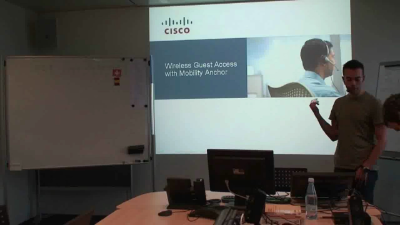
<p>This video walks you through the anchor process. It also includes decodes which are boken down step by step.</p>
<p><span class="full-image-block ssNonEditable"><span><a href="https://supportforums.cisco.com/videos/1212" target="_blank"><img src="http://www.my80211.com/storage/ciscoguestanchor?__SQUARESPACE_CACHEVERSION=1295499570058" alt="" /></a></span><span class="thumbnail-caption" style="width: 400px;"> </span></span><a href="https://supportforums.cisco.com/videos/1212">https://supportforums.cisco.com/videos/1212 </a></p>
<p>Sample:</p>
<p><span style="font-size: 90%;">(Cisco Controller) &gt;</span></p>
<p><span style="font-size: 90%;">(Cisco Controller) &gt;Sat Sep 27 10:45:15 2008: dhcpd: Received 300 byte dhcp packet from 0xc0a80019 192.168.0.25:68</span></p>
<p><span style="font-size: 90%;">Sat Sep 27 10:45:20 2008: dhcpd: Received 300 byte dhcp packet from 0xc0a80019 192.168.0.25:68</span></p>
<p><span style="font-size: 90%;">Sat Sep 27 10:45:39 2008: 00:0e:35:f3:60:53 Adding mobile on Remote AP 00:00:00:00:00:00(0) </span></p>
<p><span style="font-size: 90%;"><strong><em>The anchor controller is informed of the association request from the client by the foreign controller. However, the anchor is not aware of the AP to which the client is associating, since the L1 and L2 parts of the connection are managed by the foreign controller.</em></strong></span></p>
<p><span style="font-size: 90%;">Sat Sep 27 10:45:39 2008: 00:0e:35:f3:60:53 0.0.0.0 START (0) Initializing policy</span></p>
<p><span style="font-size: 90%;">Sat Sep 27 10:45:39 2008: 00:0e:35:f3:60:53 0.0.0.0 START (0) Change state to AUTHCHECK (2) last state AUTHCHECK (2)</span></p>
<p><span style="font-size: 90%;">Sat Sep 27 10:45:39 2008: 00:0e:35:f3:60:53 0.0.0.0 AUTHCHECK (2) Change state to L2AUTHCOMPLETE (4) last state L2AUTHCOMPLETE (4)</span></p>
<p><span style="font-size: 90%;">Sat Sep 27 10:45:39 2008: 00:0e:35:f3:60:53 0.0.0.0 L2AUTHCOMPLETE (4) Change state to DHCP_REQD (7) last state DHCP_REQD (7)</span></p>
<p><span style="font-size: 90%;">Sat Sep 27 10:45:39 2008: 00:0e:35:f3:60:53 Stopping deletion of Mobile Station: (callerId: 53)</span></p>
<p><span style="font-size: 90%;">Sat Sep 27 10:45:39 2008: 00:0e:35:f3:60:53 0.0.0.0 DHCP_REQD (7) State Update from Mobility-Incomplete to Mobility-Complete, mobility role=ExpAnchor</span></p>
<p><span style="font-size: 90%;">Sat Sep 27 10:45:39 2008: 00:0e:35:f3:60:53 0.0.0.0 DHCP_REQD (7) Change state to DHCP_REQD (7) last state DHCP_REQD (7)</span></p>
<p><span style="font-size: 90%;">Sat Sep 27 10:45:39 2008: 00:0e:35:f3:60:53 0.0.0.0 DHCP_REQD (7) pemAdvanceState2 3949, Adding TMP rule</span></p>
<p><span style="font-size: 90%;">Sat Sep 27 10:45:39 2008: 00:0e:35:f3:60:53 0.0.0.0 DHCP_REQD (7) Adding Fast Path rule</span></p>
<p><span style="font-size: 90%;">&nbsp; type = Airespace AP - Learn IP address</span></p>
<p><span style="font-size: 90%;">&nbsp; on AP 00:00:00:00:00:00, slot 0, interface = 1, QOS = 0</span></p>
<p><span style="font-size: 90%;">&nbsp; ACL Id = 255, Jumbo Frames = NO, 802.1P = 0, DSCP = 0, TokenID = 5006</span></p>
<p><span style="font-size: 90%;">Sat Sep 27 10:45:39 2008: 00:0e:35:f3:60:53 0.0.0.0 DHCP_REQD (7) Successfully plumbed mobile rule (ACL ID 255)</span></p>
<p><span style="font-size: 90%;">Sat Sep 27 10:45:39 2008: 00:0e:35:f3:60:53 Set bi-dir guest tunnel for 00:0e:35:f3:60:53 as in Export Anchor role</span></p>
<p><span style="font-size: 90%;"><strong><em>The anchor controller is being informed that the client passed the L2 authentication and that, after successful association, it is now going into the DHCP_REQD state.</em></strong></span></p>
<p><span style="font-size: 90%;"><strong><em>Also, the controller is updating its status to be the Export Anchor for this client.</em></strong></span></p>
<p><span style="font-size: 90%;">Sat Sep 27 10:45:39 2008: 00:0e:35:f3:60:53 0.0.0.0 Added NPU entry of type 9</span></p>
<p><span style="font-size: 90%;"><strong><em>The client entry is added to the Network Processing Unit (NPU) of the controller with an IP address of 0.0.0.0: this means that the client is successfully associated, but it does not have an IP address yet.</em></strong></span></p>
<p><span style="font-size: 90%;">Sat Sep 27 10:45:39 2008: 00:0e:35:f3:60:53 Sent an XID frame</span></p>
<p><span style="font-size: 90%;">Sat Sep 27 10:45:41 2008: 00:0e:35:f3:60:53 DHCP received op BOOTREQUEST (1) (len 308, port 1, encap 0xec00)</span></p>
<p><span style="font-size: 90%;">Sat Sep 27 10:45:41 2008: 00:0e:35:f3:60:53 DHCP option len (including the magic cookie) 72</span></p>
<p><span style="font-size: 90%;">Sat Sep 27 10:45:41 2008: 00:0e:35:f3:60:53 DHCP option: message type = DHCP DISCOVER</span></p>
<p><span style="font-size: 90%;">Sat Sep 27 10:45:41 2008: 00:0e:35:f3:60:53 DHCP option: 116 (len 1) - skipping</span></p>
<p><span style="font-size: 90%;">Sat Sep 27 10:45:41 2008: 00:0e:35:f3:60:53 DHCP option: 61 (len 7) - skipping</span></p>
<p><span style="font-size: 90%;">Sat Sep 27 10:45:41 2008: 00:0e:35:f3:60:53 DHCP option: 12 (len 7) - skipping</span></p>
<p><span style="font-size: 90%;">Sat Sep 27 10:45:41 2008: 00:0e:35:f3:60:53 DHCP option: vendor class id = MSFT 5.0 (len 8)</span></p>
<p><span style="font-size: 90%;">Sat Sep 27 10:45:41 2008: 00:0e:35:f3:60:53 DHCP option: 55 (len 11) - skipping</span></p>
<p><span style="font-size: 90%;">Sat Sep 27 10:45:41 2008: 00:0e:35:f3:60:53 DHCP options end, len 72, actual 64</span></p>
<p><span style="font-size: 90%;">Sat Sep 27 10:45:41 2008: 00:0e:35:f3:60:53 DHCP selecting relay 1 - control block settings:</span></p>
<p><span style="font-size: 90%;">&nbsp;&nbsp;&nbsp;&nbsp;&nbsp;&nbsp;&nbsp;&nbsp;&nbsp;&nbsp;&nbsp;&nbsp;&nbsp;&nbsp;&nbsp;&nbsp;&nbsp;&nbsp;&nbsp;&nbsp;&nbsp;&nbsp;&nbsp; dhcpServer: 0.0.0.0, dhcpNetmask: 0.0.0.0,</span></p>
<p><span style="font-size: 90%;">&nbsp;&nbsp;&nbsp;&nbsp;&nbsp;&nbsp;&nbsp;&nbsp;&nbsp;&nbsp;&nbsp;&nbsp;&nbsp;&nbsp;&nbsp;&nbsp;&nbsp;&nbsp;&nbsp;&nbsp;&nbsp;&nbsp;&nbsp; dhcpGateway: 0.0.0.0, dhcpRelay: 0.0.0.0&nbsp; VLAN: 0</span></p>
<p><span style="font-size: 90%;">Sat Sep 27 10:45:41 2008: 00:0e:35:f3:60:53 DHCP selected relay 1 - 192.168.51.1 (local address 192.168.51.203, gateway 192.168.51.1, VLAN 601, port 1)</span></p>
<p><span style="font-size: 90%;">Sat Sep 27 10:45:41 2008: 00:0e:35:f3:60:53 DHCP transmitting DHCP DISCOVER (1)</span></p>
<p><span style="font-size: 90%;">Sat Sep 27 10:45:41 2008: 00:0e:35:f3:60:53 DHCP&nbsp;&nbsp; op: BOOTREQUEST, htype: Ethernet, hlen: 6, hops: 1</span></p>
<p><span style="font-size: 90%;">Sat Sep 27 10:45:41 2008: 00:0e:35:f3:60:53 DHCP&nbsp;&nbsp; xid: 0xd5771135 (3581350197), secs: 0, flags: 0</span></p>
<p><span style="font-size: 90%;">Sat Sep 27 10:45:41 2008: 00:0e:35:f3:60:53 DHCP&nbsp;&nbsp; chaddr: 00:0e:35:f3:60:53</span></p>
<p><span style="font-size: 90%;">Sat Sep 27 10:45:41 2008: 00:0e:35:f3:60:53 DHCP&nbsp;&nbsp; ciaddr: 0.0.0.0,&nbsp; yiaddr: 0.0.0.0</span></p>
<p><span style="font-size: 90%;">Sat Sep 27 10:45:41 2008: 00:0e:35:f3:60:53 DHCP&nbsp;&nbsp; siaddr: 0.0.0.0,&nbsp; giaddr: 192.168.51.203</span></p>
<p><span style="font-size: 90%;">&nbsp;</span></p>
<p><span style="font-size: 90%;"><br /></span></p>]]></content></entry><entry><title>Cisco - "Don't Forget Spectrum" - DFS Testing</title><id>http://www.my80211.com/cisco-wlan-videos/2010/10/31/cisco-dont-forget-spectrum-dfs-testing.html</id><link rel="alternate" type="text/html" href="http://www.my80211.com/cisco-wlan-videos/2010/10/31/cisco-dont-forget-spectrum-dfs-testing.html"/><author><name>George</name></author><published>2010-11-01T02:59:57Z</published><updated>2010-11-01T02:59:57Z</updated><content type="html" xml:lang="en-US"><![CDATA[<h3><strong>Cisco's short video on DFS and their wireless controller solution. Its a quick video on DFS and client capacity testing taking advantage of DFS UNII-2 Extended.&nbsp;</strong></h3>
<p>&nbsp;They also take a poke @ Aruba in the process... :P</p>
<p><object width="640" height="385"><param name="movie" value="http://www.youtube.com/v/nJwMW_z9gwU?fs=1&amp;hl=en_US"></param><param name="allowFullScreen" value="true"></param><param name="allowscriptaccess" value="always"></param><embed src="http://www.youtube.com/v/nJwMW_z9gwU?fs=1&amp;hl=en_US" type="application/x-shockwave-flash" allowscriptaccess="always" allowfullscreen="true" width="640" height="385"></embed></object></p>
<div></div>
<div></div>
<div></div>
<div></div>
<div></div>]]></content></entry><entry><title>Cisco - Cisco CleanAir 3500 vs Aruba’s ARM Video</title><id>http://www.my80211.com/cisco-wlan-videos/2010/5/11/cisco-cisco-cleanair-3500-vs-arubas-arm-video.html</id><link rel="alternate" type="text/html" href="http://www.my80211.com/cisco-wlan-videos/2010/5/11/cisco-cisco-cleanair-3500-vs-arubas-arm-video.html"/><author><name>George</name></author><published>2010-05-12T03:31:36Z</published><updated>2010-05-12T03:31:36Z</updated><content type="html" xml:lang="en-US"><![CDATA[<p><span class="full-image-block ssNonEditable">&nbsp;<a href="http://twitter.com/wirelesssguru" target="_blank"><img src="http://www.my80211.com/storage/twitter30-1.png?__SQUARESPACE_CACHEVERSION=1262749802343" alt="" width="100" height="43" /></a><span style="color: #181818;">&nbsp;<span class="full-image-inline ssNonEditable"><a href="http://feeds.feedburner.com/my80211/feeds" target="_blank"><img style="width: 40px;" src="http://www.my80211.com/storage/rss_icon_glass48.jpg?__SQUARESPACE_CACHEVERSION=1262753456609" alt="" /></a></span></span></span></p>
<div id="_mcePaste"></div>
<h3><strong>Cisco demonstrates their latest access point offering the Cisco CleanAir 3500 access point / spectrum analyzer vs Aruba's ARM.</strong></h3>
<p>It was no secret when Cisco purchased Cognio their intentions were to integrate the spectrum chip technology on the board of a Cisco access point. In fact shortly after the purchase of Cognio we met with Cisco Engineering for a large deployment we were working on outside of San Jose. A Cisco Wireless engineer in the "know" commented, "With our recent purchase of Cognio we will bring spectrum analysis never seen before in the enterprise -- On each AP -- just give it a little time and you wait and see". Fast forward to today --- behold the CleanAir 3500.&nbsp;</p>
<p>Cisco brings to the table a technology offering other vendors can't come close to and at a price point that makes it affordable for full scale deployments (if you have a little bigger wallet of course)! Cisco's RRM like Aruba&rsquo;s ARM leverages WiFi chip technology whereby analyzing a noise floor via channel scanning. I&rsquo;m not sold on RRM and ARM technology; however I'm "drinking" Cisco CleanAir. Call me old school I suppose! I've done my own testing introducing interference on channel and observed mixed results of dynamic channel allocation with both Cisco RRM and ARM.&nbsp;</p>
<p><object width="640" height="385"><param name="movie" value="http://www.youtube.com/v/ijLLWdwJDgY&hl=en_US&fs=1&"></param><param name="allowFullScreen" value="true"></param><param name="allowscriptaccess" value="always"></param><embed src="http://www.youtube.com/v/ijLLWdwJDgY&hl=en_US&fs=1&" type="application/x-shockwave-flash" allowscriptaccess="always" allowfullscreen="true" width="640" height="385"></embed></object></p>
<h3>Marcus Burton from CWNP did a great evaluation of the 3500. Read more about it here:</h3>
<p><a href="http://www.cisco.com/en/US/solutions/collateral/ns340/ns394/ns348/ns1070/Cisco_Premium_final.pdf">http://www.cisco.com/en/US/solutions/collateral/ns340/ns394/ns348/ns1070/Cisco_Premium_final.pdf</a>&nbsp;</p>
<blockquote>
<p>"<span style="color: black;">While other vendors have previously claimed spectrum-level visibility in their APs, they suffer from the unfortunate effect of ill-advised marketing. What is billed by some as &ldquo;spectrum analysis&rdquo; is nothing more than 802.11 Wi-Fi utilization analysis, or very, very minimal spectrum data. A good feature, but it&rsquo;s not true, useful spectrum analysis." <span style="font-size: 70%;">- Marcus Burton / CWNP</span></span></p>
</blockquote>
<h3><strong>NOTE: (From Jim&nbsp;<span style="color: #333333; font-family: Arial, verdana, sans-serif;">Jim Florwick @ Cisco)</span></strong></h3>
<p><span style="color: #333333; font-family: Arial, verdana, sans-serif;"> </span></p>
<p style="padding: 0px; margin: 0px;">Launch details are located here:</p>
<p style="min-height: 8pt; height: 8pt; padding: 0px; margin: 0px;">&nbsp;</p>
<p style="padding: 0px; margin: 0px;"><a class="jive-link-external-small" style="color: #2f6681; text-decoration: none; outline-style: none; outline-width: initial; outline-color: initial; padding: 0px; margin: 0px;" href="http://http//www.cisco.com/en/US/partner/netsol/ns1070/networking_solutions_package.html">http://www.cisco.com/en/US/partner/netsol/ns1070/networking_solutions_package.html</a></p>
<p style="min-height: 8pt; height: 8pt; padding: 0px; margin: 0px;">&nbsp;</p>
<p style="padding: 0px; margin: 0px;">Licensing is based on system compomnents and levels.&nbsp; At the base level - a Cisco 3500 AP and a controller running version 7.0 code wil provide full view of current CleanAir information and supports the full mitigation features as well as Spectrum expert connect feature.</p>
<p style="min-height: 8pt; height: 8pt; padding: 0px; margin: 0px;">&nbsp;</p>
<p style="padding: 0px; margin: 0px;">Adding WCS will allow historical reporting of AirQuality metrics and monitoring of security related IDR's (Interference Device Reports).&nbsp; As well as inclusion of a CleanAir Dashboard and trending information with regards to AirQuality.&nbsp; This is available with the WCS base license.</p>
<p style="min-height: 8pt; height: 8pt; padding: 0px; margin: 0px;">&nbsp;</p>
<p style="padding: 0px; margin: 0px;">Adding the MSE to the system provides a great deal of functionality including historic Interference specific reports, and location (current and historical) of interference devices.&nbsp; The MSE requires that WCS have a plus license - and will also require CAS (Context Aware Sevice) license seats for the individual interference targets.</p>
<p style="min-height: 8pt; height: 8pt; padding: 0px; margin: 0px;">&nbsp;</p>
<p style="padding: 0px; margin: 0px;">At present there will be free CAS licenses offered with bundles of 3500 series AP's, up to 100 seats for 20 AP's.&nbsp; Release date of the 7.0 software is targeted for the end of May as well.&nbsp;</p>
<p style="padding: 0px; margin: 0px;">&nbsp;</p>
<h3>NOTE:&nbsp;Cisco CleanAir Technology At A Glance</h3>
<p style="padding: 0px; margin: 0px;">&nbsp;</p>
<p style="padding: 0px; margin: 0px;"><a href="http://www.cisco.com/en/US/solutions/collateral/ns340/ns394/ns348/ns1070/aag_c22-594304.pdf">http://www.cisco.com/en/US/solutions/collateral/ns340/ns394/ns348/ns1070/aag_c22-594304.pdf</a></p>]]></content></entry><entry><title>Cisco – Cisco vs Aruba Client Density test with 802.11n</title><id>http://www.my80211.com/cisco-wlan-videos/2010/2/6/cisco-cisco-vs-aruba-client-density-test-with-80211n.html</id><link rel="alternate" type="text/html" href="http://www.my80211.com/cisco-wlan-videos/2010/2/6/cisco-cisco-vs-aruba-client-density-test-with-80211n.html"/><author><name>George</name></author><published>2010-02-06T18:46:24Z</published><updated>2010-02-06T18:46:24Z</updated><content type="html" xml:lang="en-US"><![CDATA[<p><span class="full-image-block ssNonEditable">&nbsp;</span></p>
<p><a href="http://twitter.com/wirelesssguru" target="_blank"><img src="http://www.my80211.com/storage/twitter30-1.png?__SQUARESPACE_CACHEVERSION=1262749802343" alt="" width="100" height="43" /></a><span style="color: #181818;">&nbsp;<span class="full-image-inline ssNonEditable"><a href="http://feeds.feedburner.com/my80211/feeds" target="_blank"><img style="width: 40px;" src="http://www.my80211.com/storage/rss_icon_glass48.jpg?__SQUARESPACE_CACHEVERSION=1262753456609" alt="" /></a></span> </span></p>
<div id="_mcePaste"></div>
<h3>Cisco released another video on youtube.com. Where they conducted client density testing with a Cisco 1142 against Aruba's AP-105 and AP-125. The test was conducted with 2.4 GHz non-bonded and 5 GHz with channel bonding. Although, I would have liked more details on how the test were conducted and were the results consistent.</h3>
<p><span style="color: #000000; font-family: Arial, Helvetica, sans-serif;">This video explains competitive WLAN high density test results assessing Cisco's AP1140, Aruba's AP-105 and AP-125 in the area of bandwidth fairness. For this test, each 802.11n Access Point was loaded up with 60 Intel 802.11n clients all attempting to download data simultaneously. Throughput per client was assessed using VeriWave's WaveAgent software which generated downstream TCP traffic.</span></p>
<p>Link: <a href="http://www.youtube.com/watch?v=Z5LLg6aky6A">http://www.youtube.com/watch?v=Z5LLg6aky6A</a></p>
<p><span style="color: #000000; font-family: Arial, Helvetica, sans-serif;"><br /></span></p>
<p><object width="300" height="300"><param name="movie" value="http://www.youtube.com/v/Z5LLg6aky6A&hl=en_US&fs=1&hd=1"></param><param name="allowFullScreen" value="true"></param><param name="allowscriptaccess" value="always"></param><embed src="http://www.youtube.com/v/Z5LLg6aky6A&hl=en_US&fs=1&hd=1" type="application/x-shockwave-flash" allowscriptaccess="always" allowfullscreen="true" width="300" height="300"></embed></object></p>]]></content></entry><entry><title>Cisco – 802.11n shootout with Aruba,Motorola and HP</title><id>http://www.my80211.com/cisco-wlan-videos/2010/2/6/cisco-80211n-shootout-with-arubamotorola-and-hp.html</id><link rel="alternate" type="text/html" href="http://www.my80211.com/cisco-wlan-videos/2010/2/6/cisco-80211n-shootout-with-arubamotorola-and-hp.html"/><author><name>George</name></author><published>2010-02-06T18:23:36Z</published><updated>2010-02-06T18:23:36Z</updated><content type="html" xml:lang="en-US"><![CDATA[<p><a title="Subscribe to my feed" rel="alternate" type="application/rss+xml" href="http://feeds.feedburner.com/my80211/feeds"><img style="border: 0;" src="http://www.feedburner.com/fb/images/pub/feed-icon32x32.png" alt="" /></a></p>
<h3>I just stumbled on a 4 part youtube video I believe posted by Cisco on a side by side &ldquo;shootout&rdquo; of 802.11n performance testing between Cisco, Aruba, Motorola and HP, 802.11n offerings. Their testing was conducted in a greenfield environment and deployed various tools to monitor performance. Cisco <span class="full-image-float-right ssNonEditable"><span><img src="http://www.my80211.com/storage/ciscoshootout11.bmp?__SQUARESPACE_CACHEVERSION=1259515045549" alt="" /></span></span>came out smelling like a dozen roses (no, let me take that back, 2 dozen roses) as they conducted the test themselves. But needless to say, I think there is value in watching the videos. They have a solid test approach with added real world examples, or should I say test samples.</h3>
<p>HP took two black eyes and a bloody nose in these videos. Gezzz&hellip;</p>
<p>Btw, I would hate to be the poor soul sitting underneath that 1252 access point hanging from the t-bar. &nbsp;<strong> <br /></strong></p>
<p><strong>802.11n Performance - Testing Setup (Part 1 of 4)</strong> <a href="http://www.youtube.com/watch?v=AYfITpf6VEQ&amp;feature=related"></a></p>
<p><a href="http://www.youtube.com/watch?v=AYfITpf6VEQ&amp;feature=related">http://www.youtube.com/watch?v=AYfITpf6VEQ&amp;feature=related</a></p>
<p><strong>802.11n Performance - Throughput vs. Distance (Part 2 of 4)</strong></p>
<p><a href="http://www.youtube.com/watch?v=A5rowgtTSj8&amp;feature=related">http://www.youtube.com/watch?v=A5rowgtTSj8&amp;feature=related</a></p>
<p><strong>802.11n Performance - Coverage (Part 3 of 4)</strong></p>
<p><strong>&nbsp;</strong> <a href="http://www.youtube.com/watch?v=3UGm6KtUErI&amp;feature=related">http://www.youtube.com/watch?v=3UGm6KtUErI&amp;feature=related</a></p>
<p><strong>802.11n Performance - Capacity Test (Part 4 of 4)<br /> </strong>&nbsp;<a href="http://www.youtube.com/watch?v=ak5iHbASH9s">http://www.youtube.com/watch?v=ak5iHbASH9s</a><strong>&nbsp;</strong></p>
&nbsp;]]></content></entry></feed>